Installation Sequence
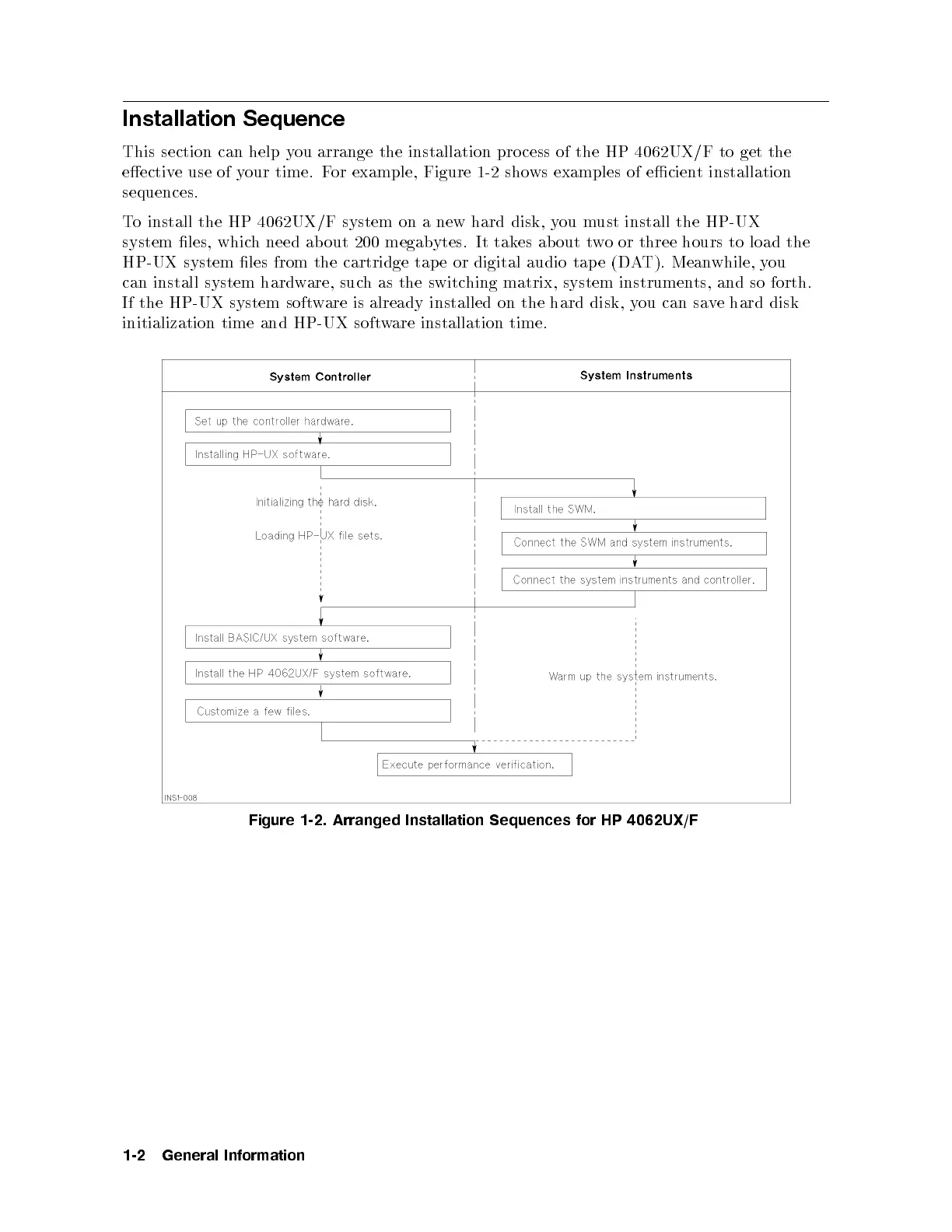
This section can help you arrange the installation pro cess of the HP 4062UX/F to get the
eective use of your time. For example, Figure 1-2 shows examples of ecient installation
sequences.
To install the HP 4062UX/F system on a new hard disk, you must install the HP-UX
system les, which need ab out 200 megabytes. It takes ab out two or three hours to load the
HP-UX system les from the cartridge tap e or digital audio tap e (DAT). Meanwhile, you
can install system hardware, such as the switching matrix, system instruments, and so forth.
If the HP-UX system software is already installed on the hard disk, you can save hard disk
initialization time and HP-UX software installation time.
Figure 1-2. Arranged Installation Sequences for HP 4062UX/F
1-2 General Information



 To Next Page