16.
DC Leakage Test
For the DC Leakage Test, make sure only the test xture adapter is installed on the
SWM.
Select the
NNNNNNNNNNNNNN
NEXT
softkey to start the DC Leakage Test.
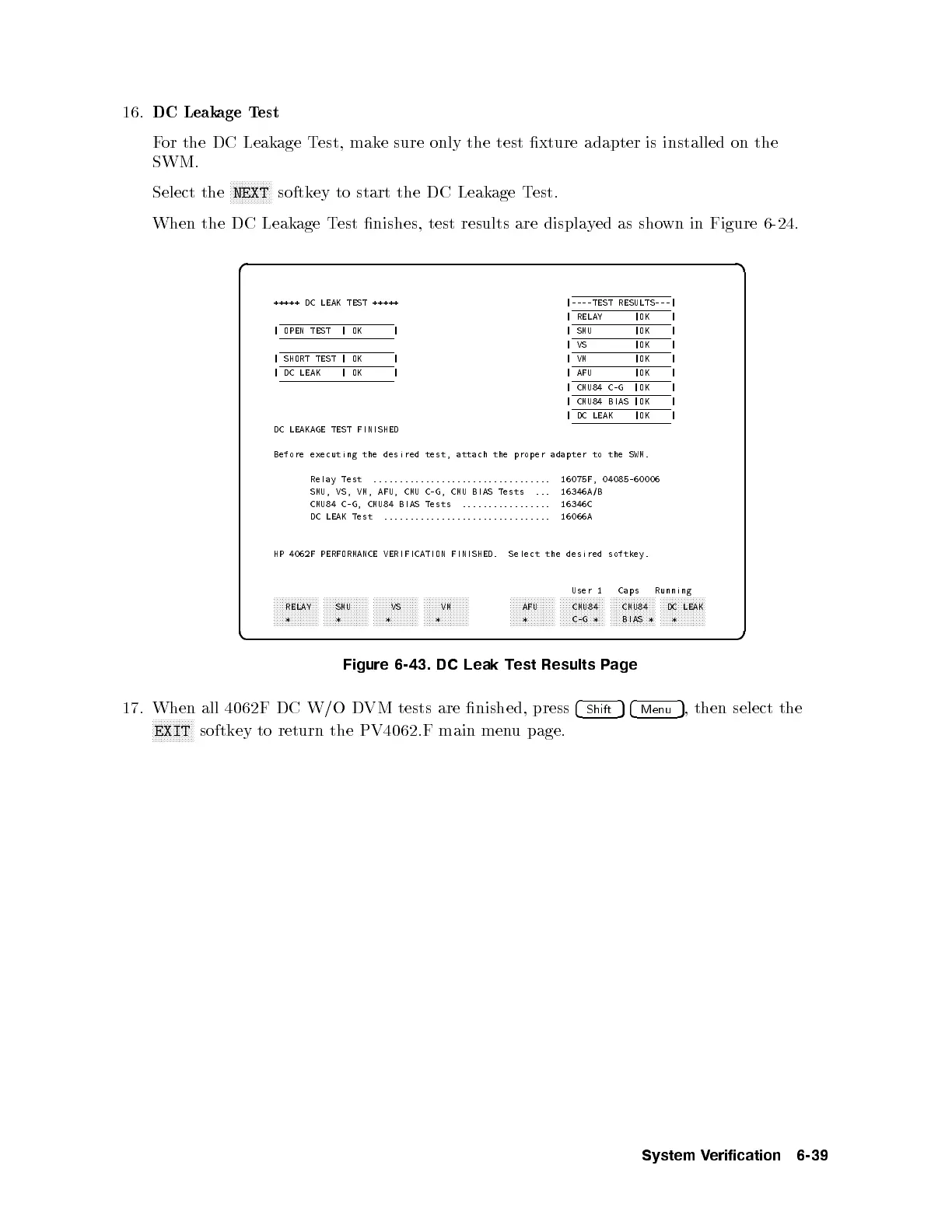
When the DC Leakage Test nishes, test results are displayed as shown in Figure 6-24.
d a
c b
+++++ DC LEAK TEST +++++ |----TEST RESULTS---|
| RELAY |OK |
| OPEN TEST | OK | | SMU |OK |
|VS |OK |
| SHORT TEST | OK | |VM |OK |
| DC LEAK |OK | | AFU |OK |
| CMU84 C-G |OK |
| CMU84 BIAS |OK |
| DC LEAK |OK |
DC LEAKAGE TEST FINISHED
Before executing the desired test, attach the proper adapter to the SWM.
Relay Test .................................. 16075F, 04085-60006
SMU, VS, VM, AFU, CMU C-G, CMU BIAS Tests ... 16346A/B
CMU84 C-G, CMU84 BIAS Tests ................. 16346C
DC LEAK Test ................................ 16066A
HP 4062F PERFORMANCE VERIFICATION FINISHED. Select the desired softkey.
User 1 Caps Running
aaaaaaaaaaaaaaa
RELAY
*
aaaaaaaaaaaaaaa
SMU
*
aaaaaaaaaaaaaaa
VS
*
aaaaaaaaaaaaaaa
VM
*
aaaaaaaaaaaaaaa
AFU
*
aaaaaaaaaaaaaaa
CMU84
C-G *
aaaaaaaaaaaaaaa
CMU84
BIAS *
aaaaaaaaaaaaaaa
DC LEAK
*
Figure 6-43. DC Leak Test Results Page
17. When all 4062F DC W/O DVM tests are nished, press
4
Shift
54
Menu
5
, then select the
NNNNNNNNNNNNNN
EXIT
softkey to return the PV4062.F main menu page.
System Verification 6-39



 To Next Page