2. Toverify or change the calibration values of the system calibration mo dule, select the
NNNNNNNNNNNNNNNNNNNNNNNNNN
Reconfig
softkey. Refer to the
CALIBRATION REPORT
sheet furnished with the
system calibration mo dule for the correct calibration values.
To display a brief operating guide, select the
NNNNNNNNNNNNNNNNNNNN
Help
softkey.To return to the startup
menu page, select the
NNNNNNNNNNNNNNNNNNNNNNNNNN
Return
softkey.
If this step is not required, go to step 3.
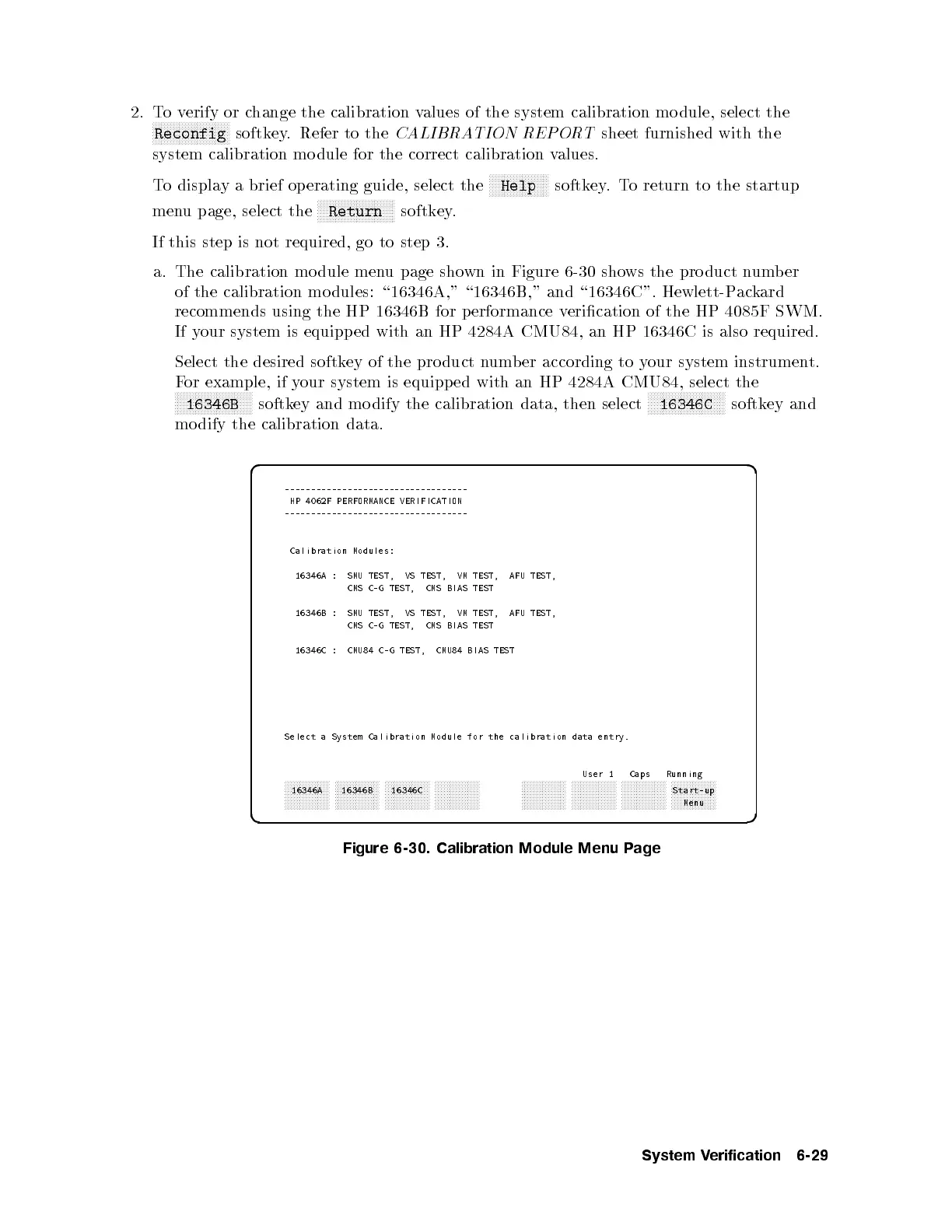
a. The calibration mo dule menu page shown in Figure 6-30 shows the pro duct number
of the calibration mo dules: \16346A," \16346B," and \16346C". Hewlett-Packard
recommends using the HP 16346B for p erformance verication of the HP 4085F SWM.
If your system is equipp ed with an HP 4284A CMU84, an HP 16346C is also required.
Select the desired softkey of the pro duct number according to your system instrument.
For example, if your system is equipp ed with an HP 4284A CMU84, select the
NNNNNNNNNNNNNNNNNNNNNNNNNN
16346B
softkey and mo dify the calibration data, then select
NNNNNNNNNNNNNNNNNNNNNNNNNN
16346C
softkey and
mo dify the calibration data.
d a
c b
-----------------------------------
HP 4062F PERFORMANCE VERIFICATION
-----------------------------------
Calibration Modules:
16346A : SMU TEST, VS TEST, VM TEST, AFU TEST,
CMS C-G TEST, CMS BIAS TEST
16346B : SMU TEST, VS TEST, VM TEST, AFU TEST,
CMS C-G TEST, CMS BIAS TEST
16346C : CMU84 C-G TEST, CMU84 BIAS TEST
Select a System Calibration Module for the calibration data entry.
User 1 Caps Running
aaaaaaaaaaaaaaa
16346A
aaaaaaaaaaaaaaa
16346B
aaaaaaaaaaaaaaa
16346C
aaaaaaaaaaaaaaa aaaaaaaaaaaaaaa aaaaaaaaaaaaaaa aaaaaaaaaaaaaaa aaaaaaaaaaaaaaa
Start-up
Menu
Figure 6-30. Calibration Module Menu Page
System Verification 6-29



 To Next Page