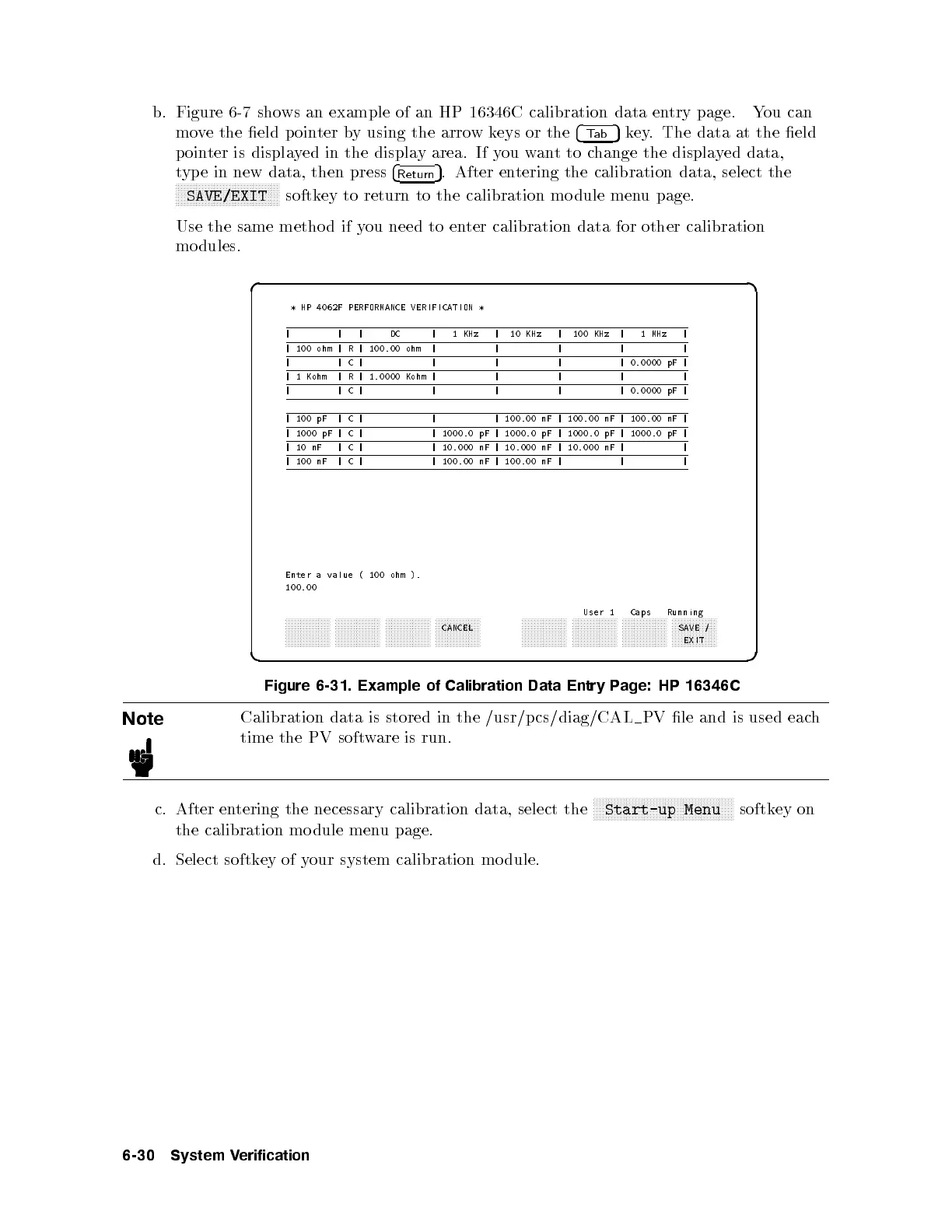
b. Figure 6-7 shows an example of an HP 16346C calibration data entry page. You can
move the eld p ointer by using the arrow keys or the
4
Tab
5
key. The data at the eld
pointer is displayed in the display area. If you wantto change the displayed data,
type in new data, then press
4
Return
5
. After entering the calibration data, select the
NNNNNNNNNNNNNNNNNNNNNNNNNNNNNNNNNNN
SAVE/EXIT
softkey to return to the calibration mo dule menu page.
Use the same metho d if you need to enter calibration data for other calibration
mo dules.
d a
c b
* HP 4062F PERFORMANCE VERIFICATION *
| | | DC | 1 KHz | 10 KHz | 100 KHz | 1 MHz |
| 100 ohm | R | 100.00 ohm | | | | |
| |C| | | | | 0.0000 pF |
| 1 Kohm | R | 1.0000 Kohm | | | | |
| |C| | | | | 0.0000 pF |
| 100 pF | C | | | 100.00 nF | 100.00 nF | 100.00 nF |
| 1000 pF | C | | 1000.0 pF | 1000.0 pF | 1000.0 pF | 1000.0 pF |
|10nF |C| | 10.000 nF | 10.000 nF | 10.000 nF | |
| 100 nF | C | | 100.00 nF | 100.00 nF | | |
Enter a value ( 100 ohm ).
100.00
User 1 Caps Running
aaaaaaaaaaaaaaa aaaaaaaaaaaaaaa aaaaaaaaaaaaaaa aaaaaaaaaaaaaaa
CANCEL
aaaaaaaaaaaaaaa aaaaaaaaaaaaaaa aaaaaaaaaaaaaaa aaaaaaaaaaaaaaa
SAVE /
EXIT
Figure 6-31. Example of Calibration Data Entry P
age: HP 16346C
Note
Calibration data is stored in the /usr/p cs/diag/CAL PV le and is used each
time the PV software is run.
c. After entering the necessary calibration data, select the
NNNNNNNNNNNNNNNNNNNNNNNNNNNNNNNNNNNNNNNNNNNNNNN
Start-up Menu
softkey on
the calibration mo dule menu page.
d. Select softkey of your system calibration mo dule.
6-30 System Verification



 To Next Page