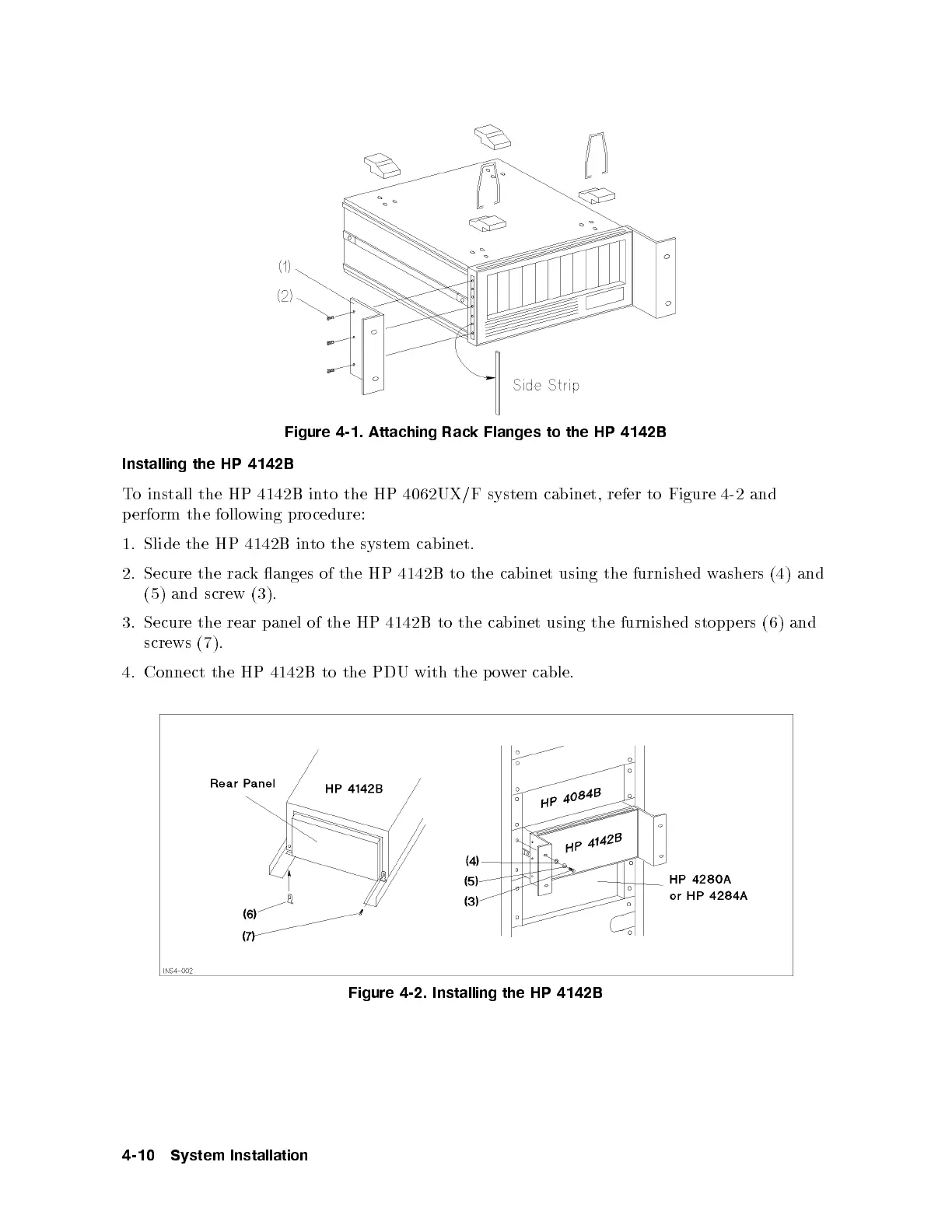
Figure 4-1. Attaching Rack Flanges to the HP 4142B
Installing the HP 4142B
To install the HP 4142B into the HP 4062UX/F system cabinet, refer to Figure 4-2 and
perform the follo wing procedure:
1. Slide the HP 4142B into the system cabinet.
2. Secure the rack anges of the HP 4142B to the cabinet using the furnished w
ashers (4) and
(5) and screw (3).
3. Secure the rear panel of the HP 4142B to the cabinet using the furnished stopp ers (6) and
screws (7).
4. Connect the HP 4142B to the PDU with the po
wer cable.
Figure 4-2. Installing the HP 4142B
4-10 System Installation



 To Next Page