HP-IB Interface Cards
This section explains how to install HP-IB interface cards. You need to install HP-IB interface
cards in the following cases:
When you use Series 700 Mo del 725 computer.
When you use Series 700 Mo del 745i or 747i computer with a prober, a printer, or a plotter,
which are controlled via HP-IB from HP 4062UX/F.
Each HP-IB interface is reserved for a sp ecic system function, as listed in Table 2-3.
Table 2-3. HP-IB Interface Supported for Series 700 Computers
Interface Description
HP 25560A For communicating with computer peripherals
745i/747i internal HP-IB,
HP E2071B (for model 725)
For controlling the system instruments: HP 4084B, HP
4142B, HP 4280A, HP 4284A, and HP 8110As
HP E2071B For controlling wafer prob ers via HP-IB from the HP
4062UX/F system or controlling other instruments
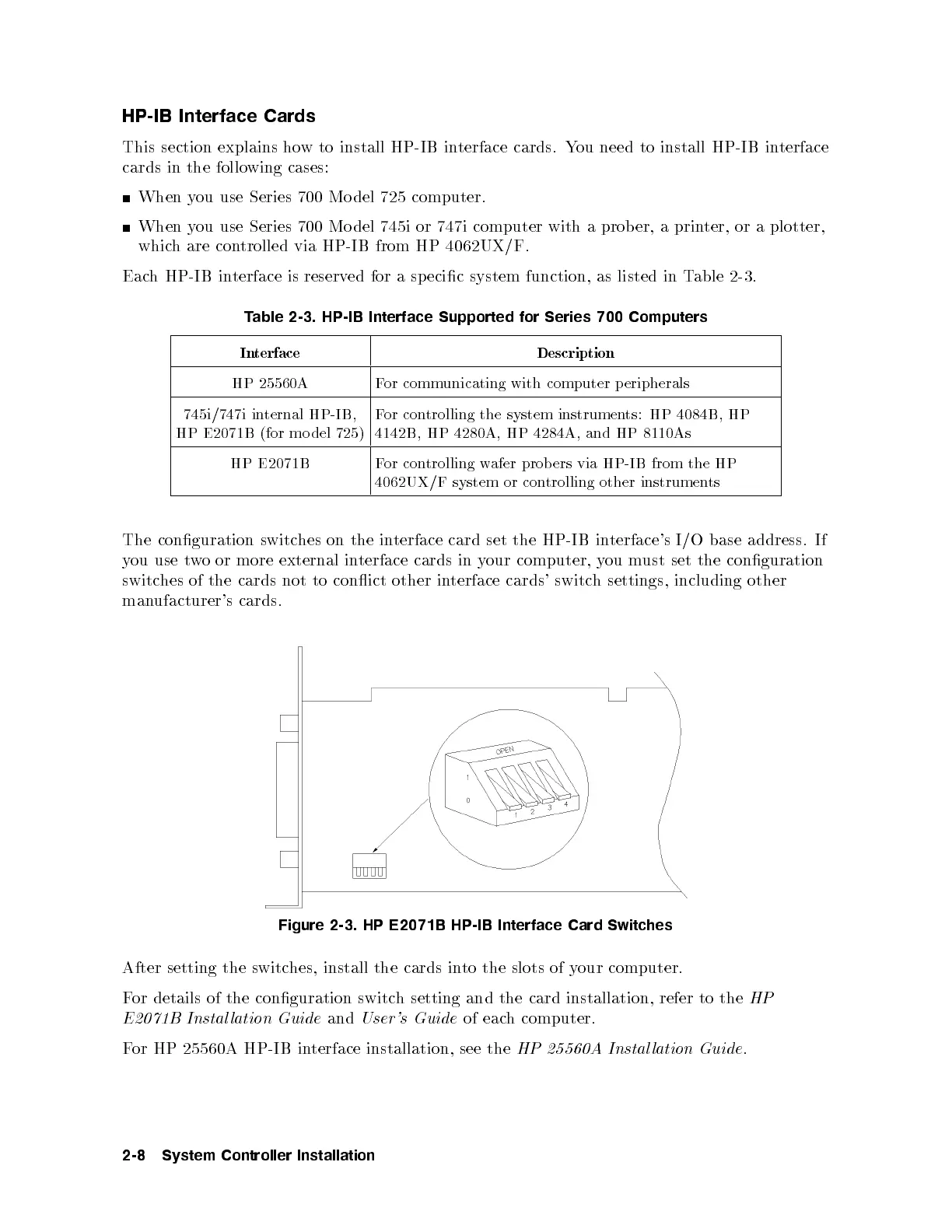
The conguration switches on the interface card set the HP-IB interface's I/O base address. If
you use two or more external interface cards in your computer, you must set the conguration
switches of the cards not to conict other in
terface cards' switch settings, including other
manufacturer's cards.
Figure 2-3. HP E2071B HP-IB Interface Card Switches
After setting the switches, install the cards into the slots of your computer.
For details of the conguration switch setting and the card installation, refer to the
HP
E2071B Instal lation Guide
and
User's Guide
of each computer.
For HP 25560A HP-IB interface installation, see the
HP 25560A Instal lation Guide
.
2-8 System Controller Installation



 To Next Page