Running PV4062.F
To start PV4062.F, perform the follo wing procedure:
1. Turn the system controller on and bo ot the HP-UX system.
2. Log in as a superuser.
3. Change the current directory to the /usr/p cs/diag directory as follows:
# cd /usr/pcs/diag
4. Enter the HP BASIC/UX environment as follows:
# rmb
5. Load and run the PV4062.F program as follows:
LOAD "PV4062.F"
4
Return
5
RUN
4
Return
5
or select the
NNNNNNNNNNN
RUN
softkey
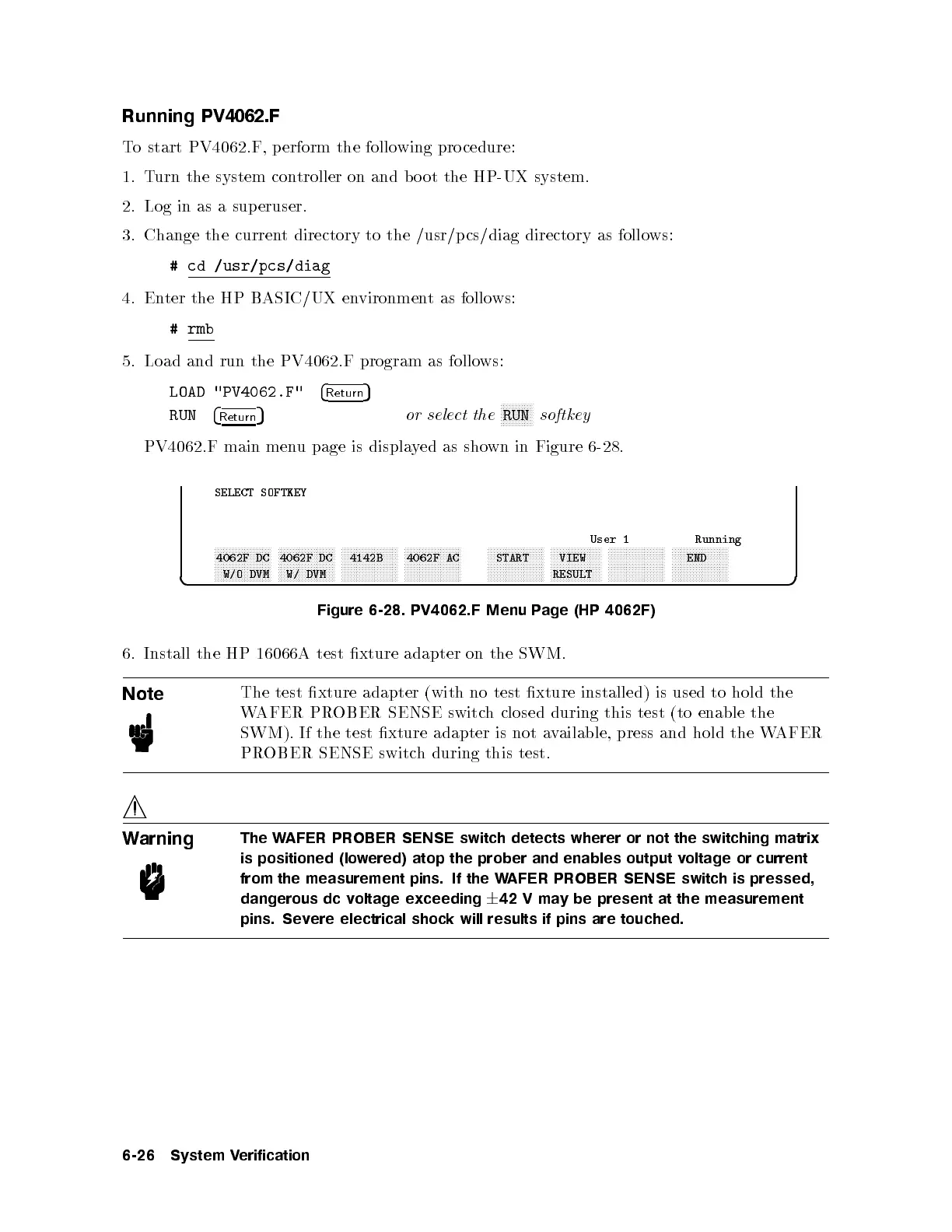
PV4062.F main menu page is displayed as shown in Figure 6-28.
c b
SELECT SOFTKEY
User 1 Running
xxxxxxxxxxxxxxxxxxx
4062F DC
W/O DVM
xxxxxxxxxxxxxxxxxxx
4062F DC
W/ DVM
xxxxxxxxxxxxxxxxxxx
4142B
xxxxxxxxxxxxxxxxxxx
4062F AC
xxxxxxxxxxxxxxxxxxx
START
xxxxxxxxxxxxxxxxx
VIEW
RESULT
xxxxxxxxxxxxxxxxxxx xxxxxxxxxxxxxxxxxxx
END
Figure 6-28. PV4062.F Menu Page (HP 4062F)
6. Install the HP 16066A test xture adapter on the SWM.
Note
The test xture adapter (with no test xture installed) is used to hold the
WAFER PROBER SENSE switch closed during this test (to enable the
SWM). If the test xture adapter is not a
vailable, press and hold the WAFER
PROBER SENSE switch during this test.
Warning
The WAFER PROBER SENSE switch detects wherer or not the switching matrix
is positioned (lowered) atop the prober and enables output voltage or current
from the measurement pins. If the WAFER PROBER SENSE switch is pressed,
dangerous dc voltage exceeding
6
42 V may be present at the measurement
pins. Severe electrical shock will results if pins are touched.
6-26 System Verification



 To Next Page