Table 4-3. Maximum Current for PDU
Line Voltage HP Part Number Total Maximum
Current
Maximum Current
of Each Outlet
100 Vac or 120 Vac 04062-60201 20 A 10 A
220 Vac or 240 Vac 04062-60202 10 A 6A
Warning
Main power cable installation must be performed by trained service personnel
or electrician only. Incorrect installation will result in serious injury to operating
personnel and damage to equipment.
Caution
Do
not
connect the main power cable to the outlet at your site until after the
inspection of all system instruments. This will protect the system instruments
from damage and service personnel from injury. Refer to \Testing Each
Instrument".
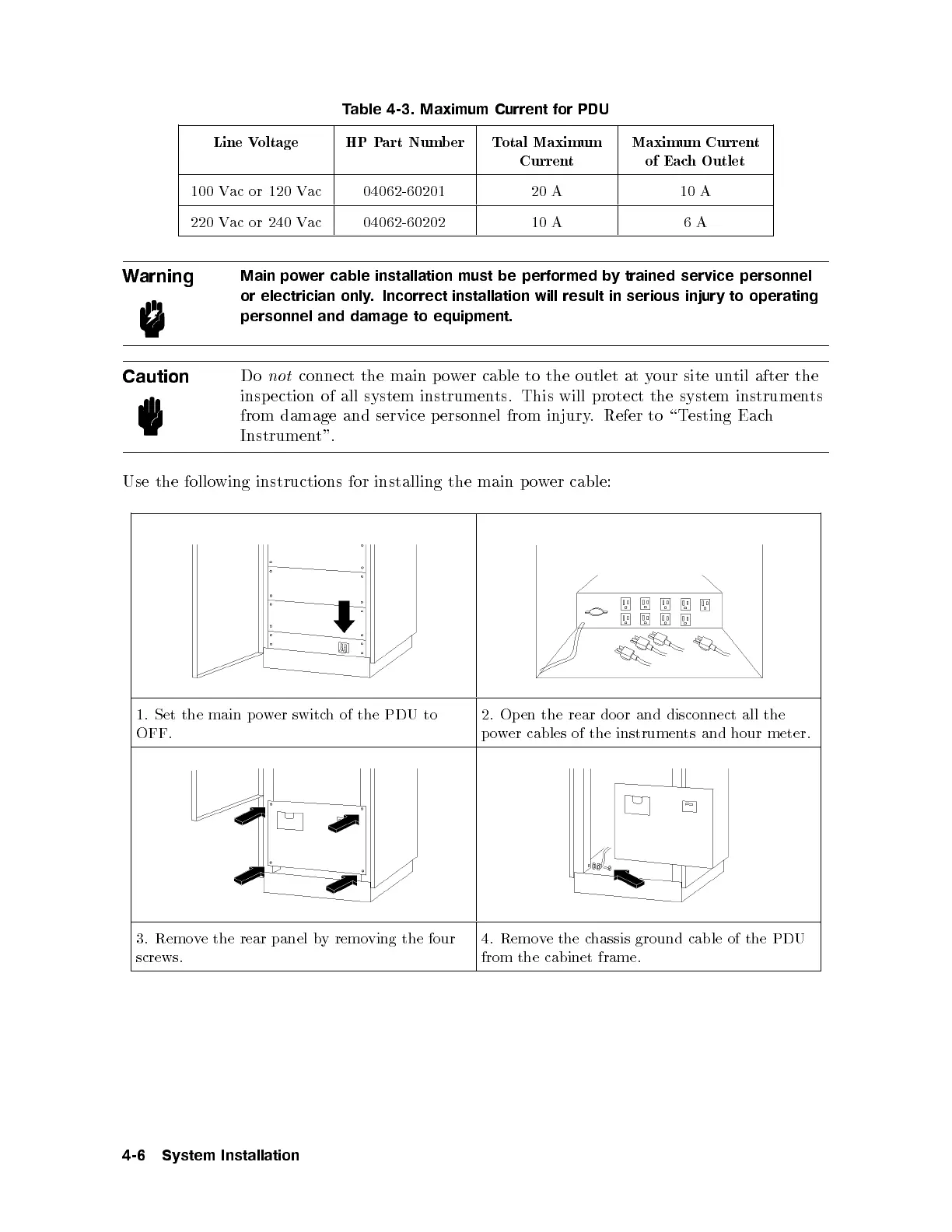
Use the following instructions for installing the main p o
wer cable:
1. Set the main power switch of the PDU to
OFF.
2. Open the rear door and disconnect all the
power cables of the instruments and hour meter.
3. Remove the rear panel by removing the four
screws.
4. Remove the chassis ground cable of the PDU
from the cabinet frame.
4-6 System Installation



 To Next Page