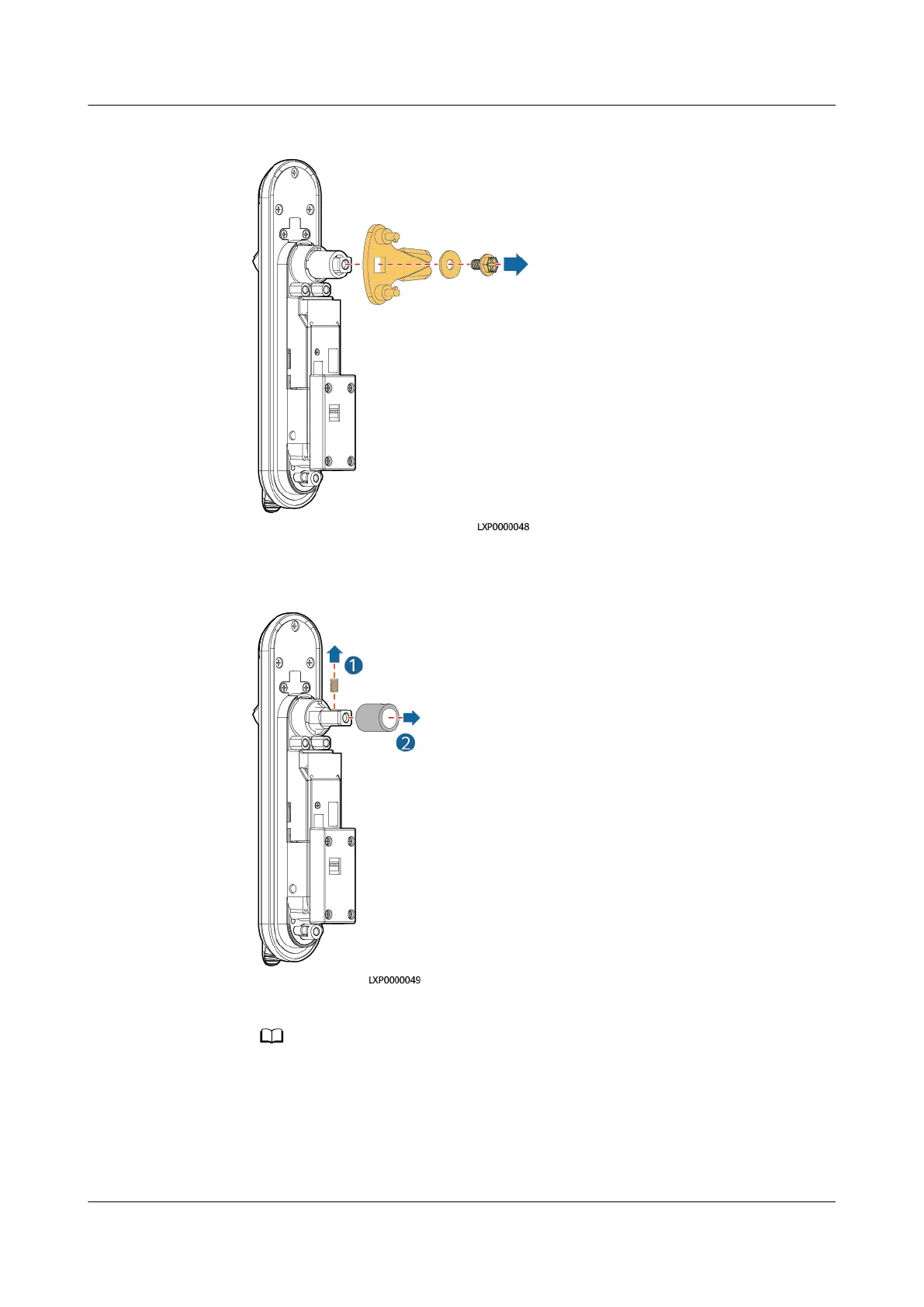
Figure 4-43 Removing the bolt
2. Remove the shaft sleeve from the lock.
Figure 4-44 Removing the shaft sleeve
3. Rotate the positioning kit according to the door opening direction.
If the ears on the positioning kit are horizontal, the door is right-handed. If they are
vertical, the door is left-handed.
iSitePower Integrated Smart Site (ICC1000-A1-E1)
User Manual 4 Maintenance
Issue 04 (2022-10-15) Copyright © Huawei Technologies Co., Ltd. 149









 To Next Page