WindO/I-NV4 User’s Manual 29-7
1 Project Transfer Function
29
Data Transfer Function
1.5 Using File Manager on the MICRO/I to Transfer Project Data
● Download
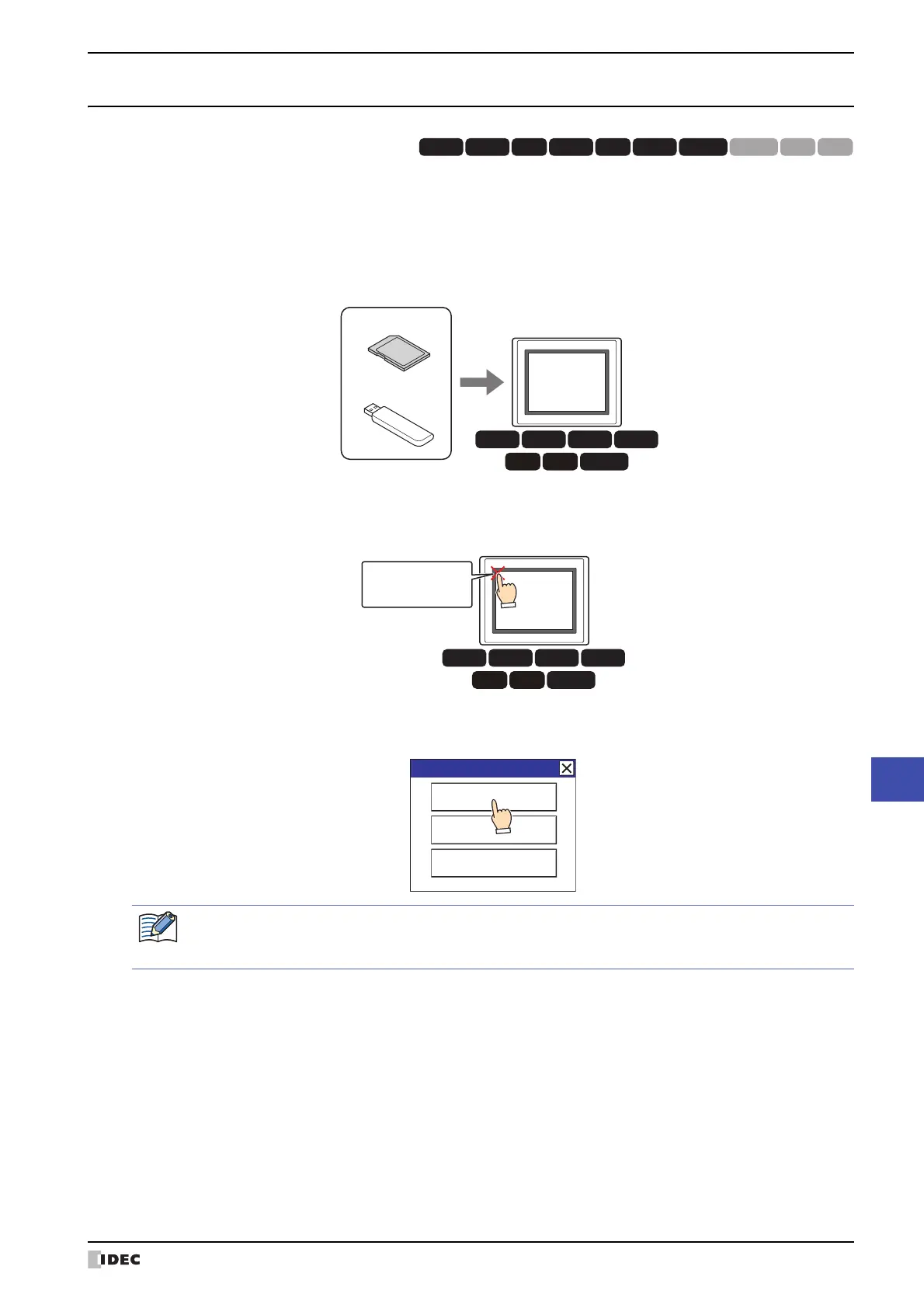
1 Create a project (ZNV Project File) for project transfer and save it on an external memory device.
For details, refer to “1.3 Converting Project for Transfer” on page 29-3.
2 Insert an external memory device in the MICRO/I.
3 Press the upper-left edge of the MICRO/I screen for three seconds or more.
The maintenance screen is now displayed.
4 Press System Mode.
MICRO/I displays the Top Page in the System Mode.
HG3G
HG2G-5FHG5G-V HG4G-V HG3G-V HG2G-V HG2G-5T
HG4G HG1G HG1P
HG3G
HG2G-5F
HG4G
HG5G-V HG4G-V HG3G-V HG2G-V
MICRO/I
USB flash drive
SD memory card
External Memory Device
Press and hold
3 or more seconds
HG3G
HG2G-5F
HG4G
HG5G-V HG4G-V HG3G-V HG2G-V
MICRO/I
Maintenance
System Mode
Device Monitor
Adjust Brightness
When downloading a project configured with security to the MICRO/I, the password screen is displayed.
Select a user name and enter its password. For details, refer to Chapter 23 “User Accounts and the Security
Function” on page 23-1.



 To Next Page
 Loading...