15
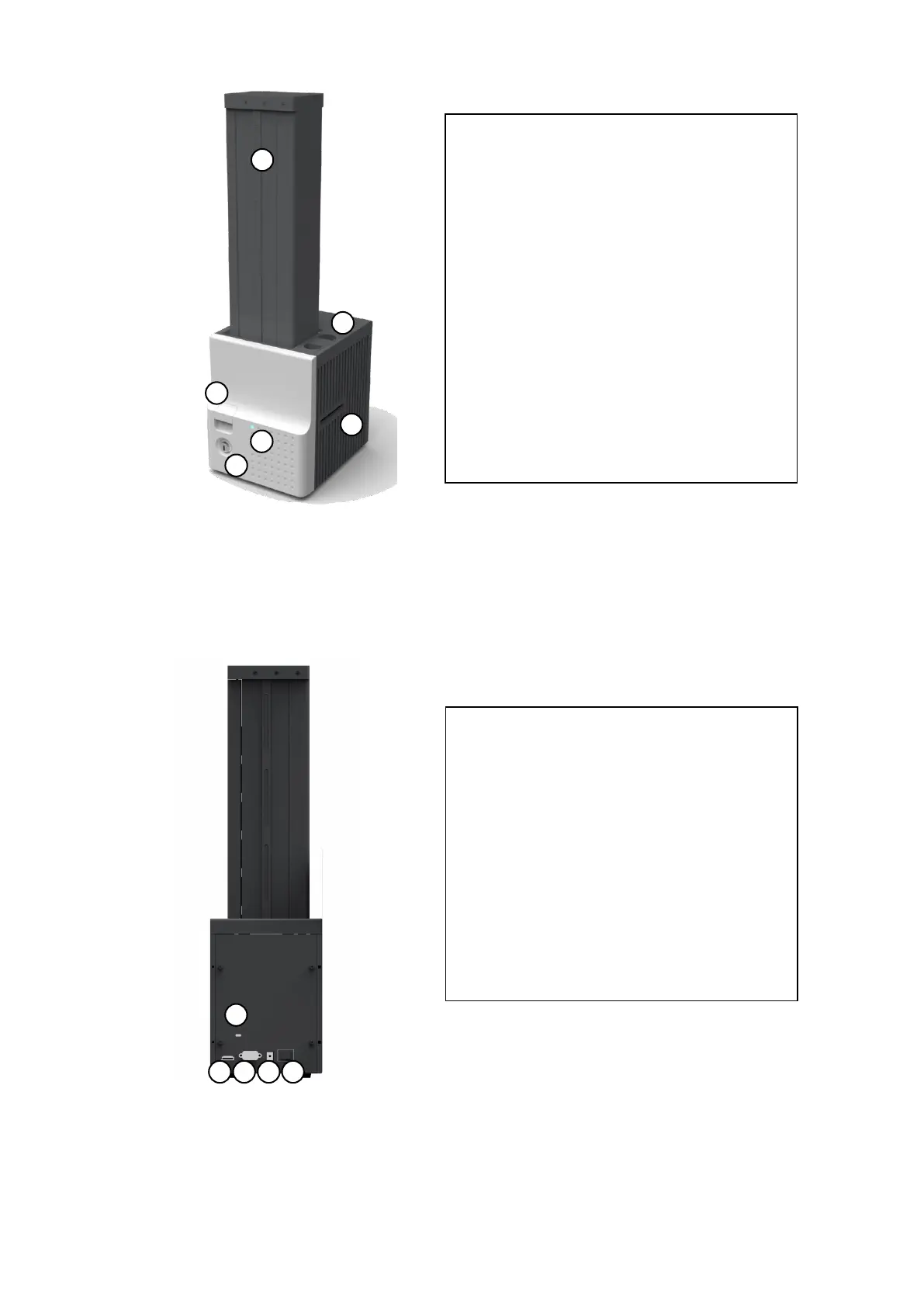
Figure 2 Front side of Input Hopper
Figure 3 Rear side of Input Hopper
① Card cartridge
500 cards can be loaded.
② Disposable cleaning roller holder
Please install the disposable cleaning roller
included with new ribbon.
③ Cartridge release button
Please pull up card cartridge while pressing
cartridge release button.
④ Indicator LED
The status of Input Hopper is displayed by the
color.
⑤ Physical lock
Card cartridge is locked and can’t be taken out
from Input Hopper.
⑥ Card gate
Card is supplied to other module.
① Kensington lock
Kensington lock is usable.
② Communication port
To communicate between SMART-70 modules,
please connect to an adjacent module.
③ Serial communication port
This port is used when an external device
controls Input Hopper.
④ Power port
Please connect the 24V DC power adaptor
provided with Input Hopper.
⑤ Power switch
Turn On/Off



 To Next Page