31
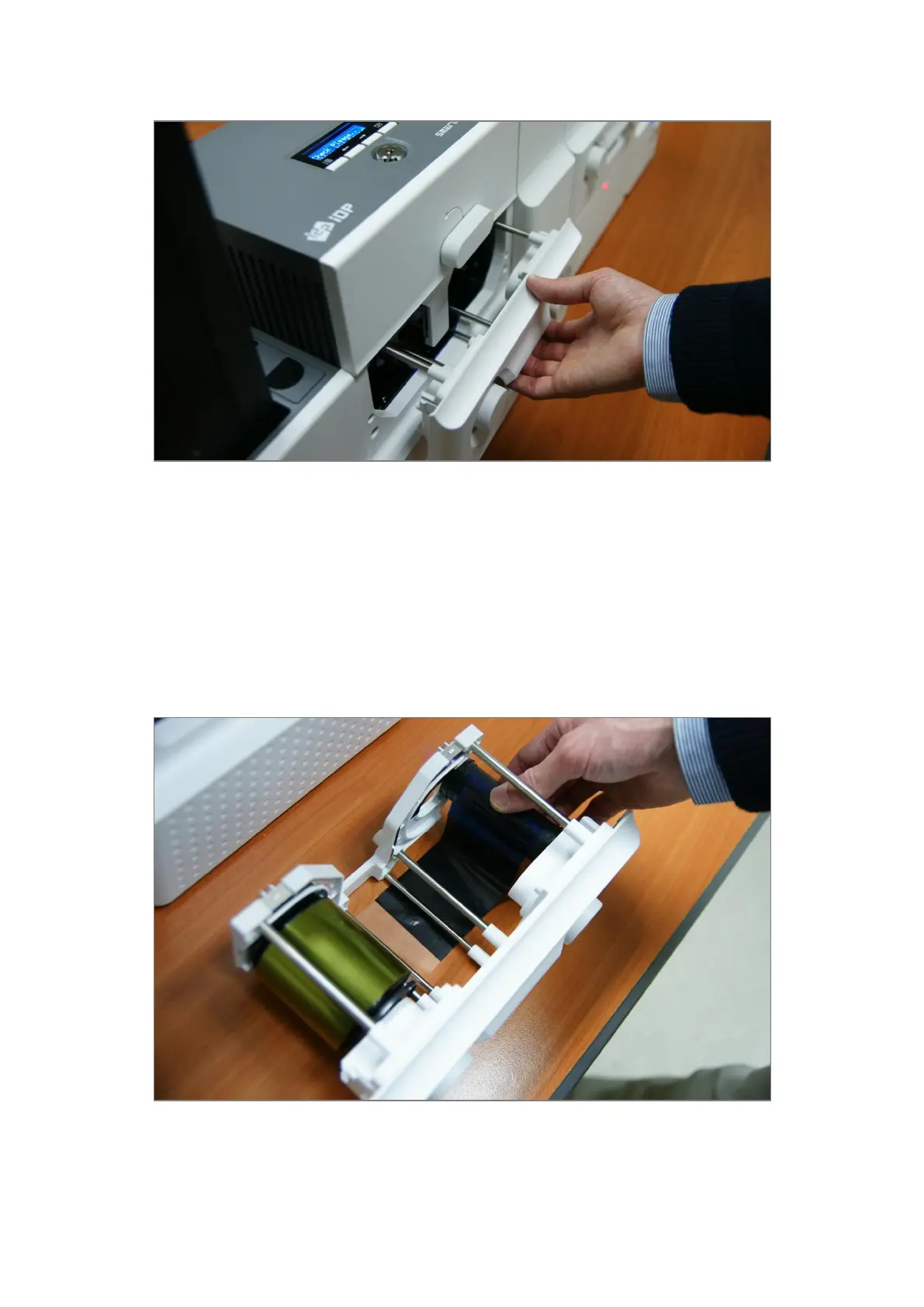
B. Please pull out ribbon / film cartridge.
Figure 20 Pulling out ribbon / film cartridge
C. Please mount print ribbon / laminating film by pushing cores into cartridge from the side of
cartridge as figure. To properly mount print ribbon or laminating film, please refer to the
install guideline on the print ribbon or laminating film box. Ribbon cartridge in Printer is
different with film cartridge in Laminator, so the cartridges can’t be shared. The ribbon
cartridge must be used in Printer and the film cartridge must be used in Laminator.
Figure 21 Print ribbon / laminating film mounting



 To Next Page