94
5.4.2 Printer cleaning
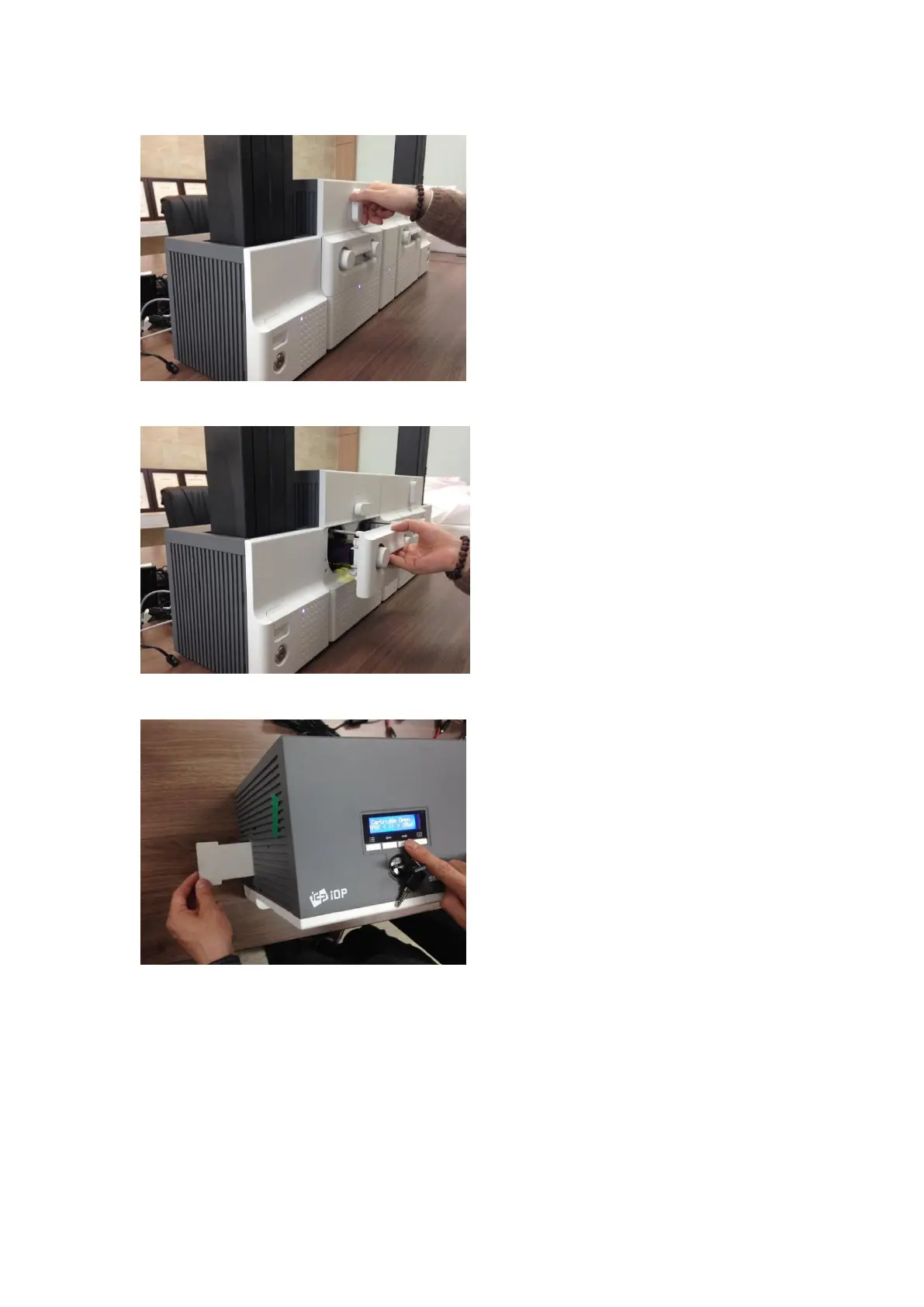
A. Printer cleaning 1
Please turn the ribbon cartridge lock lever to
the clockwise 90 degrees as Figure.
Figure 140 Printer cleaning 1
B. Printer cleaning 2
Please pull out the ribbon cartridge as Figure.
Figure 141 Printer cleaning 2
C. Printer cleaning 3
Please push a cleaning card in Printer while
pressing the “” button on the control panel
of Printer for 30 seconds as Figure.
After cleaning, please press the “” button to
remove the cleaning card.
Figure 142 Printer cleaning 3



 To Next Page