55
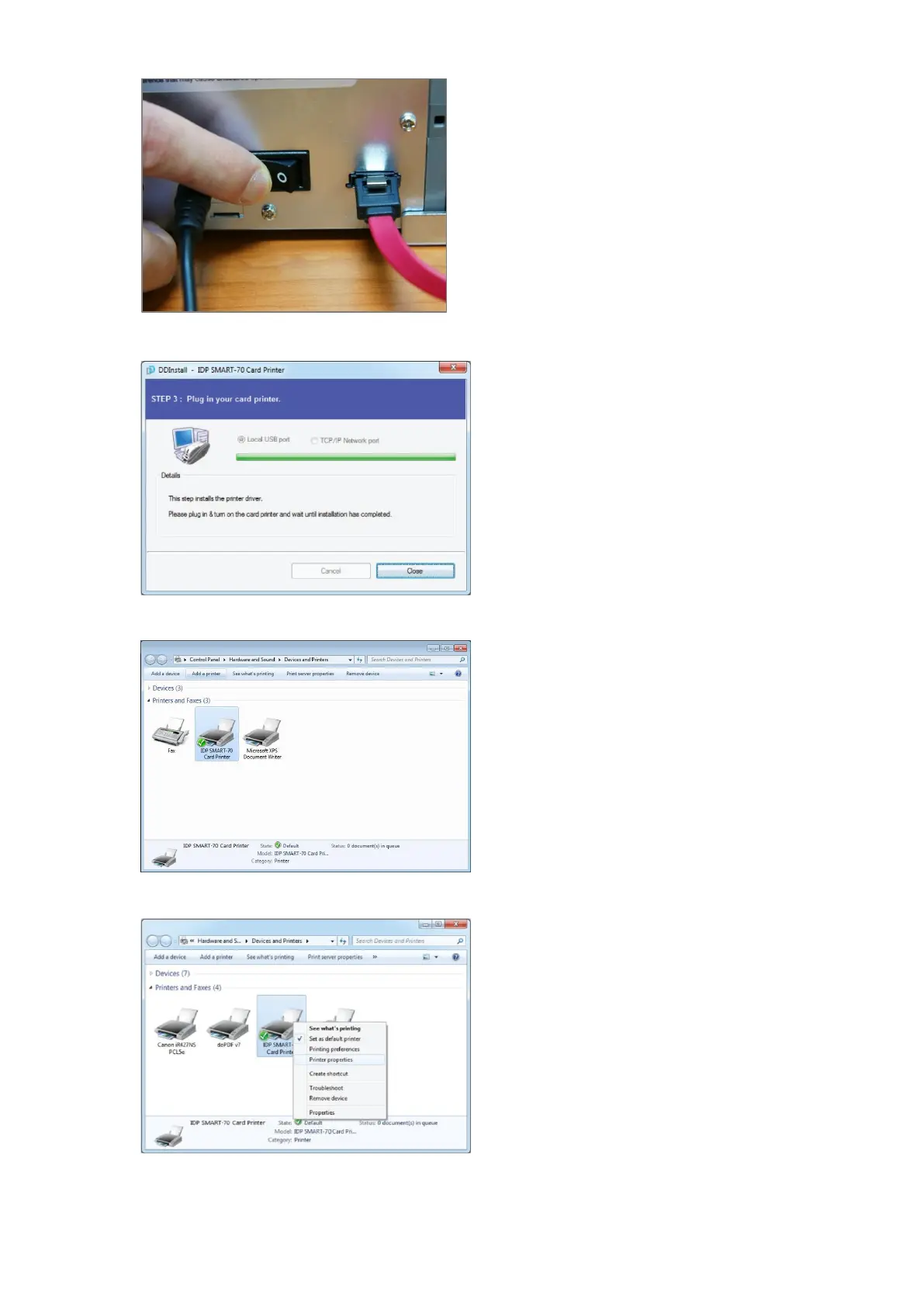
2.3.9 Power on
Pease turn on all the modules.
Figure 69 Printer driver installation 9
2.3.10
Driver installation completion
Printer driver installation is completed after
turning on Printer. When driver installation is
completed, please click “Close”.
Figure 70 Printer driver installation 10
2.3.11 Driver installation check 1
Please open “Devices and Printers” window
and check that “IDP SMART-70 Card Printer”
is created properly.
Figure 71 Printer driver installation 11
2.3.12 Driver installation check 2
Please right click on “IDP SMART-70 Card
Printer” and select “Printer Properties”
Figure 72 Printer driver installation 12



 To Next Page