53
2.3 Software installation (Windows Vista/7/8/10)
2.3.1 Start-up window
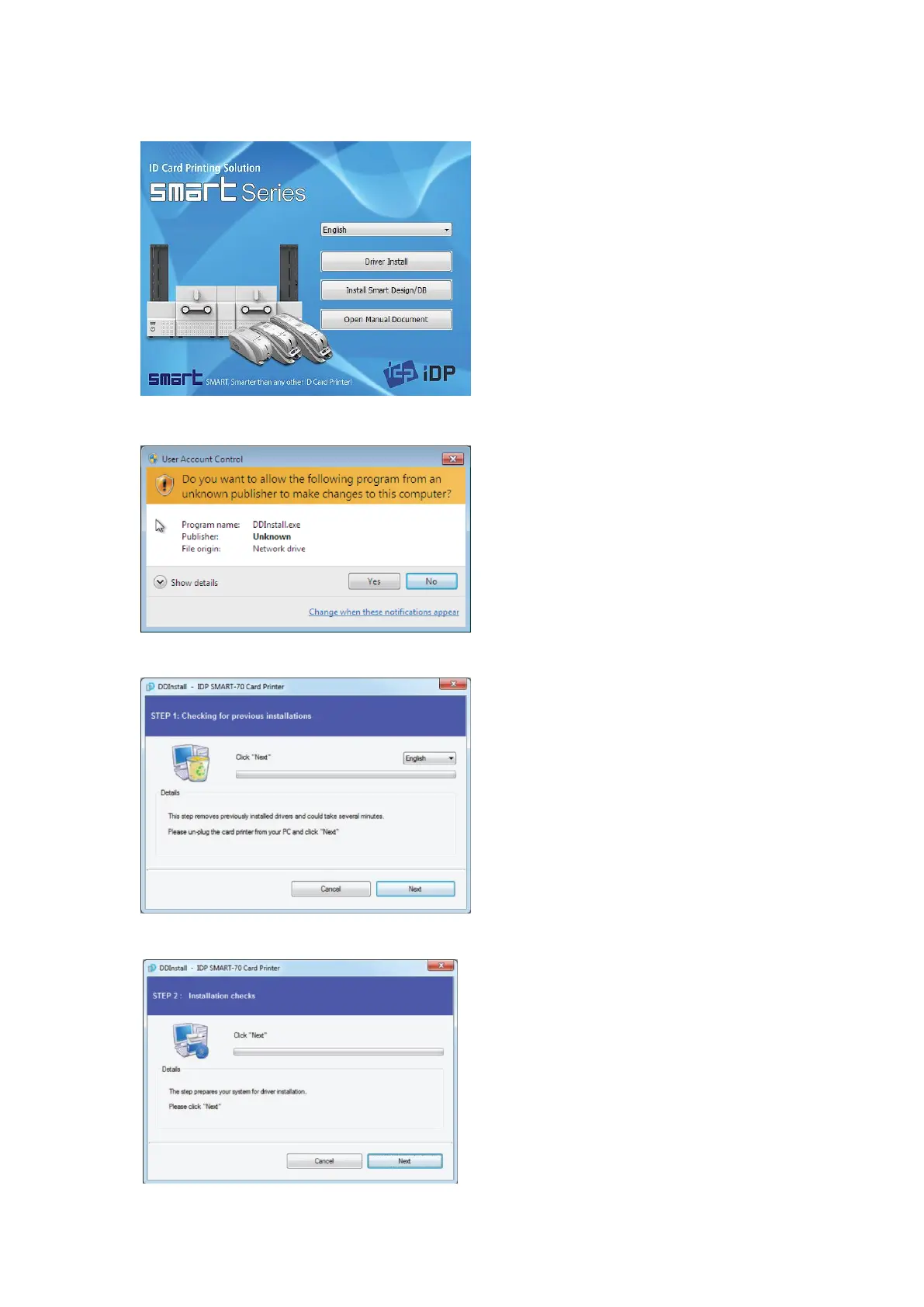
Please insert the installation CD provided with
Printer and choose the language and click
“Driver Install” button.
*) When you want to install printer driver for
USB, please turn off Printer before installation.
When you want to install printer driver for
network, please turn on Printer.
Figure 61 Printer driver installation 1
2.3.2 User Account Control
When “User Account Control” window is
opened, please click “Yes”
Figure 62 Printer driver installation 2
2.3.3 Driver Installation STEP 1
Please choose the language and click “Next”.
In STEP 1, previous installed printer driver is
automatically checked and removed.
Figure 63 Printer driver installation 3
2.3.4 Driver Installation STEP 2-1
When “Next” is clicked, printer driver
installation is prepared.
Figure 64 Printer driver installation 4



 To Next Page