46
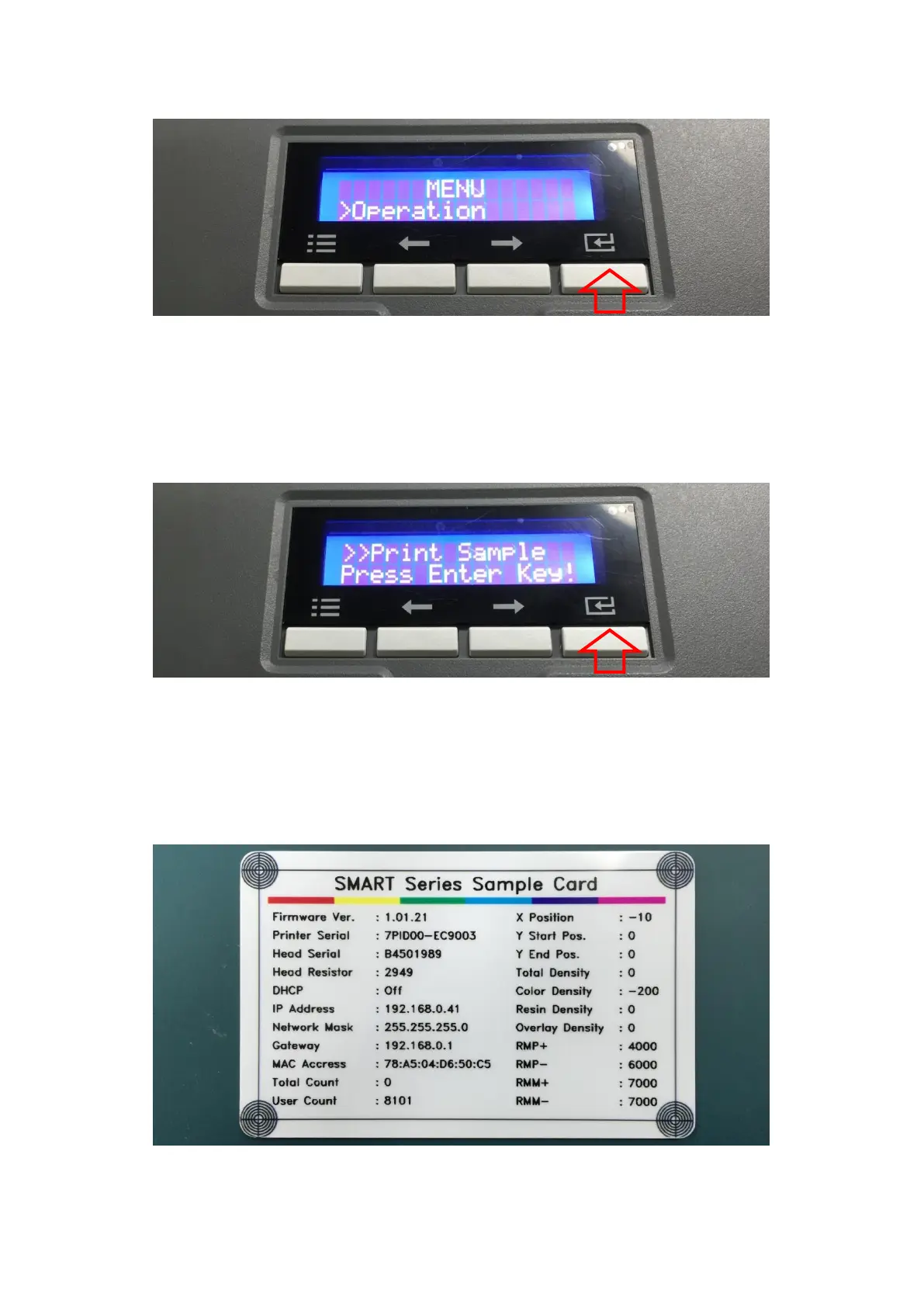
E. On “Operation” menu, please press the [Select] button indicated by red arrow.
Figure 52 Printer menu (Operation)
F. On “Print Sample” menu, please press the [Select] button indicated by red arrow.
Figure 53 Printer menu (Print Sample)
G. Please wait a while until sample card is printed as figure.
Figure 54 Sample Card



 To Next Page