79
4.3 Firmware upgrade
SMART-70 Modules’ firmware can be updated by using CardPrinter70Firmware. Since SMART-70 is
operated by combined several modules, firmware of each module can be individually upgraded as
necessary.
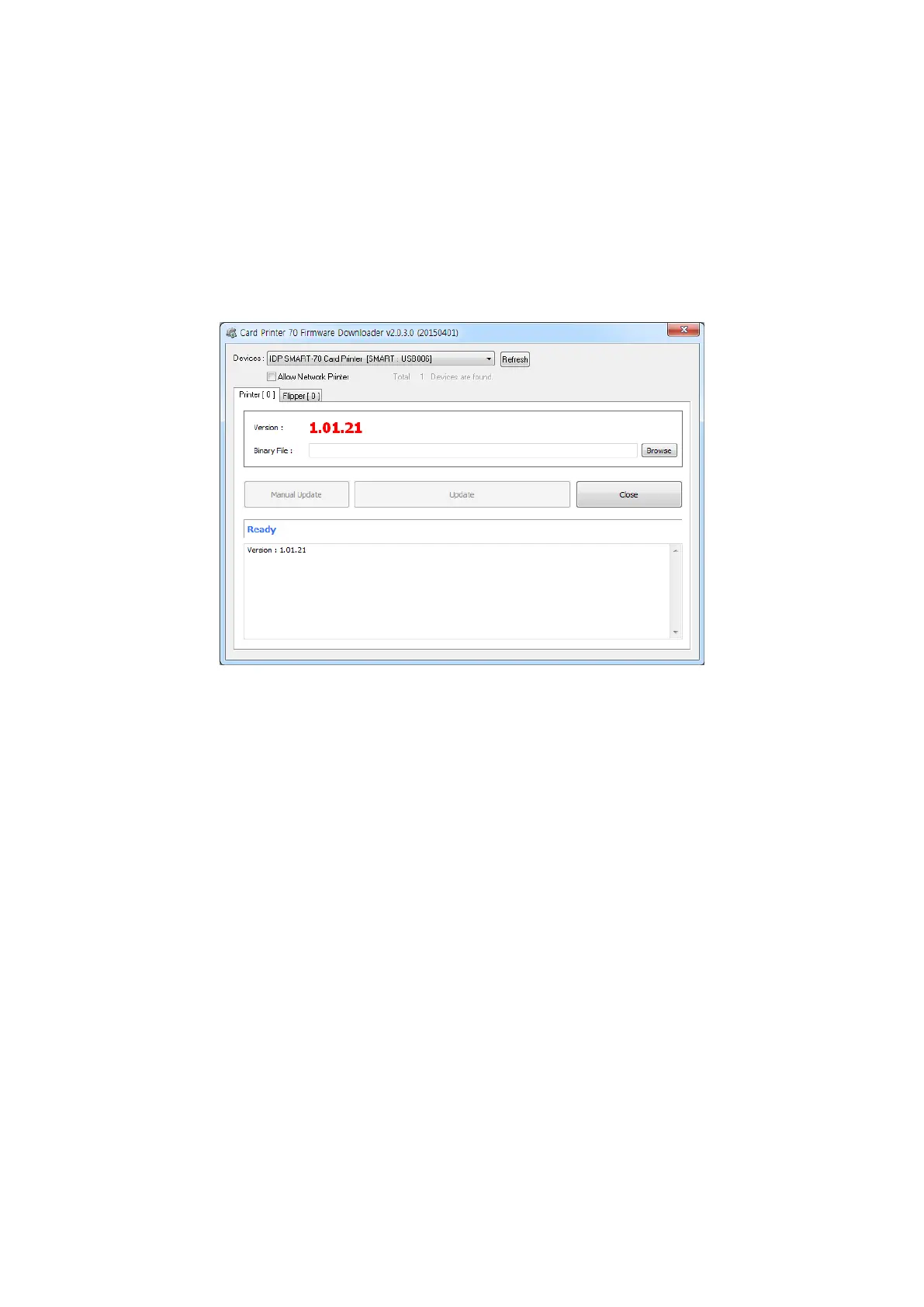
When CardPrinter70Firmware is run, the window as below is shown.
Figure 102 CardPrinter70Firmware
Devices: To select the Printer that firmware will be upgraded.
Allow Network Printer: To set that Printers connected via network are displayed in Devices.
Printer [ 0 ] / … : To select the modules of SMART-70 system that firmware is upgraded.
Version: To displays the current firmware version of selected Printer.
Binary File: To select the new firmware file. Please click “Browse” button to search and select
the new firmware file.
Manual Update: To upgrade the firmware manually.
Update: To upgrade the firmware automatically. Update for automatic upgrading is
generally recommended.
Close: To close this utility.
Message: Necessary information is displayed when the firmware is being upgraded.



 To Next Page