75
4.2 Printer test
Since card printer basically use standard printer device driver, card can be printed by the same
method as a general paper printer. By the way, if encoding options are installed into card printer,
appropriate device driver for each encoding option must be installed and each encoding option
must be properly operated. In this case, encoding options can be controlled by “Card Printer
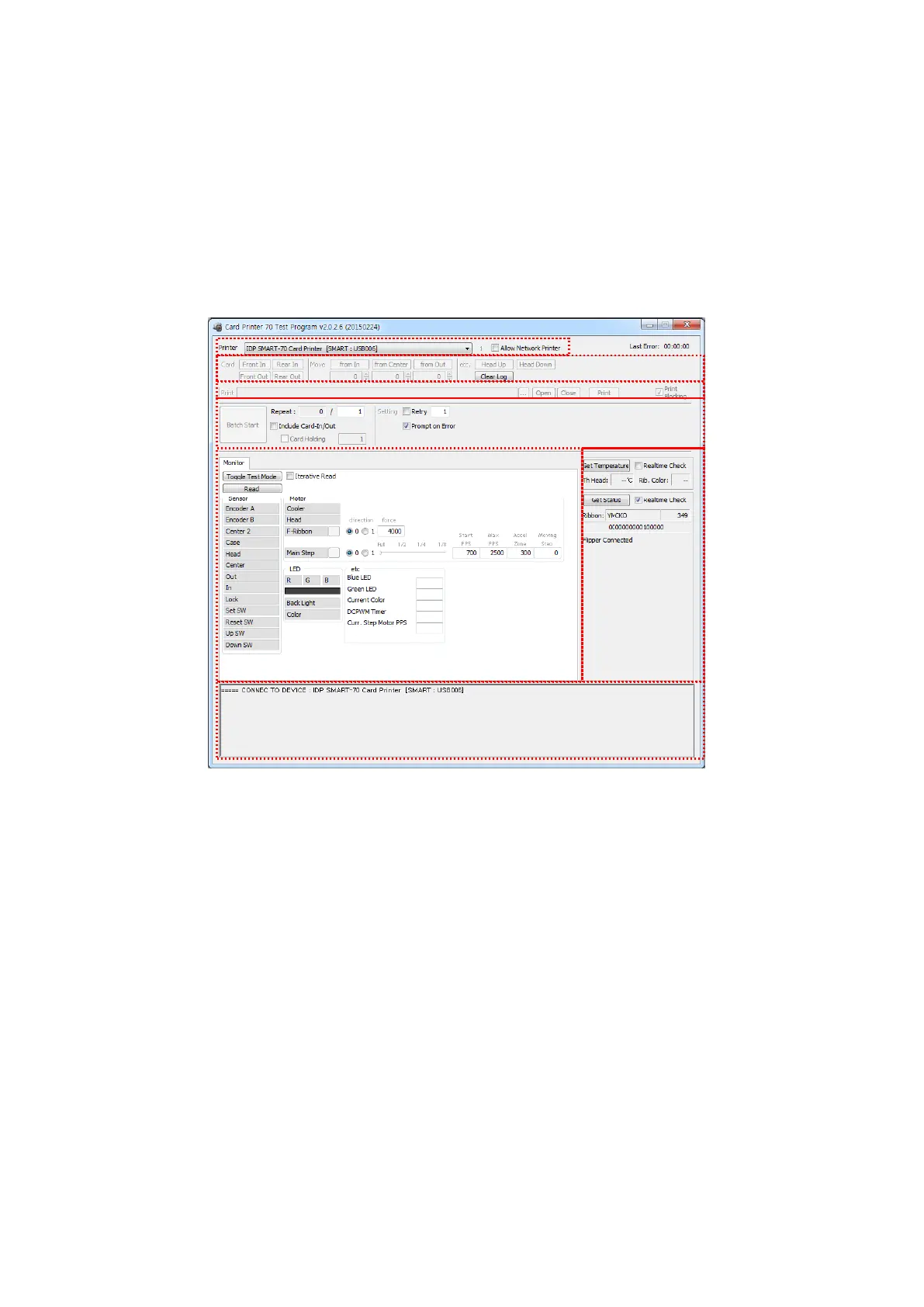
SDK”. CardPrinter70Test utility is to test the functions of SMART-70 Printer and is developed by
“SMART-70 Printer SDK”.
Figure 100 ardPrinter70Test
① Select Printer: To select a Printer for test. In the picture. “IDP SMART-70 Card Printer” is
the connected Printer’s name, “SMART” is the connected Printer’s ID and “USB006” is the
connected port.
② Basic Control: To execute basic functions of Printer (Card In/Out, Print Head Up/Down,
etc.).
③ Print: To print a CSD file which is designed by SMART Design.
④ Batch Job: To execute the job of ⑤ repeatedly.
⑤ Monitor: To check the working status of sensors and motors.
⑥ Printer Status: To check the status of Printer.



 To Next Page