59
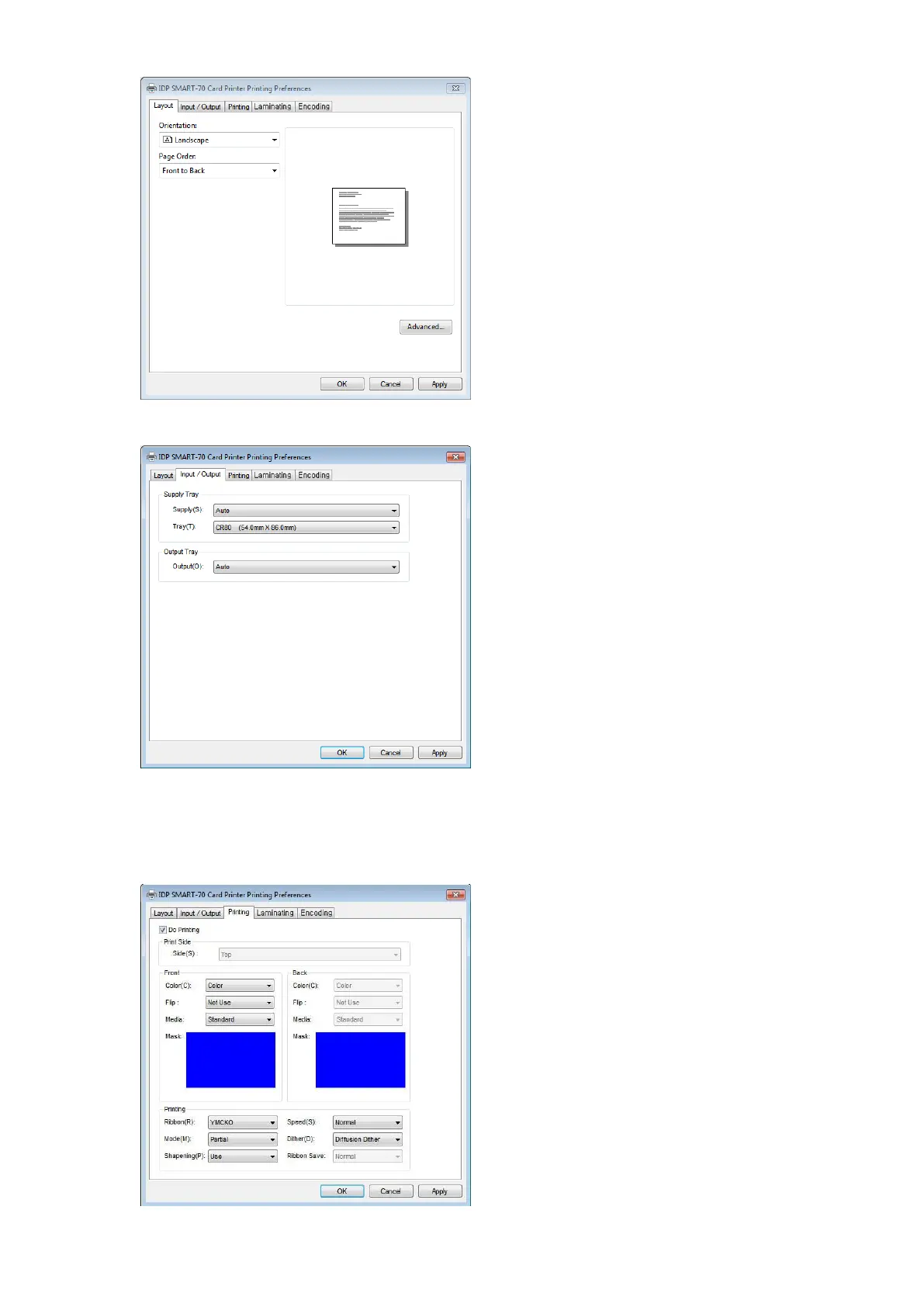
3.1.2 Layout
The print orientation (Landscape or Portrait)
can be selected.
To apply your selection, please click “OK”.
Figure 82 Layout
3.1.3 Input / Output settings
Supply Tray
Supply: If there is one Input Hopper, please
select “Auto”. If there are multiple Input
Hoppers, please select the Hopper which will
be used.
Tray: Please select “CR80” because SMART-70
only supports CR80 cards.
Output Tray
Output: If there is one Output Hopper select
“Auto”. If there are multiple Output Hoppers,
please select the Hopper which will be used.
Figure 83 Input / Output settings
3.1.4 Printing settings
Do Printing: To set whether print or not.
Print Side: To set the single sided or dual
sided printing when Hybrid Flipper is
installed.
Front / Back
Color: To set the color or mono printing.
Flip: To turn the printed image on card.
Mask: To set the printing area on card. The



 To Next Page