45
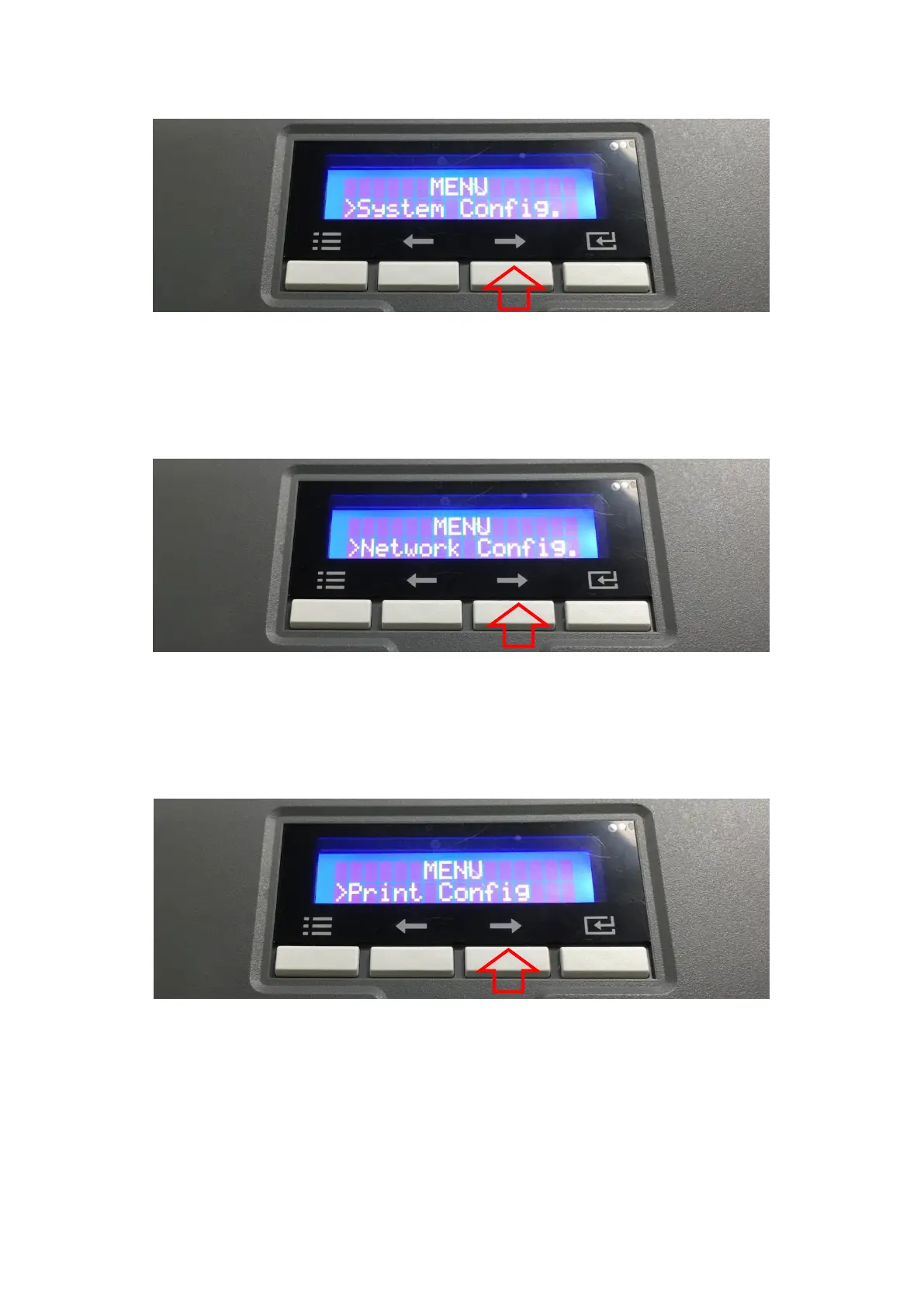
B. On “System Config” menu, please press the [→] button indicated by red arrow.
Figure 49 Printer menu (System Config)
C. On “Network Config” menu, please press the [→] button indicated by red arrow.
Figure 50 Printer menu (Network Config)
D. On “Printer Config” menu, please press the [→] button indicated by red arrow.
Figure 51 Printer menu (Printer Config)



 To Next Page