61
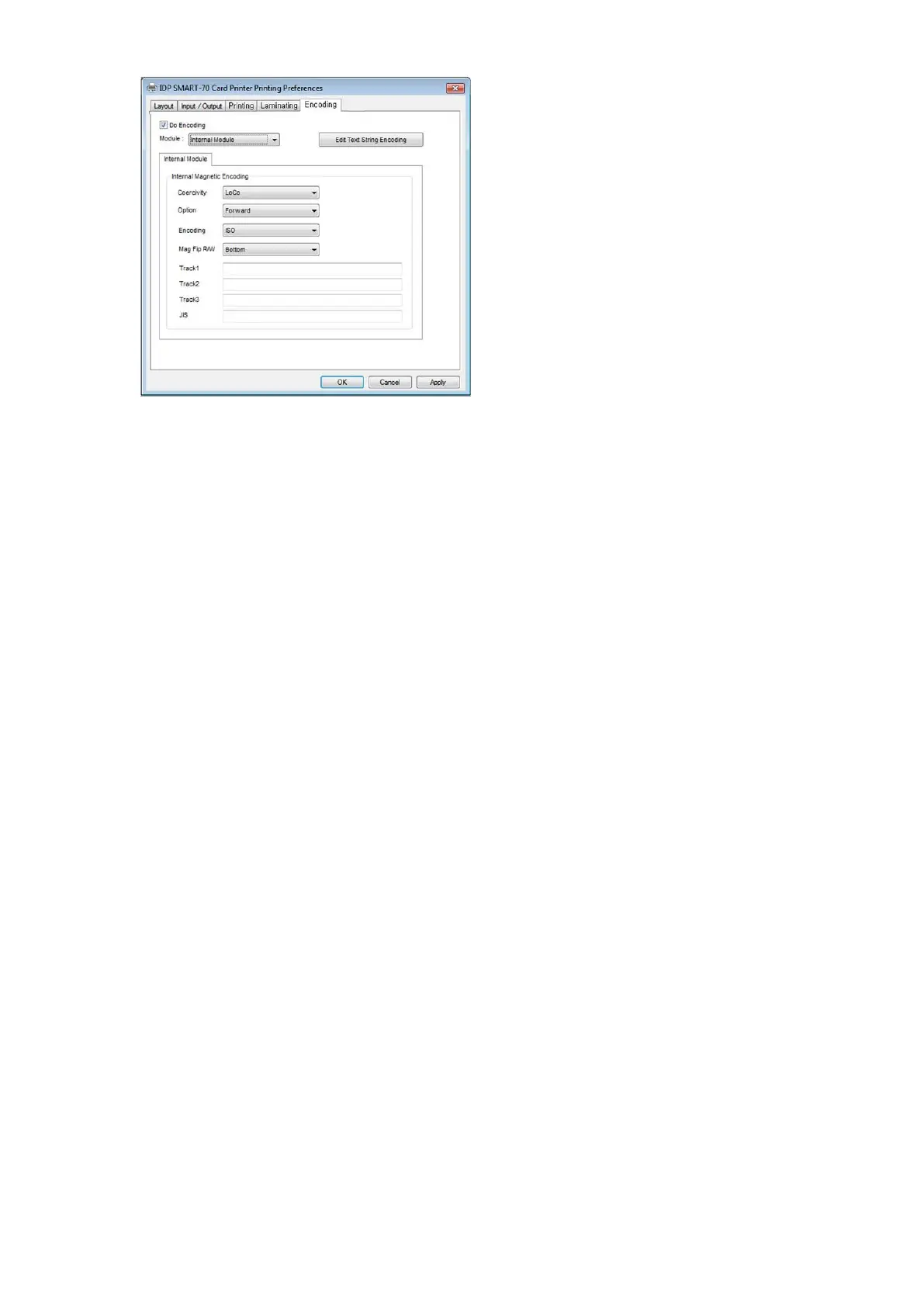
3.1.6 Encoding settings
This tab will be created only when SMART-70
Magnetic Encoding option is installed.
Do Encoding: To set whether encoding or
not.
Module: To set whether the internal module
(Printer) or the external module (Hybrid
Flipper) is used.
Coercivity: To set the type of the magnetic
stripe cards for encoding.
LoCo: 300, 600 Oe.
HiCo: 2760 Oe.
SpCo: 4000 Oe.
Auto: Automatic encoding depending on a
used magnetic stripe card type.
Option: To set the encoding direction
(Forward / Backward / Bitmode).
Encoding: To set the encoding protocol
(ISO / Bally’s).
Mag Flip R/W: To set the encoding side of
magnetic stripe card.
Figure 86 Encoding settings
3.2 Advanced setup
For Advanced setup, please click the “Advanced” button on “Printing Preferences” window and
you can adjust the advanced setting.
Reset Default Values: Advanced setting is reset to the default values.
Color Correction: Adjusting gamma value of each color panel can change color sense. The
higher gamma value is the darker color. The absolute printing density can be adjusted by



 To Next Page