20
1.2.3 Hybrid Flipper
SMART-70 Hybrid Flipper can flip over a card for dual sided printing and laminating. And,
encoding option and image scanner can be installed into the Hybrid Flipper b option. When
the encoder or/and scanner is not installed, the error card bin to collect encoding failed cards is
installed by default. After removing the error card bin, the encoder or/and scanner can be
installed.
SMART-70 Hybrid Flipper has following features.
LED Indicator on the front side of Hybrid Flipper displays the status of Hybrid Flipper
by using the color, so user can intuitionally check the status of Hybrid Flipper.
30 error cards (encoding failed cards) can be collected in the error bin.
The contact/contactless smart card encoder and both-side image scanner option can
be installed instead of the error card bin.
For the prevention of thefts, physical locking mechanism and Kensington lock
are designed and applied to Hybrid Flipper.
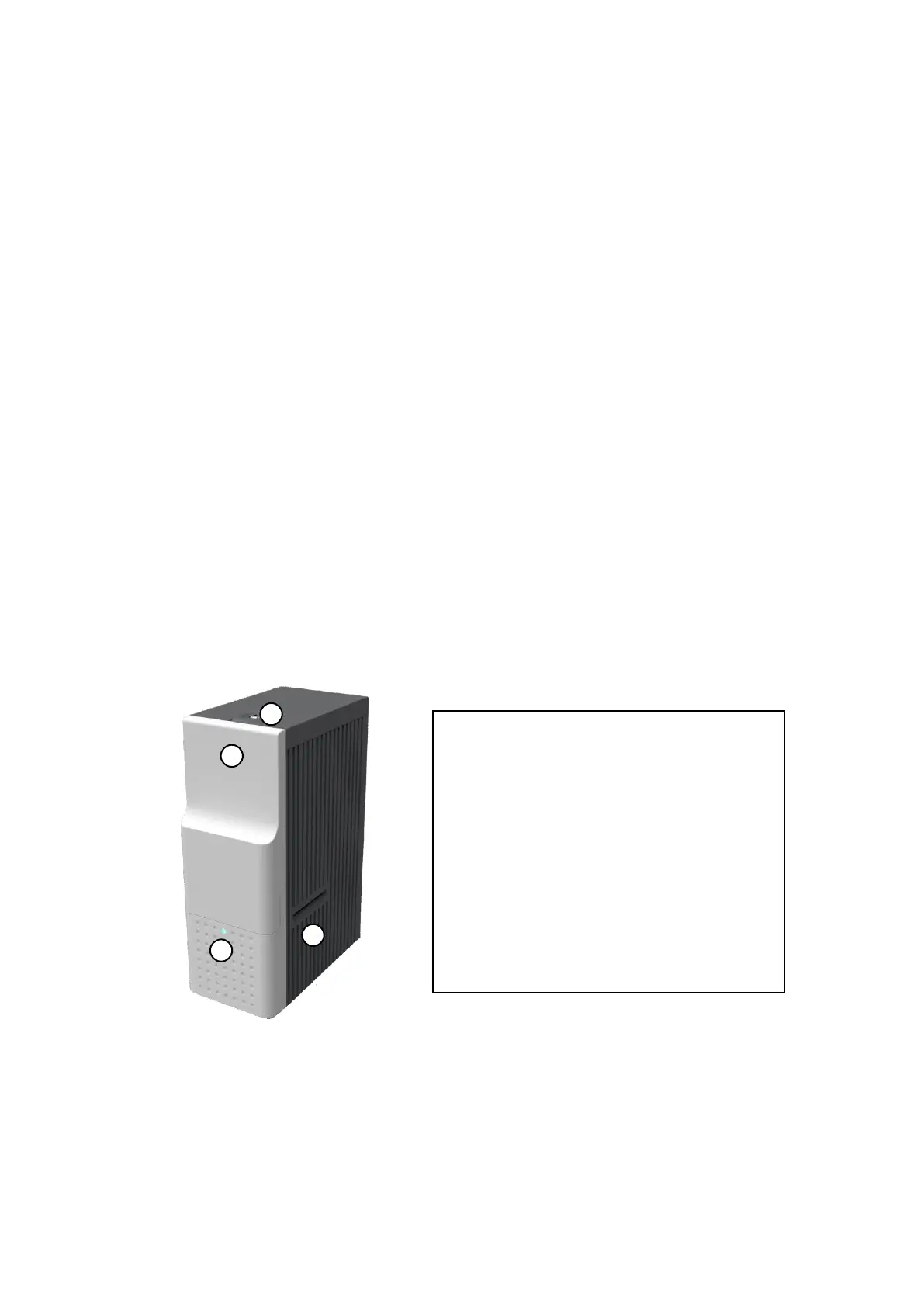
Figure 7 Front side of Hybrid Flipper
① Physical Lock
Physical lock is to lock Flipper cover.
② Flipper cover
To take out error cards or fix problem, please
open Flipper cover by pulling out.
③ Indicator LED
The status of Flipper is displayed by the color.
④ Card gate
Card gate is to convey cards from module to
module.



 To Next Page