54
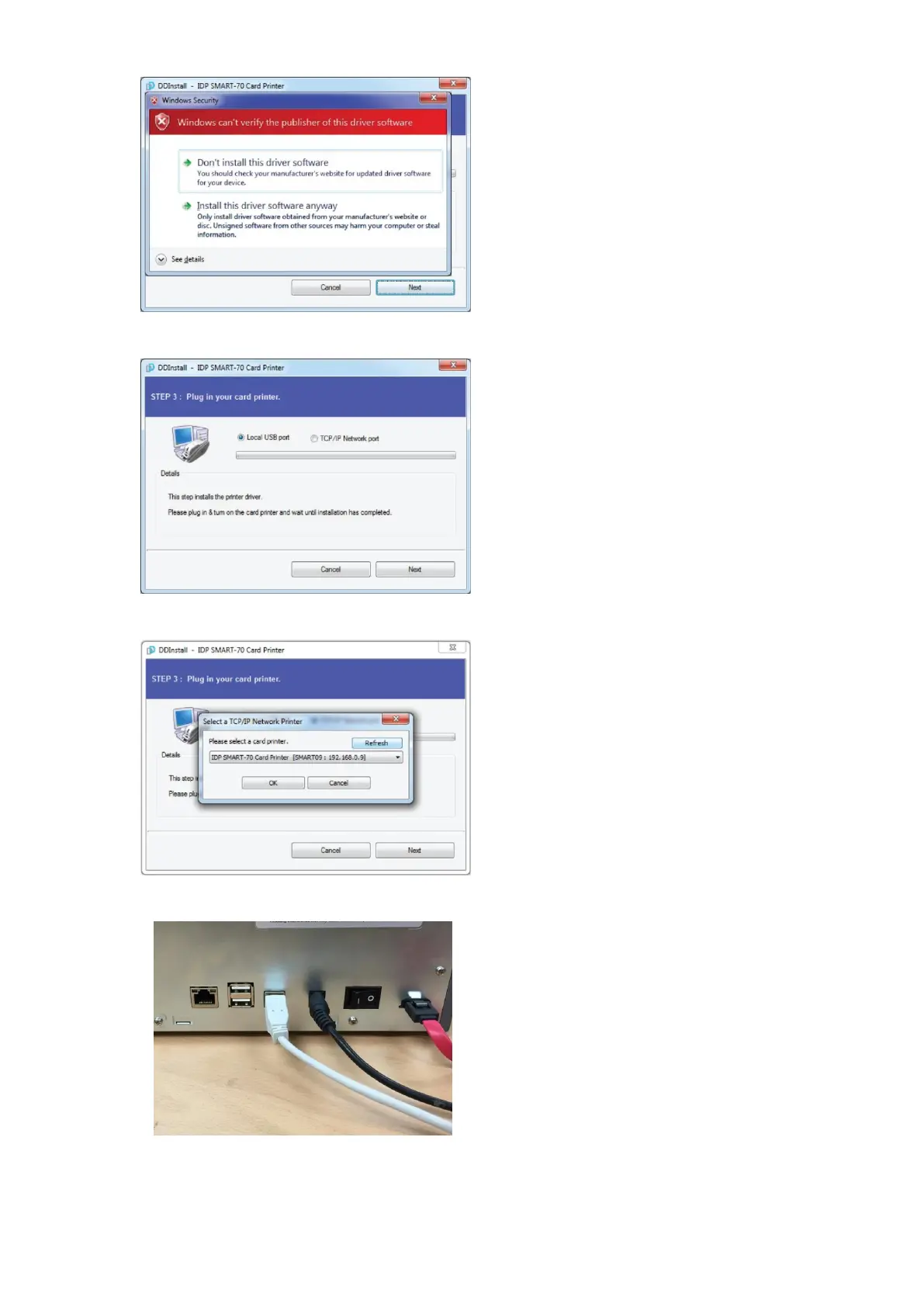
2.3.5 Driver Installation STEP 2-2
Please click “Install this driver software
anyway” when Windows Security window
comes up,
Figure 65 Printer driver installation 5
2.3.6 Driver Installation STEP 3-1
Please click “Next” when your Printer is
connected via USB.
If you want to install the printer driver for
network, please select the “TCP/IP Network
port” and select a proper Printer as shown in
the next step (2.3.7).
Figure 66 Printer driver installation 6
2.3.7 Driver Installation STEP 3-2
Please select a proper Printer on the list and
click “OK”.
(If Printer is not on the list of the network
printer select window, Printer is not
connected to network. So, please check the
status of network connection.)
Figure 67 Printer driver installation 7
2.3.8 USB port connection
Please connect USB cable to Printer.
(If your Printer is connected to network,
please check the status of network
connection.)
Figure 68 Printer driver installation 8



 To Next Page