Multitron - Incubation Shaker
Operation
Page 92 of 146 25 February 2019
4. Tap the ON/OFF key in the upper setting key area to activate
the timer (Time 1).
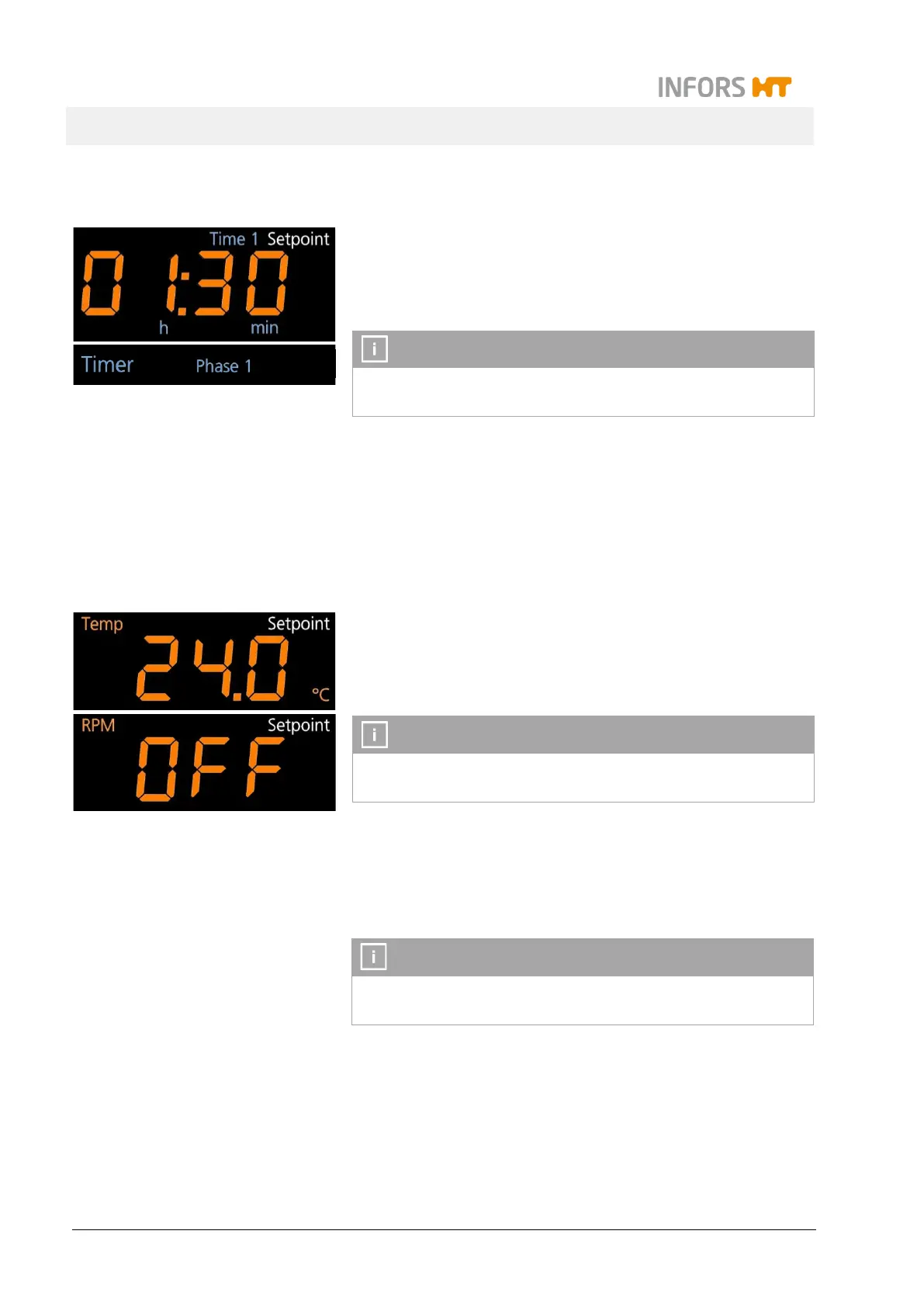
On the upper alphanumeric display the message on appears
for a very short time and then the time entered is shown
In the separate timer display area the sign Timer is lit up and
the sign Phase 1 lights up for the first time.
It is not possible to set the parameters for the first phase as long
as the timer for the first phase has not been activated.
Entering the setpoints for the first phase and switching on the
parameters
As soon as the timer for the first phase (Time 1) has been switched
on, the different parameters for phase 1 can be selected using the
Select key and afterwards be switched on.
5. Tap the Select key to select the desired parameters.
In both display areas the first integral pair of parameters
(Temp and RPM) appears with the last setpoint values en-
tered or the message OFF.
The sign Setpoint indicates, that the setpoints can be entered.
In this phase of the programming process the sign Setpoint re-
mains lit up and does not disappear after 10 seconds.
6. Tap the Plus or Minus key in the corresponding setting key
area to set the desired setpoint values and switch the parame-
ters on using the ON/OFF key.
With the Select key the parameters and the time entered for the
first phase can be selected and changed over and over again.



 To Next Page