6 Micromate Operator Manual – 721U0201 Revision 6
If the battery has been previously connected simply press the power button.
Progress
Bar
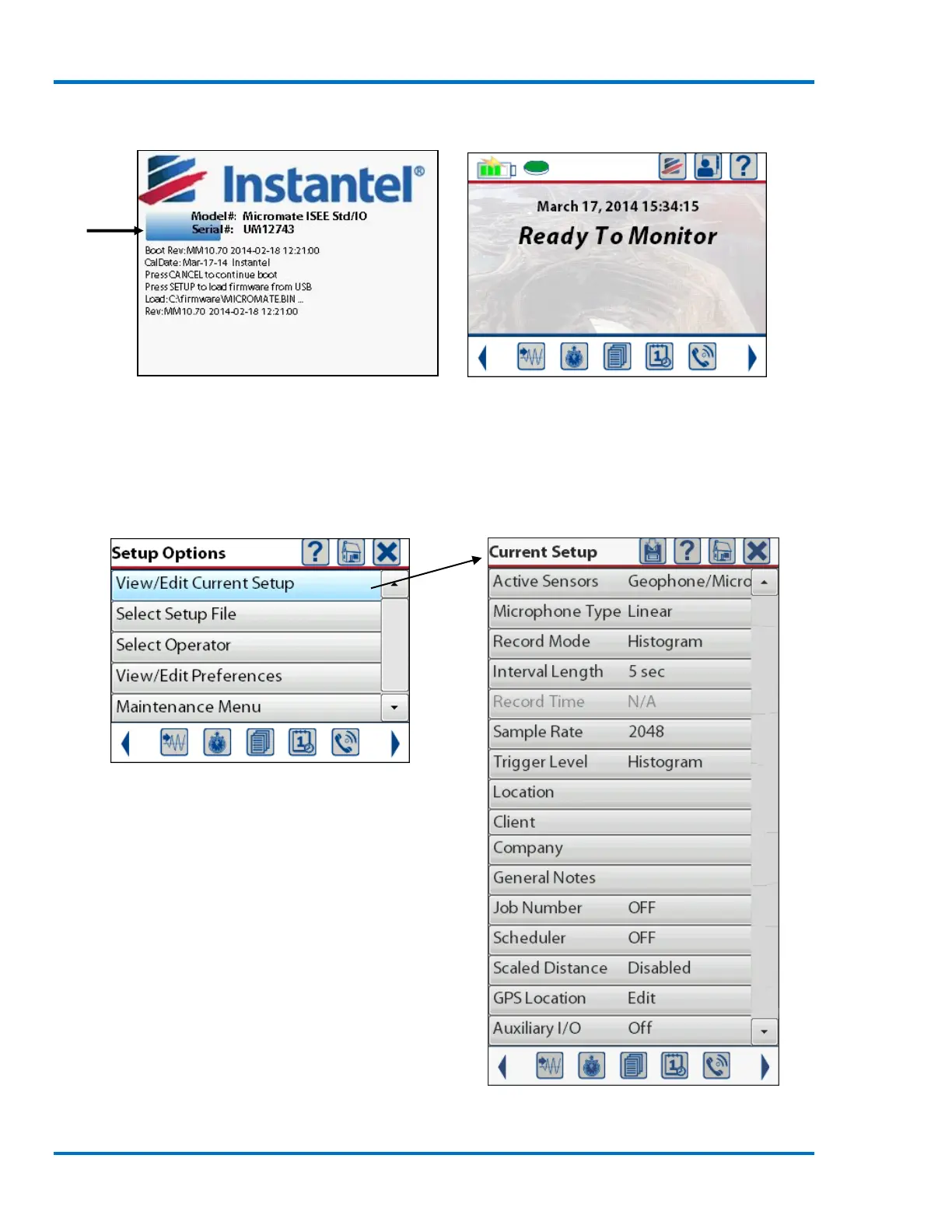
Initialization Screen with Progress Bar Home Screen
NOTE: If the battery is low connect the Micromate to AC power with the supplied charger.
Step 3: Review/Modify the Current Setup
1) Press the Setup key then select the View/Edit Current Setup menu.
View/Edit Current Setup Menu Highlighted
Options Available under Current Setup



 To Next Page