Micromate Operator Manual – 721U0201 Revision 6 11
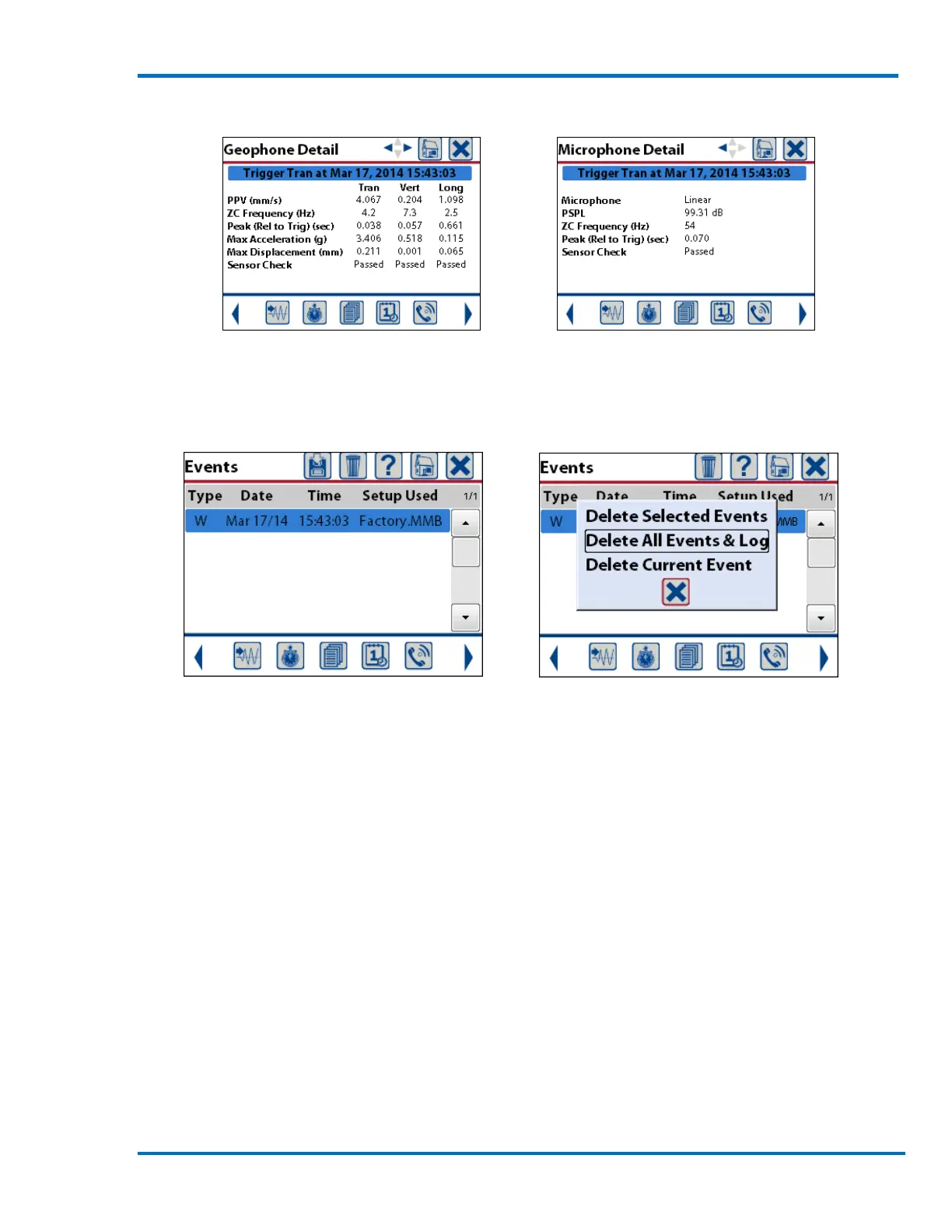
3) Swipe the screen right to left or use the Arrow keys to view the detailed geophone and
microphone results.
4) Press the Cancel icon or Cancel key to Exit the Event View and return to the Event List.
5) To delete the event(s) press the delete icon and select Delete All Events & Log.
NOTE: This will permanently delete the event(s). They will not be recoverable.
6) Press the Cancel icon or Cancel key to Exit the Event List and return to the Ready to Monitor
screen.
7) To transfer events to your PC for storage and further analysis, please refer to the Blastware
User manual.
CONGRATULATIONS, you are now a Micromate user!



 To Next Page