38 Micromate Operator Manual – 721U0201 Revision 6
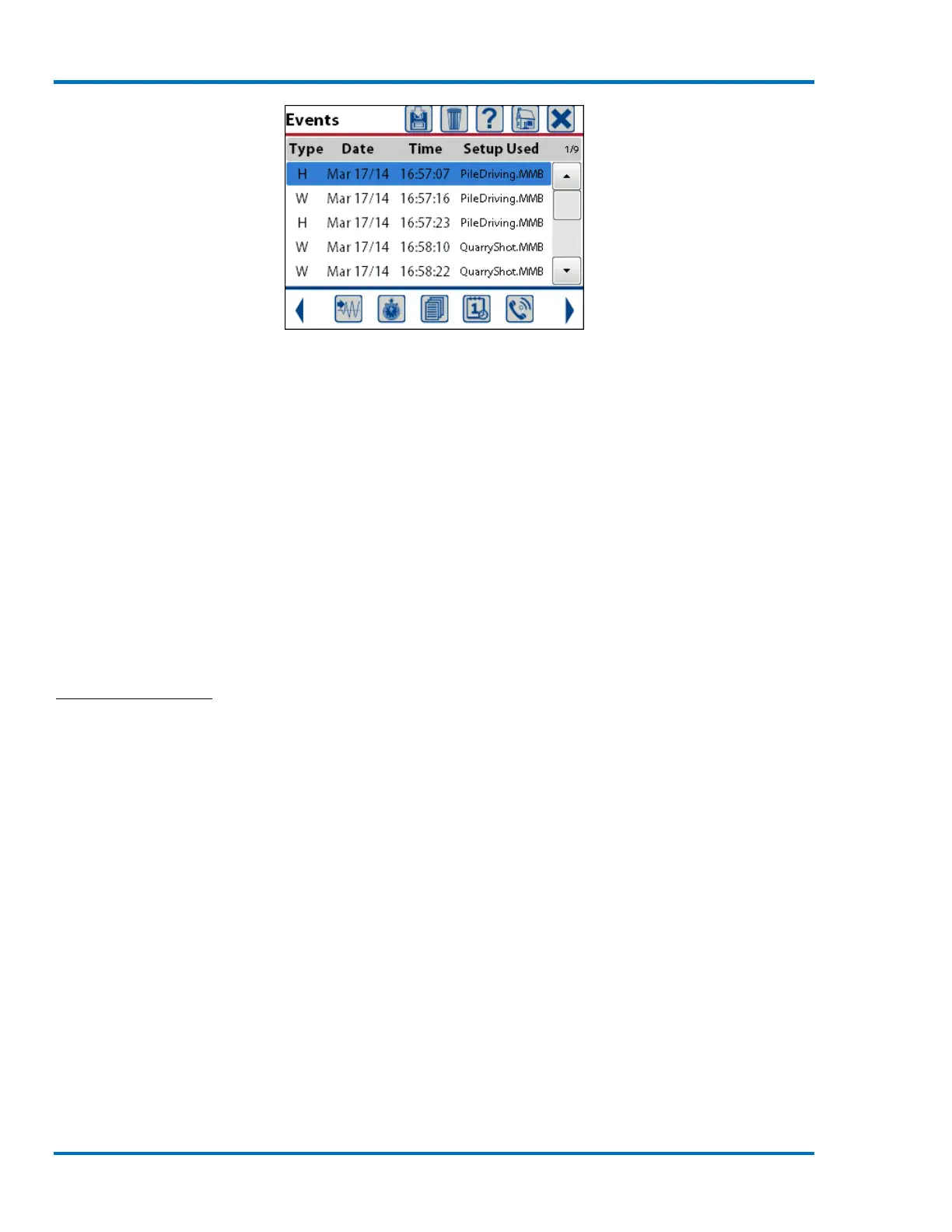
The information available in the list of events is:
the event type of each event (H – Histogram, W – Waveform)
the date each event was recorded (mmm dd/yy)
the time each event was recorded (hh:mm:ss)
the setup used to record each event (filename)
the event counter (number of currently highlighted event)
The event counter is located above the scroll bar and indicates the current event, the first number
and the total number of events that have been recorded, the second number. In the example
above the first event is highlighted and a total of five events have been recorded, shown as 1/5.
The scroll bar on the right can be used to quickly move through the event list.
a. View Events
To view an event use the navigation keys to highlight the event in the list and press the right arrow
key to display the event details or use a finger to double tap the desired event. Refer to section
9.1.13 Compass Icon for additional information on viewing events.
Saving, printing and deleting events can be performed on one or multiple events at the same time.
To perform one of these functions on a single event, highlight the event and touch the applicable
icon. To select multiple events, use the navigation keys to highlight an event and press the check
mark key or use a finger to touch and select each of the desired events in the list. When an event
in the list has been selected the entry will be changed from black to red text. Below, the first two
events have been selected. If an event was selected by mistake, use the navigation keys to
highlight the event and press the check mark key or use a finger to touch and deselect the event.



 To Next Page