Chapter 4 Quick setup 43
Parameters description
−
DHCP (Dynamic IP): The device obtains an IP address and other
parameters form the DHCP server of upstream device for internet
access.
−
Static IP Address: The device access the internet by setting the IP
address, subnet mask, default gateway and DNS server IP addresses
manually.
−
PPPoE: The device access the internet using the PPPoE user name and
password provided by the ISP.
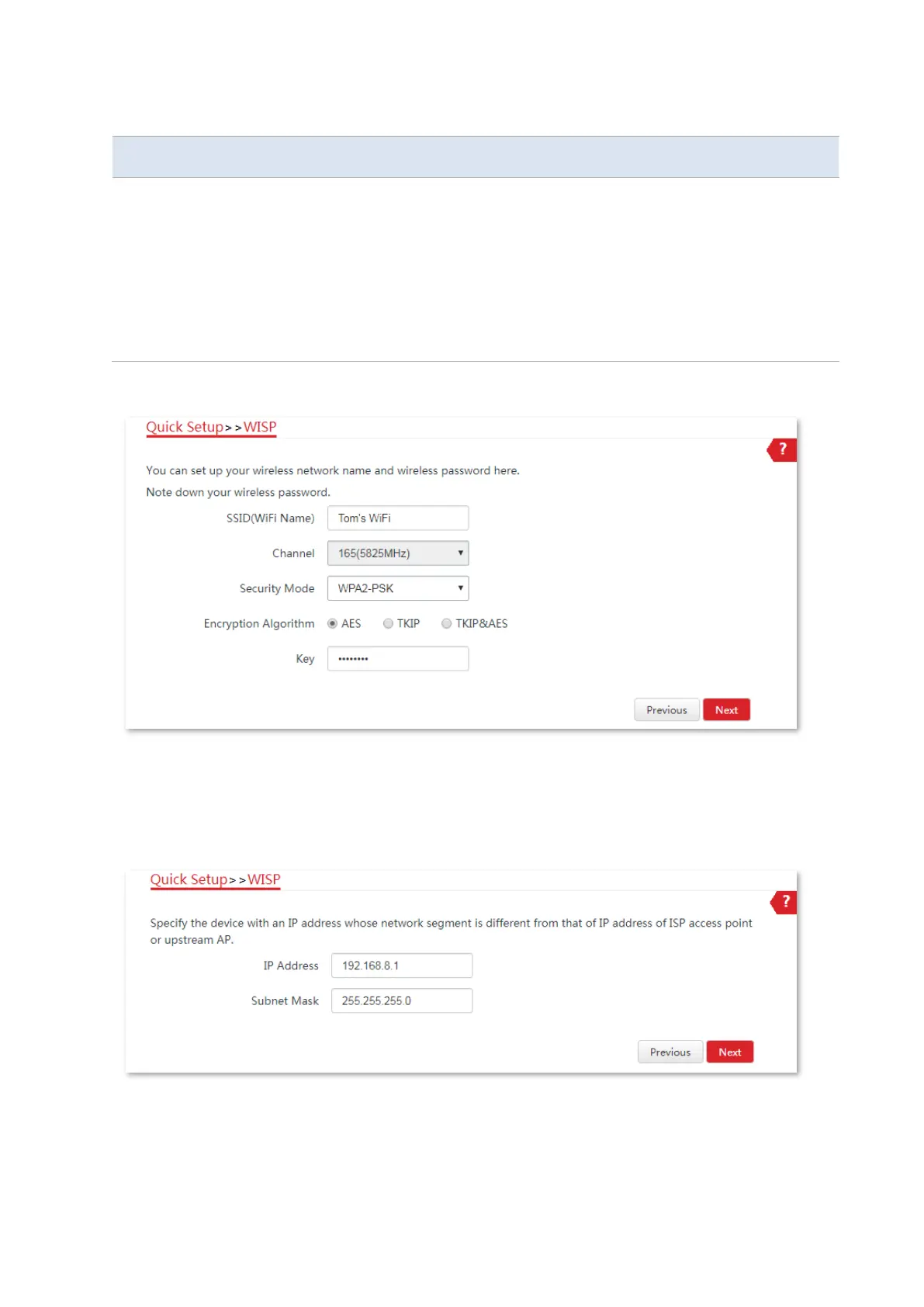
6. Customize the SSID (which is Tom’s WiFi in this example) and key, and click Next.
7. Set an IP address belonging to a different network segment as that of your ISP hotspot. For
example, if the IP address of your ISP hotspot is 192.168.2.1, you can set this device’s IP
address to 192.168.X.1 (X ranges from 0 to 254 excluding 2) which is also the login IP address
of the CPE. Then click Next.
8. Click Save, and wait until the CPE reboots to activate the settings.



 To Next Page