Chapter 4 Quick setup 57
− Channel: 165
− Channel bandwidth: 20MHz
− Security mode: None
CPE2:
− SSID: IP-COM_2
− WLAN MAC Address: D8:3A:0D:15:88:09
CPE3:
− SSID: IP-COM_3
− WLAN MAC Address: D8:3A:0D:15:88:16
1. Set the CPE2 to the Repeater mode.
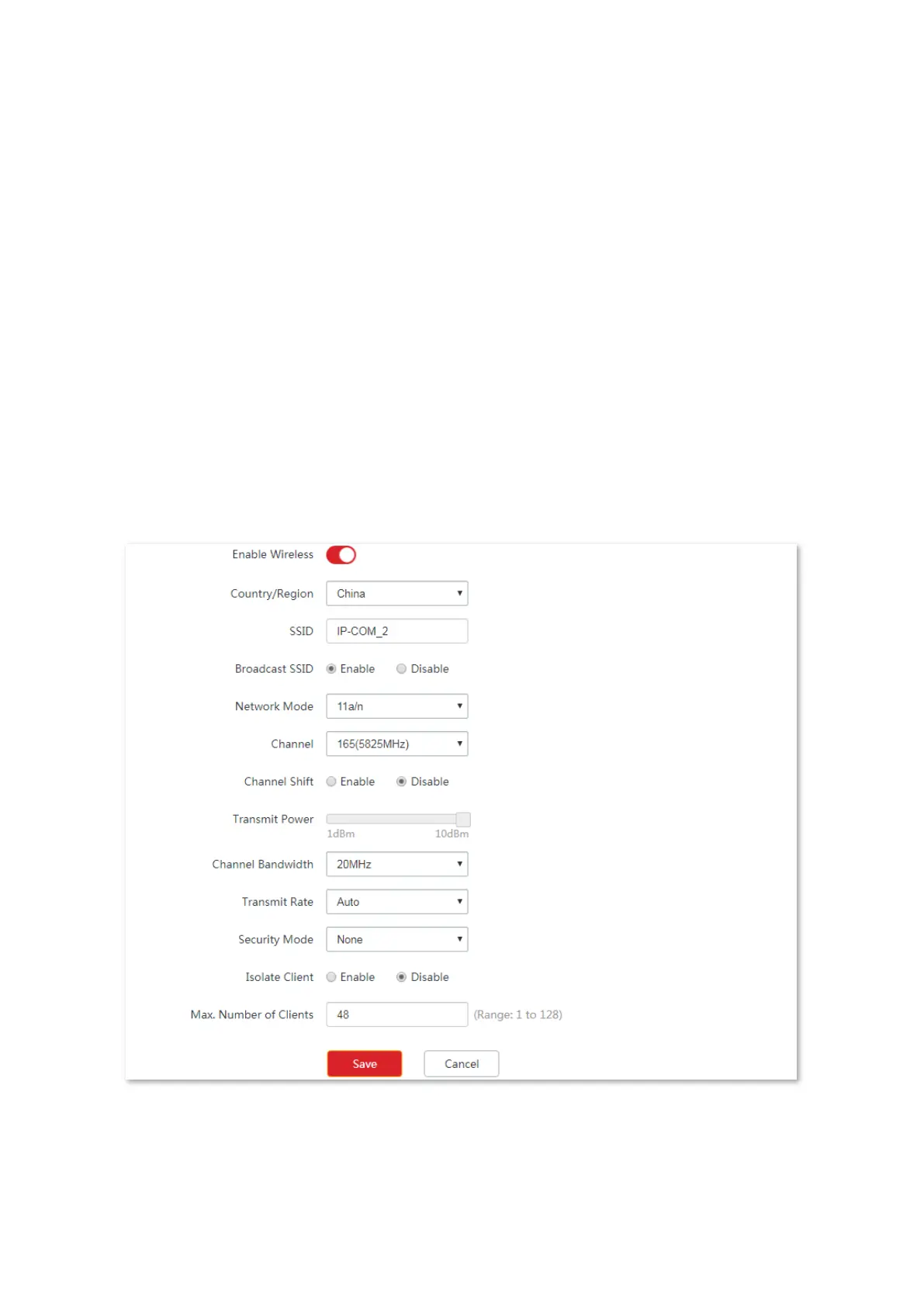
(1) Log in to the web UI of CPE2, and choose Wireless > Basic to enter the configuration
page.
(2) Modify the Channel (165 in this example) and Channel Bandwidth (20MHz in this
example), and click Save.
(3) Choose Quick Setup, and select Repeater and then Next.



 To Next Page