Chapter 4 Quick setup 58
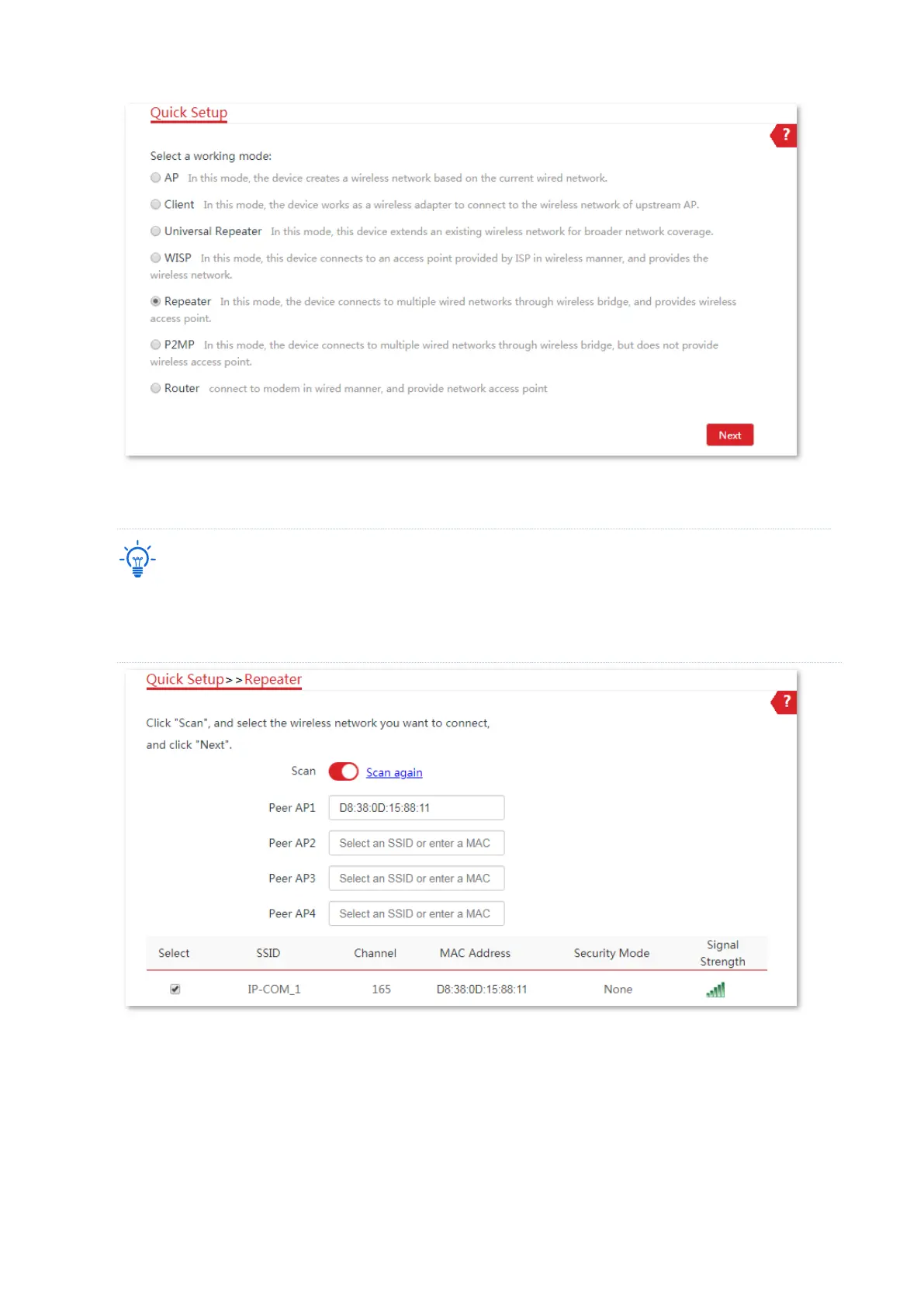
(4) Select the SSID of CPE1 from the list, which is IP-COM_1 in this example, and click Next.
− If you cannot scan the SSID of CPE1 from the list, choose Wireless > Basic and enable the wireless
function. Then try again.
− Only the WiFi networks whose security modes are set to none or WEP can be displayed on the list.
(5) Click Next directly on the following page.



 To Next Page