Chapter 4 Quick setup 71
− If there is only 1 LAN port on the CPE, you can connect your wireless devices to the wireless network of
the CPE to access the internet.
− The name and password of the wireless network are SSID and Key set in Step 4 above.
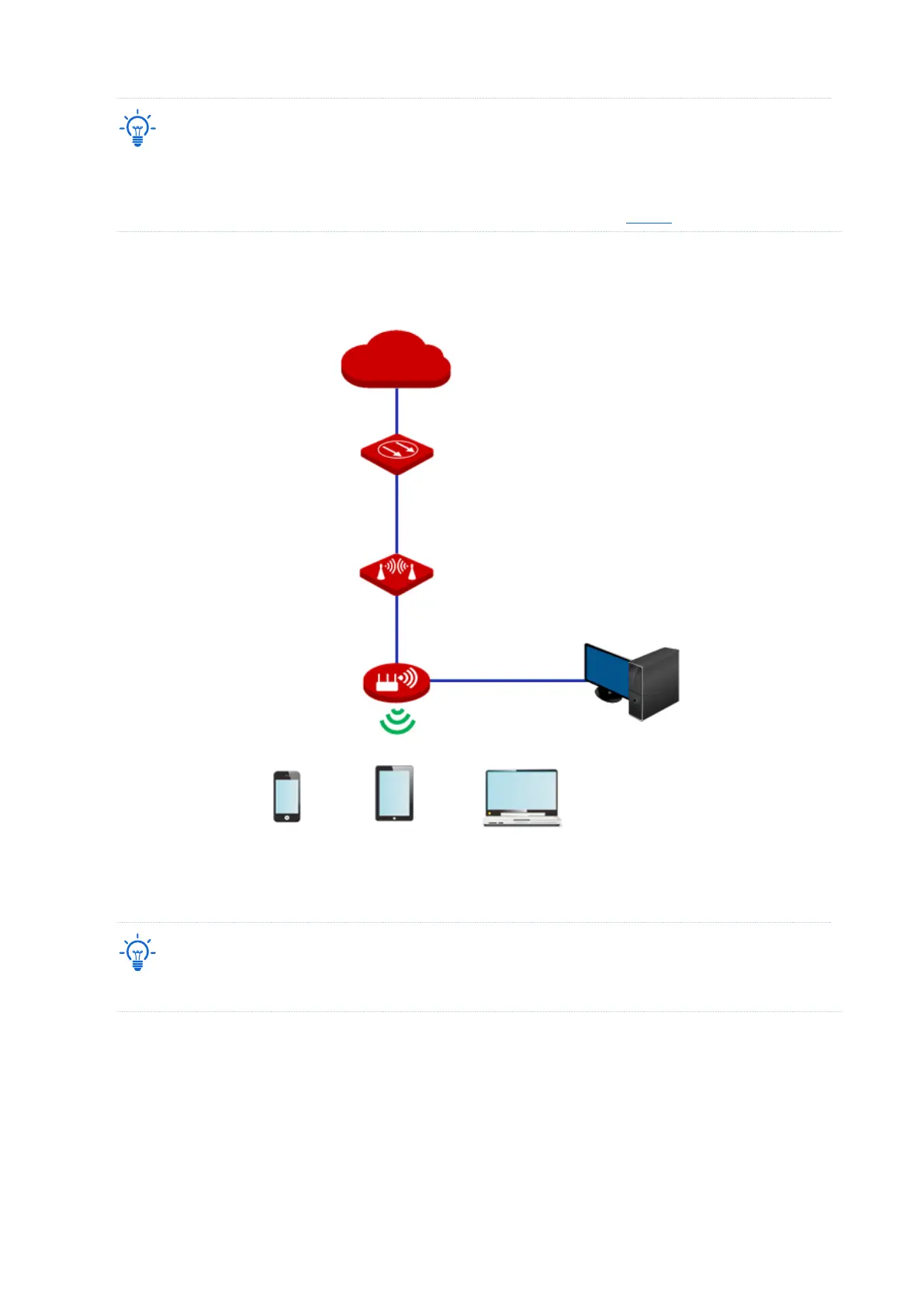
If the CPE has more than one LAN port, you can connect a wireless router to the CPE for
omnidirectional wireless network coverage. The network topology is shown as below.
To access the internet, you need to configure the router as follows.
For detailed configuration of the router, please refer to the corresponding user guide.
1. Log in to the Wed UI of the router.
2. Select Dynamic IP as the Internet Connection Type, and save the settings.
----End
To access the internet with:



 To Next Page