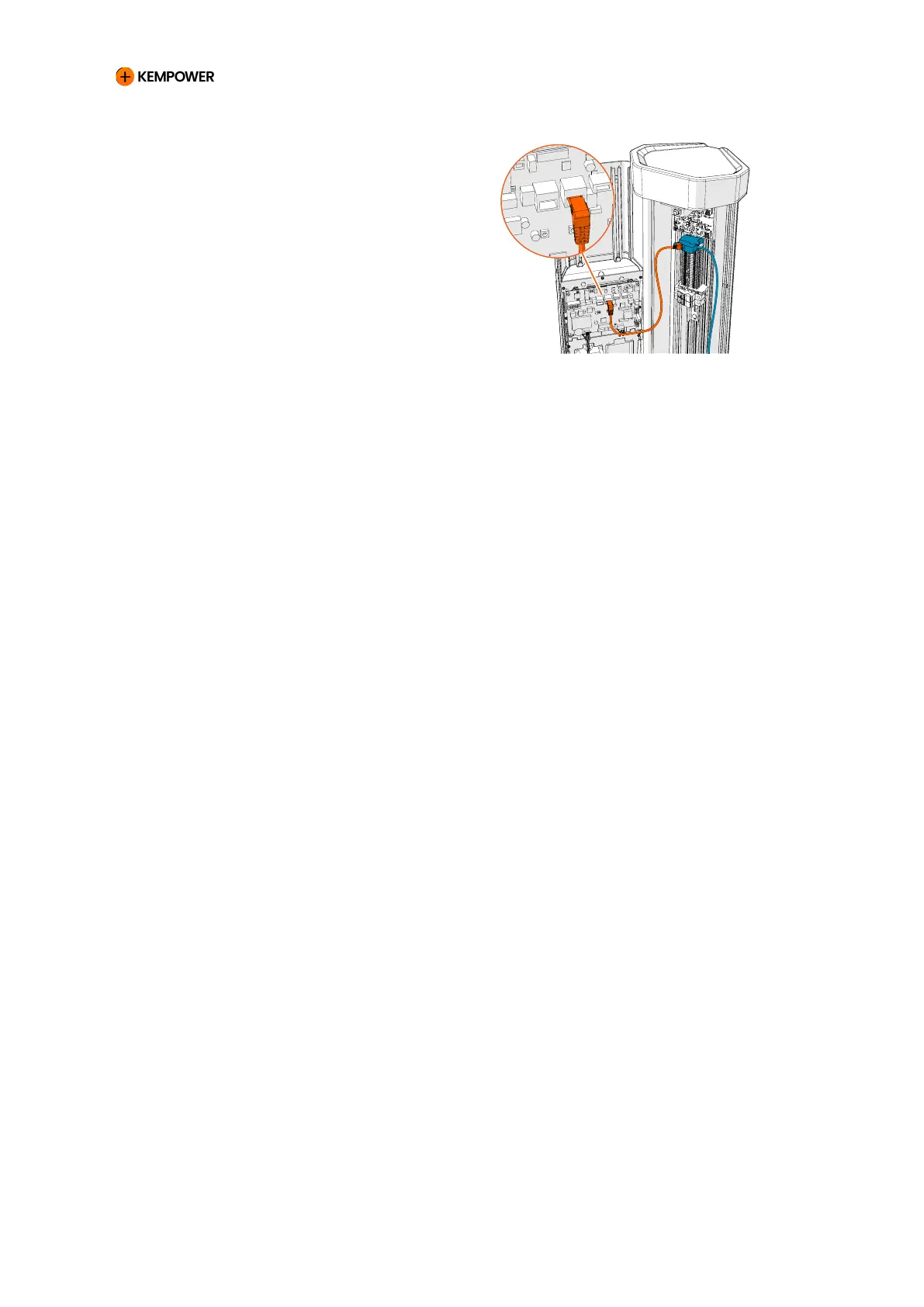
2. Install the Ethernet terminal
block on the DIN rail in the
Satellite. Remove the label from
the terminal block.
3. Connect the Ethernet cable to the Ethernet terminal block using the
RJ45 connector.
4.
Install the extension Ethernet cable to the Ethernet terminal block.
5. Install the extension Ethernet cable to the INT port of the control
board.
6. Close the front panel of the unit. Make sure that the extension
Ethernet cable does not push against other components.
CHARGING EQUIPMENT FOR ELECTRIC VEHICLES INSTALLATION MANUAL
CONFIDENTIAL – CERTIFIED PARTNERS 98 REV 2.40 EN 04-2024



 To Next Page