5.2.12. Connecting the DC input power cables to Liquid Cooled
Satellite
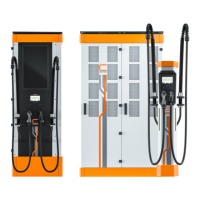
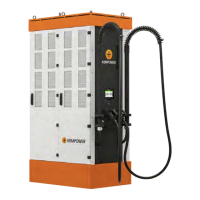
The Liquid Cooled Satellite is delivered with the charging cable already
installed.
Connect the DC input power cables from the Power Unit to the copper
terminal bars of the Liquid Cooled Satellite with cable lugs and M10 screws.
Leave a minimum of 8 mm between the cable lugs. Connect the protective
earth wire to the Liquid Cooled Satellite's installation flange with a wire
clamp. For details, see 11.7: Liquid Cooled Satellite with one CCS vehicle
connector.
Be careful not to damage the coolant hoses when you connect the power
cables. The coolant hoses are routed to the frame with the liquid cooling unit
from below the power cable terminal blocks.
The frame with the liquid cooling unit does not need any installation work.
Make sure that there are no leaks and that the expansion tank in the liquid
cooling unit is approximately 1/3 full before you start operation. The coolant
system has a liquid level sensor that will give an alarm on the user interface
screen when the system is powered on if the level of coolant is below the
limit.
CHARGING EQUIPMENT FOR ELECTRIC VEHICLES INSTALLATION MANUAL
CONFIDENTIAL – CERTIFIED PARTNERS 99 REV 2.40 EN 04-2024


 To Next Page