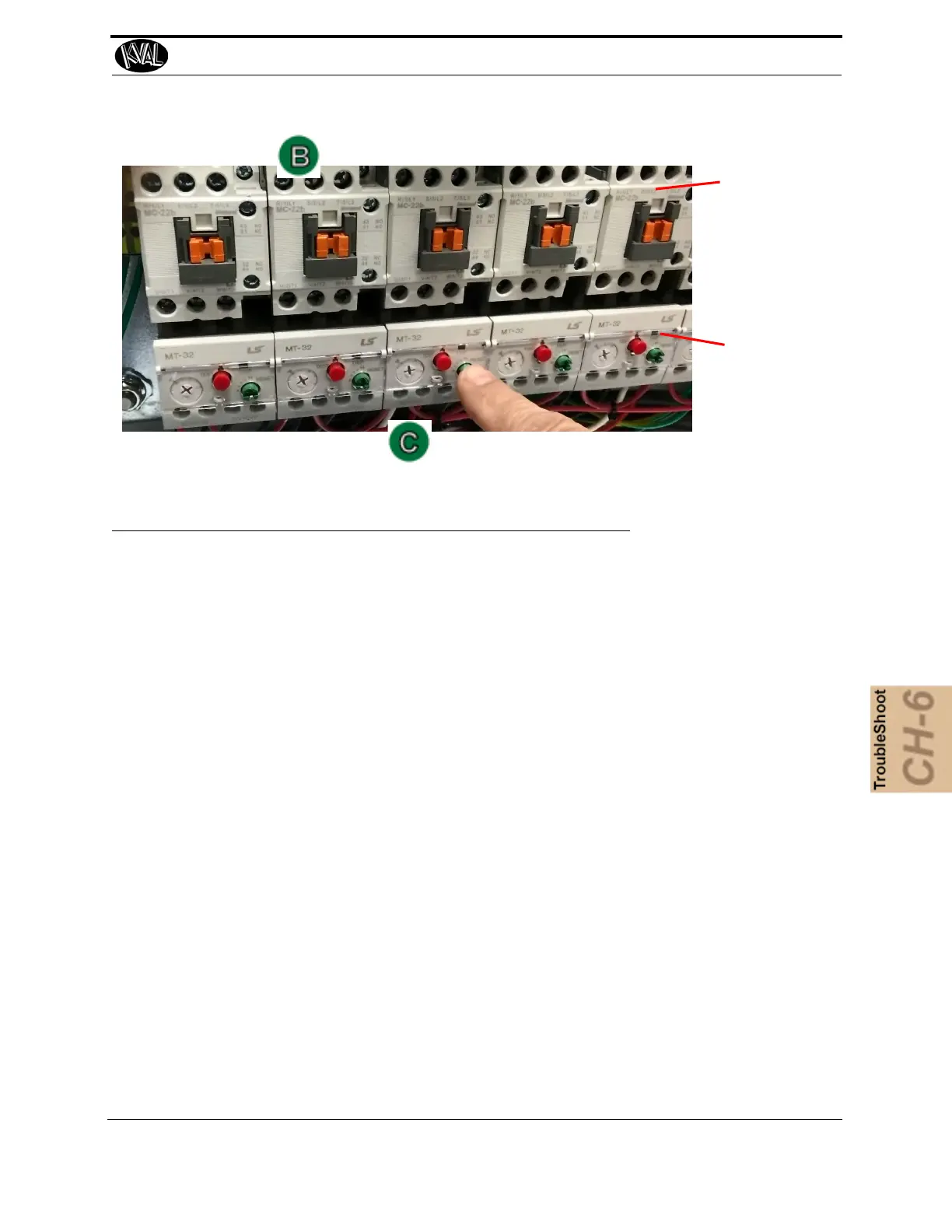
Contactor
Thermal
Overload
About a Typical Contactor Control
6-11
KVAL 994-X Operation/Service Manual
FIGURE 6- 28. Contactor Bank
About Contactor Troubleshooting
The Thermal Overload Circuit opens the motor circuit when current draw causes the motor to run
too hot. The overload limits are set at the factory, do not adjust the limits.
The overloads are normally in series, therefore if one trips, all on that circuit stop working.
Use the Six Light panel as a trigger to check the circuit. See “Troubleshooting with the Status
Light Panel” on page 6-26 .
1. Open the Main Electrical Cabinet to find the Contactor /Thermal Overload Assem-
bly
2. Press each ‘Green” Reset button on the Thermal Overload. An audible click will be
heard on the tripped circuit. (Take note of tripped circuit.)
3. Once the overloads are reset, verify LED’s are on.
4. Rerun the machine and verify that motor runs without tripping the circuit.
5. If the same overload keeps tripping, verify condition.
6. Follow circuit path using the E-Drawing as a reference.
a.Common issues: Check for bad wire, bad motor, or if load is too great for cur-
rent draw.



 To Next Page