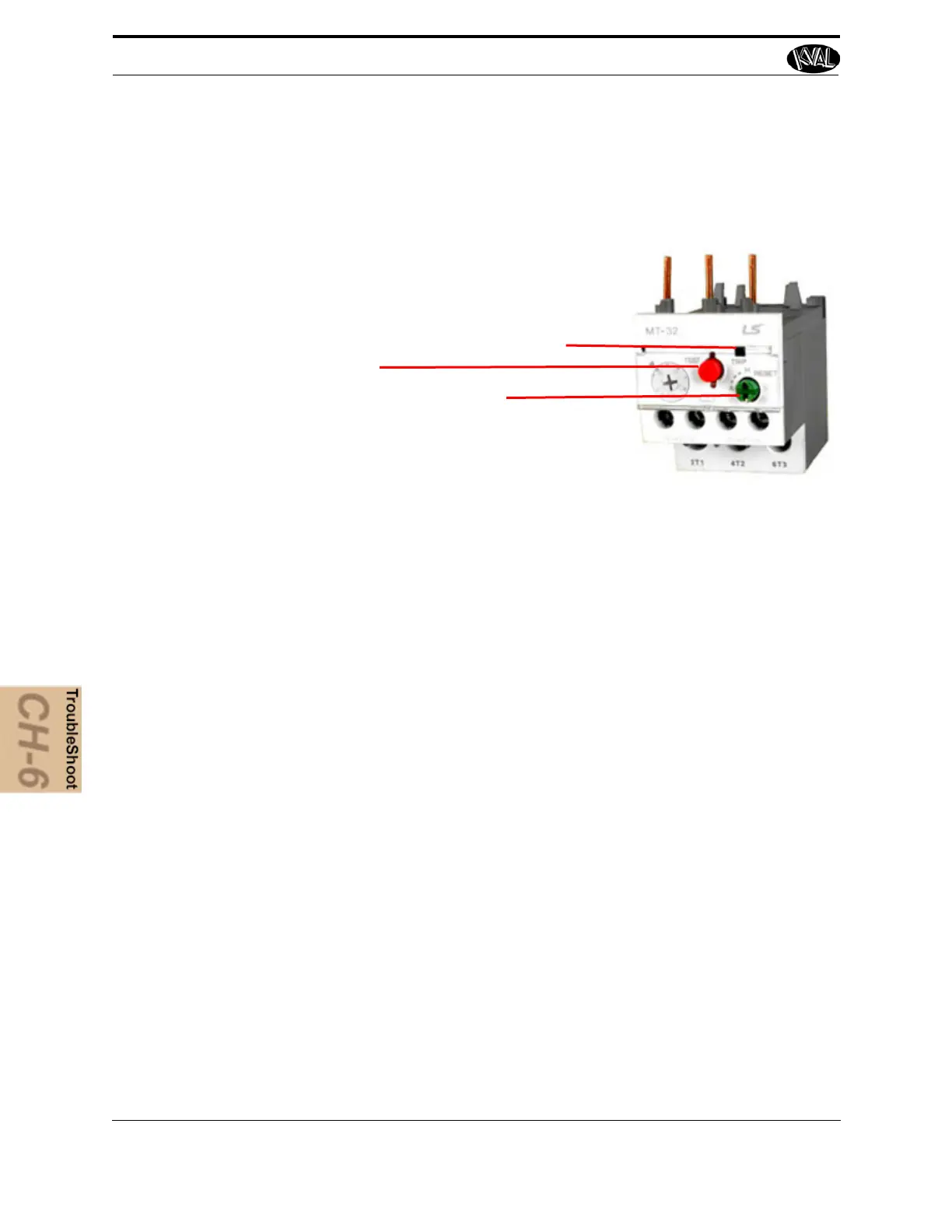
4. With the power off, check for motor overloads by pressing each reset button (usu-
ally at the bottom of the panel) in SEQUENCE. If one is tripped there will be a
slight resistance to touch and a “click” sound as it is reset.
Trip Indicator
Press Reset
Thermal Overload Relay
Test
Troubleshooting Electrical Problems
KVAL 994-X Operation/Service Manual
6-26
Check for Tripped Circuits
1. Remove lock and tag outs on the main power sources.
2. Manually close disconnect sensors and energize the control circuit or transformer
with its respective sensor. Check the Status Light Panel,. If all lights are observed,
there are no overloads or emergency stops tripped. See” Troubleshooting with the
Status Light Panel “below, for more information.
Note: Most electrical problems are related to mechanical malfunction (e.g., stuck motors, jammed
chain, blocked photo sensors etc.)
Note: If a solenoid valve is suspected, and not cleared in the air
checks section (see), it can be electri-
cally jumped to check operation.
Troubleshooting with the Status Light Panel
The Status Light Panel is located on the Electrical Panel. All six lights are illuminated when the
system is in proper working order. The lights turn on in a sequence and will stop at the point
where a fault is first detected.



 To Next Page