Quick Start
2-31
KVAL 994-X Operation/Service Manual
Quick Start
Ensure factory air is present at the machine and the 994-X main air supply valve is
turned on.
Power up the 994-X. See “How to Power Up the 994-X” on page 2-33.
Home the 994-X. See “Home the 994-X” on page 2-34.
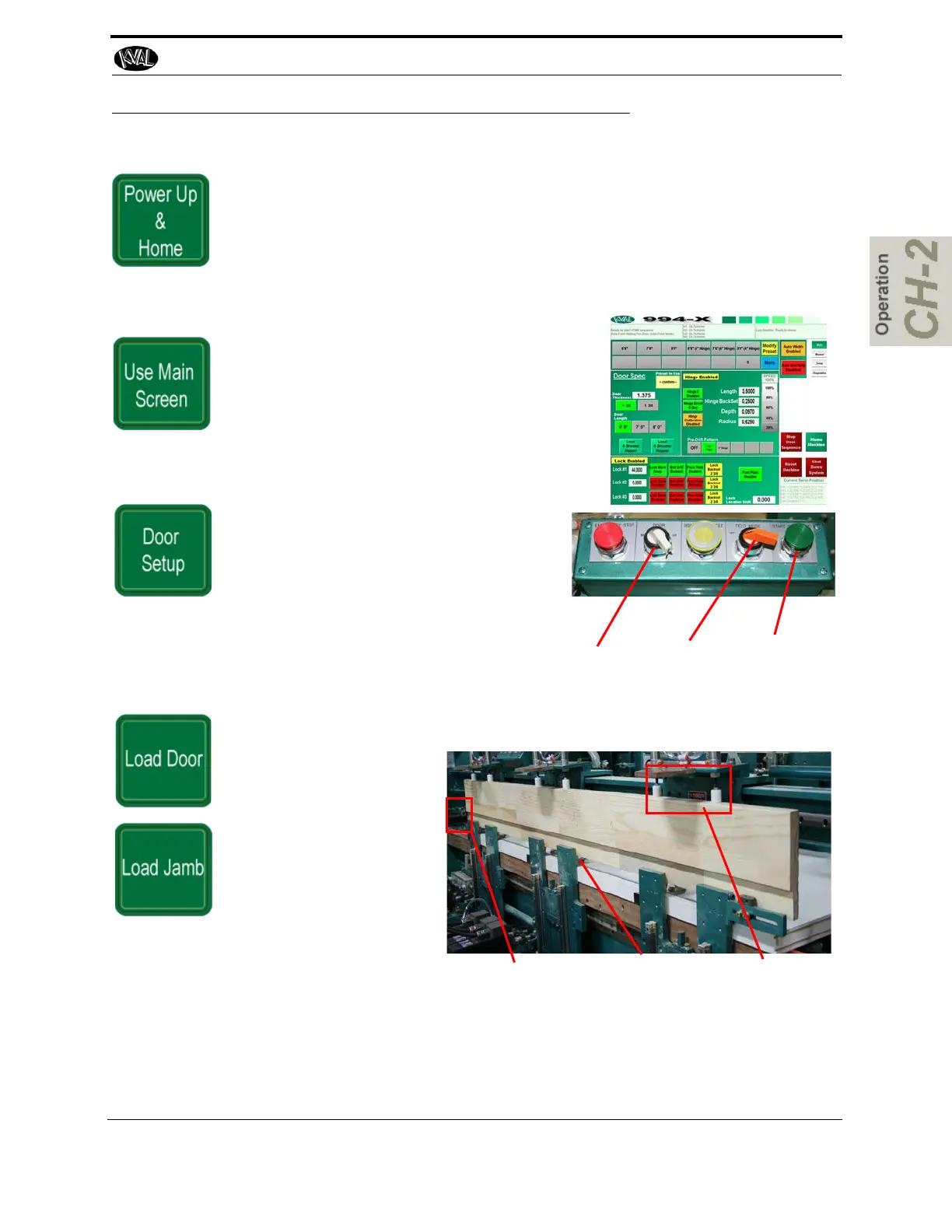
From the Main Screen, choose a Preset button to
load door parameters or choose your own setup
through the Main Screen selections. See “About
the Main Screen” on page 2-39.
From the control bar on the middle front of
the machine, turn the Door switch to (RH)
Right Hand or (LH) Left Hand Door.
Turn the Feed Mode switch to ON (Auto
Feed).
Preset Buttons
Left Hand or
Right Hand
Auto Feed
ON
Start
Sequence.
Feed in a door from the Door Feeder. In Auto mode the Door will Auto Clamp
Insert a Jamb, aligning it
firmly on all the jamb
ledges.
Press the Jamb firmly
against the jamb stop.
Holding the jamb in place
with hands in the proper
position, press the Jamb
Clamp
foot pedal to activate
the jamb clamps.
Note: For split Jamb stapling, see “Option: Securing Split Jambs” on page 2-11
Caution:
The jamb
clamp could
crush hands.
Be careful of
Hand Place-
ment
Jamb Stop Jamb Ledge Jamb Clamps



 To Next Page