How to Download the Service Application
1-17
KVAL 994-X Operation/Service Manual
How to Download the Service Application
On machines with Windows (8.1 / 8 / 7 / Vista / XP) and an internet connection, our service team
are able to connect, run, and troubleshoot your machine by way of the operator station.
Download Application
.
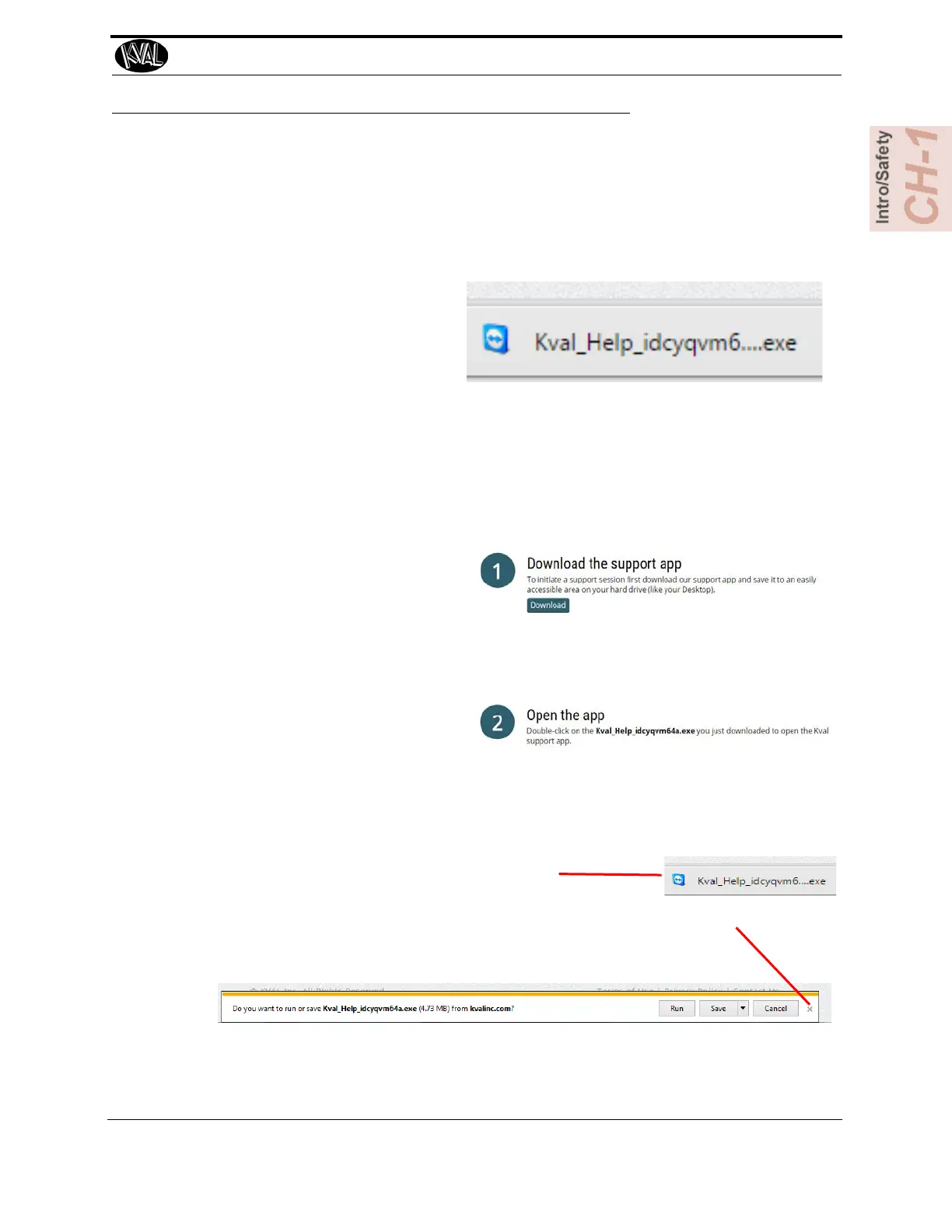
1. To download the application, go
the KVAL website (http://
www.kvalinc.com
)
2. At the KVAL website, select the
Support tab. Follow the instruc-
tions on the Support web page.
3. Click the Download button to
download the application that
allows the KVAL technician to
have access to the operator sta-
tion.
4. After the download is com-
pleted, double-click the program
icon.
Note: Web browsers have different methods of downloading programs. Below are samples of i.e
Explorer and Google web browsers.
Sample of Google Browser: Located at the
bottom left of the screen.
Sample of i.e Explorer: Located at the bottom of the screen. select the arrow and
choose Save and Run



 To Next Page