Powering Operations for the 994-X
KVAL 994-X Operation/Service Manual
2-34
Home the 994-X
The 994-X must go through a homing routine before any operations are performed. The homing
routine sets a zero reference from which the 994-X measures its movement and cutting process.
If power is lost or the 994-X is re-set, the homing routine must be performed again to reset the
zero reference.
Press the Home button on the Main Screen touch screen.
1. The machine will move to the home position at the
in-feed end of the machine.
2. The machine will then move to about the middle
of its travel.
The 994-X is now ready for work.
How to Power Down the 994-X
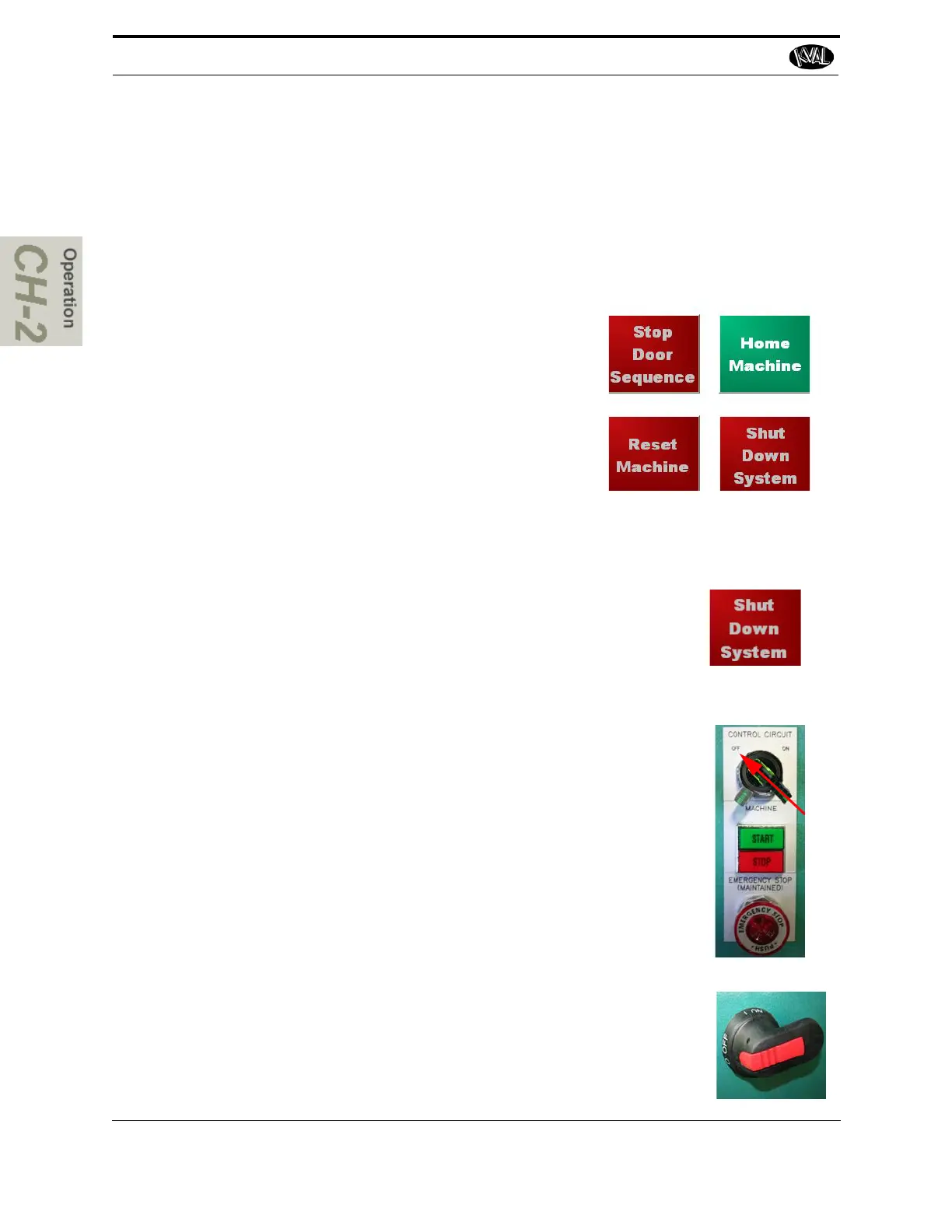
1.
Select Shut Down System from the Main Screen to close
operator interface program and shut down the operating
system.
Note: Make sure Windows is shutdown completely before
turning off the machine. Hard drive or data may be
damaged if not turned off in this order.
2. Switch the green CONTROL TRANSFORMER switch to the
OFF position.
3. KVAL also recommends that you turn the disconnect
switch on the electrical cabinet to OFF; this helps reduce
possible damage resulting from power surges from electri-
cal storms.



 To Next Page