Description of User Interface Screens
KVAL 994-X Operation/Service Manual
2-36
Description of User Interface Screens
This section describes the user interface screens. The user interface allows the operator to use a
touch screen to control the door cutting process, auto-run, manually run the door, store door pro-
files, and use diagnostics to help troubleshoot the 994-X.
Screen Selection Menu Map
Below are the menu selections for the 994-X..
Machine Feed Back
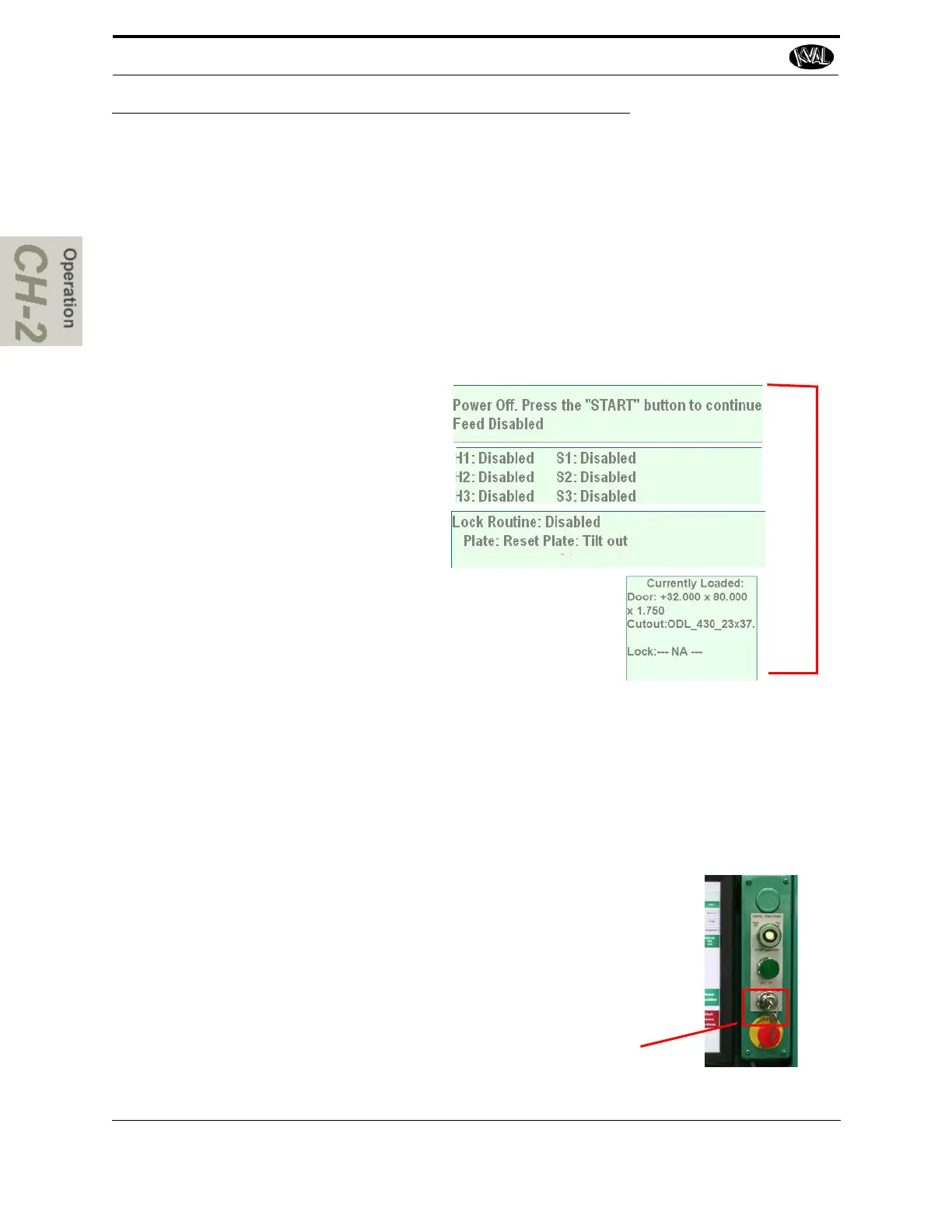
At the top and at the bottom right hand cor-
ner of all user screens is status feedback
information. The information generated is
as follows:’
1. General Machine Status
2. Front Section Status
3. Back Section Status
4. Current Servo Positions
Note: Use this information to isolate issues if having prob-
lems with the machine.
1
2
3
4
Controlling Access to User Screens
The 994-X has the ability to lock out changes to certain parameters such a presets and calibra-
tions.
Note: Locked out parameters may vary due to customer design criteria.
To allow the operator to make changes to parameters, turn the Set Up Lock
to the On position. When this key is in the Off position, the parameters are
locked out. No changes to the parameters may be made in the off position.
The key may be taken out in the off position, to prevent any inadvertent
changes to the cut parameters.
Set Up Lock



 To Next Page