Option SB: About the CNC Back Section Operator Screens
2-55
KVAL 994-X Operation/Service Manual
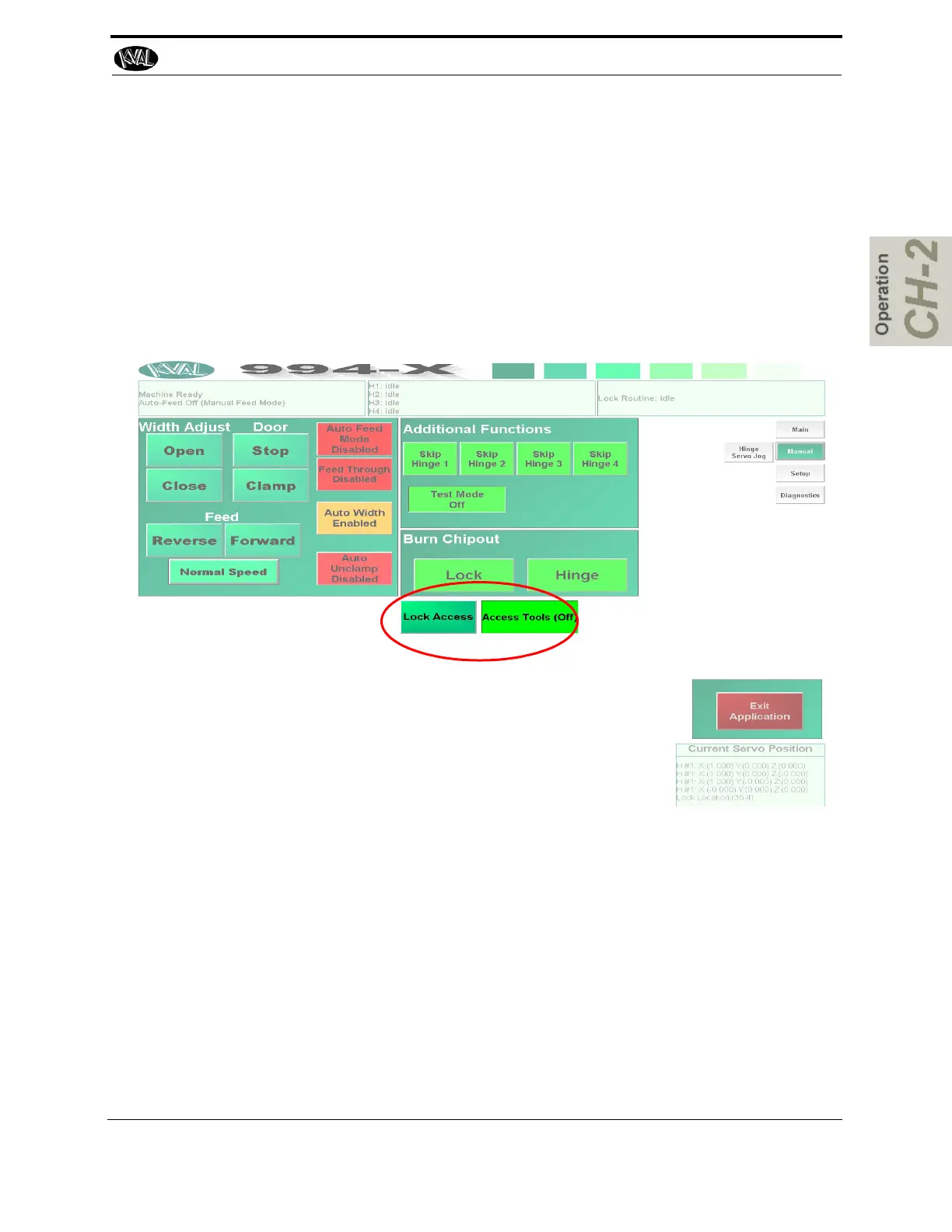
Option SB: Lock Access Buttons
The Lock access button make i easy to change tools on the lock section head. The buttons are
located in the Manual screen. Use the two buttons in tandem
Lock Access Button with Access Tools (OFF): The Lock Plate will move to a position
for easy access.
Lock Access Button with Access Tools (ON:, Moves the Lock Plate out further if more
room is needed to access tooling.
•



 To Next Page