Operator Controls
KVAL 994-X Operation/Service Manual
2-4
Operator Controls
The operator controls the machine with the Operator’s Station, Machine Control, and the Jamb /
Door Clamp Foot Pedal.
Operator’s Station
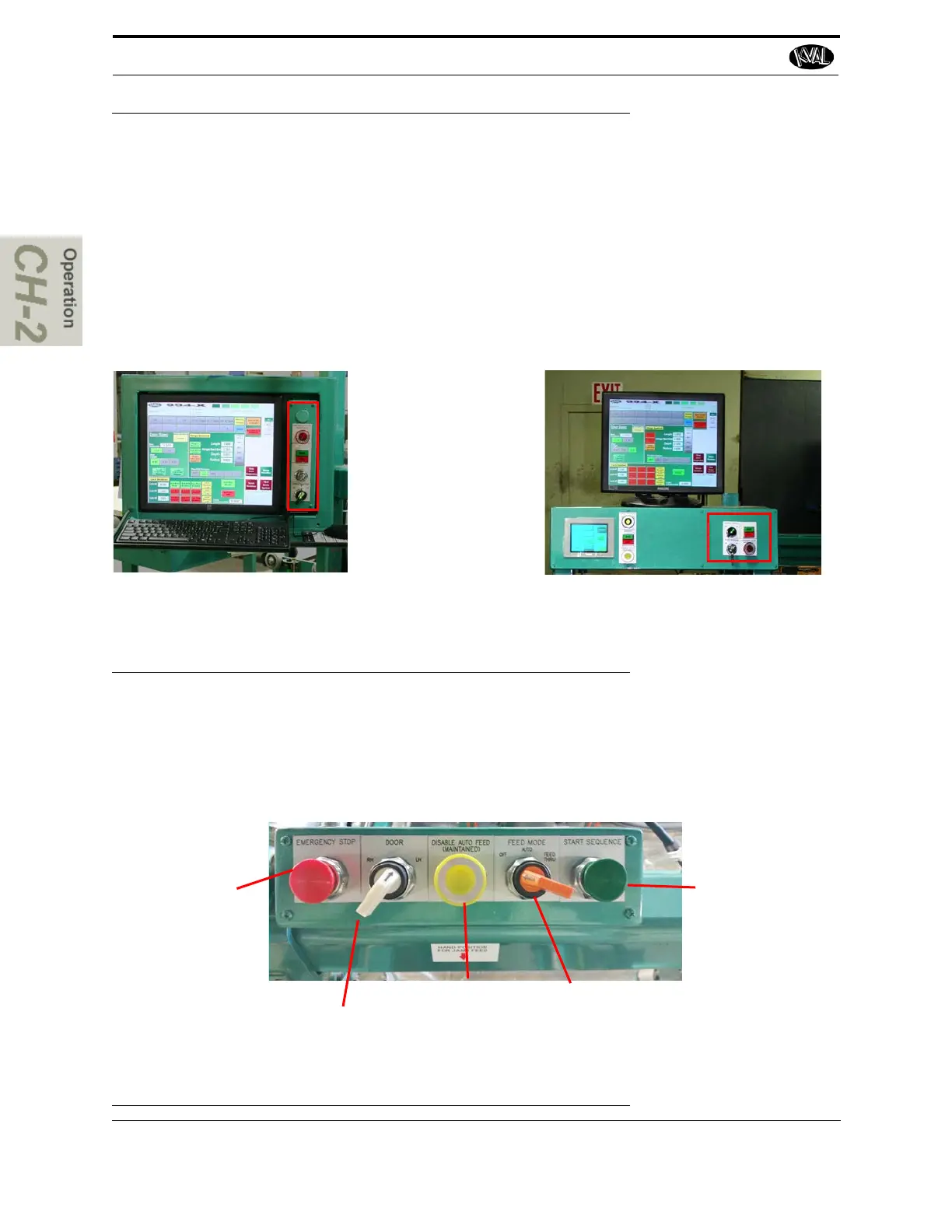
The Operator’s Station contains a touch screen that allows communication between the operator
and the machine. Door cutting parameters can be stored and retrieved by one touch.The Touch
Screen logic also includes management functions such as Daily and Lifetime Totals. See
“Description of User Interface Screens” on page 2-36 and“Quick Start” on page 2-31 for more
information.
The operators station can be placed at different locations as per customer requirements.Above are exam-
ples of an Op Station attached to the machine and a centrally located station with a Handler interface.
Controls:
• Emergency Stop
• Start “boot-up” and
Stop
• Lock Out ability to
change programs
• Turn ON or OFF Control
Transformer
FIGURE 2- 2. Operators Station with touch Screen Interface
Machine Control
The machine control is located is centrally located for easy access. The control works with the
Operator Interface to process a door. The controls are listed in the illustration below. See “Quick
Start” on page 2-31 , for more information on using this control in machining a door
.
E m e r g e n c y S t o p :
If Safety issues
occur press this
button
LH/ RH Door:
Select a Right
Hand or Left
Hand Door
Disable Auto Feed:
Stops Door Feeding
Through
Feed Mode:
Chose Auto,
OFF, or instant
feed thru
Start Sequence:
Starts the
sequence of
machining a door
FIGURE 2- 3. Machine Controls



 To Next Page