Powering Operations for the 994-X
2-33
KVAL 994-X Operation/Service Manual
Powering Operations for the 994-X
This section describes how to power up and to power down the 994-X.
Powering up the system includes:
• Applying power to the entire system
• Starting the Control Circuit
Powering down the system includes:
• Shutting down the control power
• Removing power from the entire system
How to Power Up the 994-X
1. Ensure factory air is applied to machine and main air supply is turned on.
2. Check that all E-Stop buttons are out and safety gate door s are closed.
Note: A pop-up is displayed on the user screen if an E-Stop is pressed. The pop-up
will indicate which E-Stop has been activated
3. Make sure the electrical disconnect the electrical cabinet is turned to the ON posi-
tion.
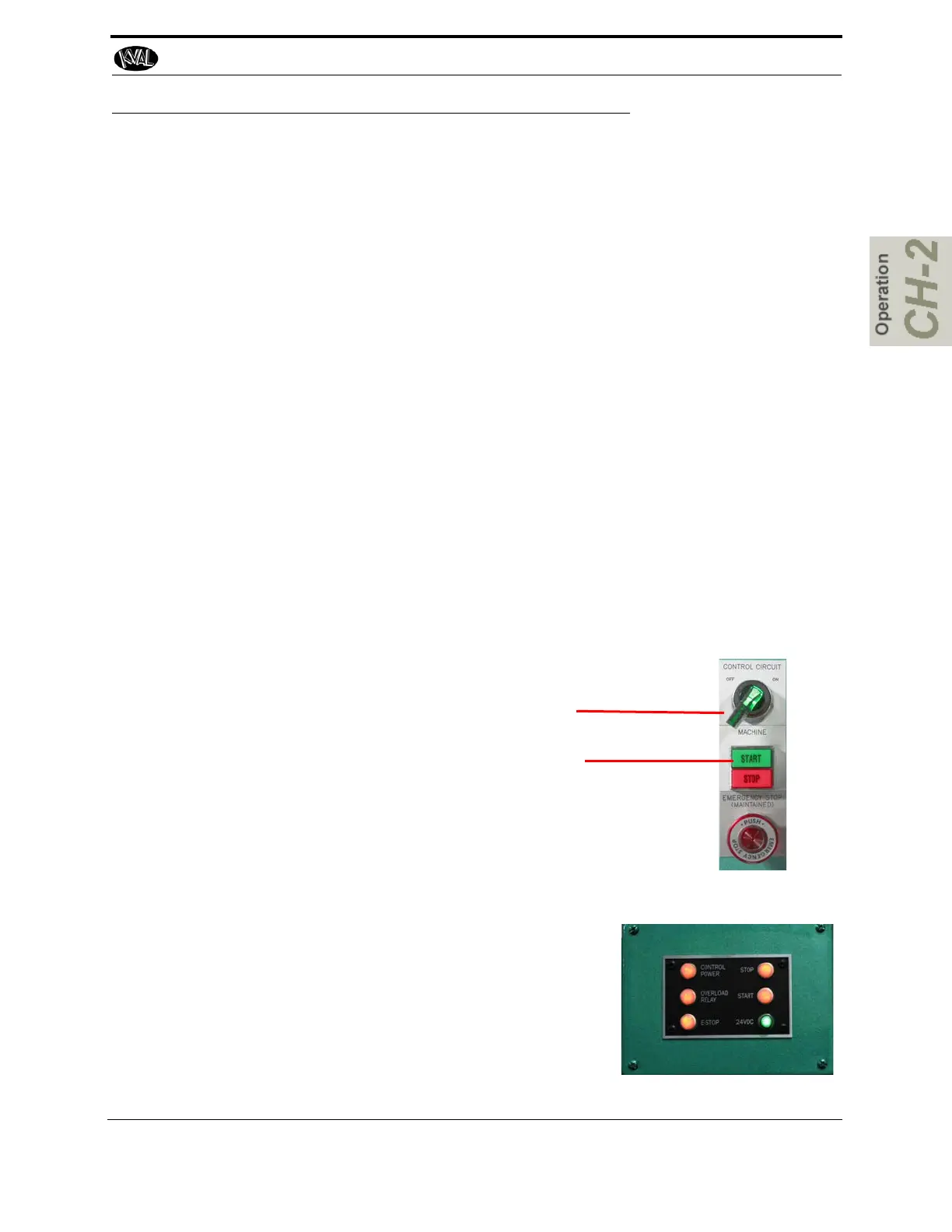
4. Switch the green CONTROL TRANSFORMER switch to the ON position. It should
light up.
5. Push the green START MACHINE button to “boot up” the machine.
Note: Boot up may take 2 to 3 minutes.
Control Transformer
Start
Note: Some control panels may have a different orientation of
the buttons.
6. All lights on the status light panel on the electrical
box should be illuminated. See “Description of the
Six Light Panel” on page 2-29
Note: If a status light does not turn on during the
power up process, see “Troubleshooting with the
Status Light Panel” on page 6-26 for assistance
in identifying the issue.
.



 To Next Page