Check Specifications of the Front Section
3-13
KVAL 994-X Operation/Service Manual
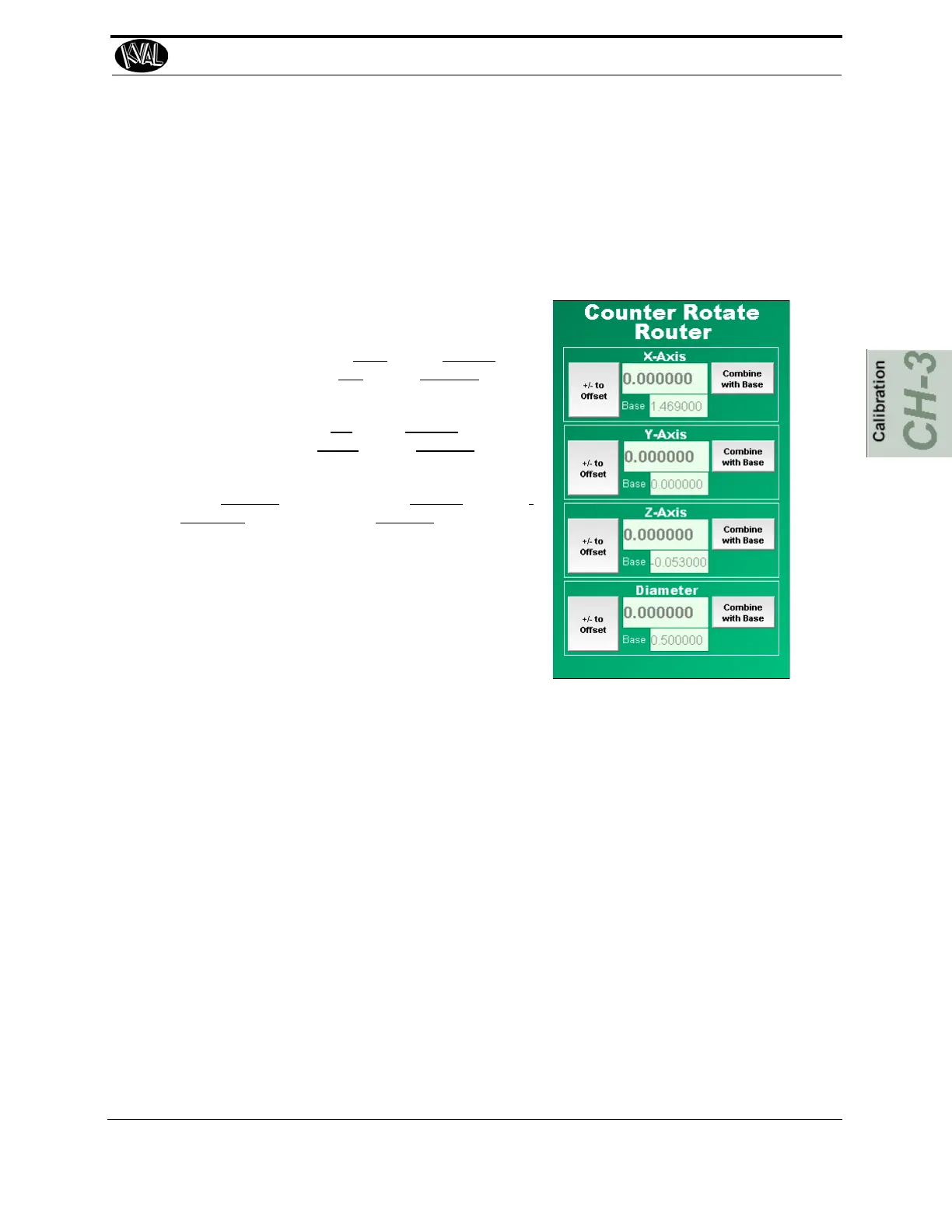
(Option CR) Adjusting the Counter Rotate Router
For the adjustment of the Counter Rotate Router, follow same steps as the Standard
Router.
For dimension of the Counter Rote Router calibration cut, see “Calibration Slot Drill-
ing Specifications” on page 3-5.
X: To move the cut to the right, enter a positive value.
To move the cut to the left,
enter a negative number.
Y: To move the cut to up
enter a positive value. To
move the cut to the down,
enter a negative number.
Z: To increase
the depth, enter a positive value. To
decrease the depth, enter a negative value.
Diameter: The diameter menu allows adjustment
compensate for discrepancies to the actual size of
the router bit. If the diameter is not correct, it will
affect the X,Y and Z parameters.
Step 3: Pre-Drill Calibration
Verify the Pre-Drill
• The depth of the pre-drill should be 0.250 “deep.
• The hole should be centered in the H-block and center on the calibration cut.
Adjusting the Pre-Drill
1. Run the Calibration Routine. See “Run the Calibration Routine” on page 3-6.
2. Check, measure, and calculate specifications of Pre-Drill cut.
3. To set a new reference, go to the calibration menu and select Combine with Base.
4. Enter calculations.



 To Next Page