About the Diagnostic Screen
KVAL 994-X Operation/Service Manual
2-52
About the Diagnostic Screen
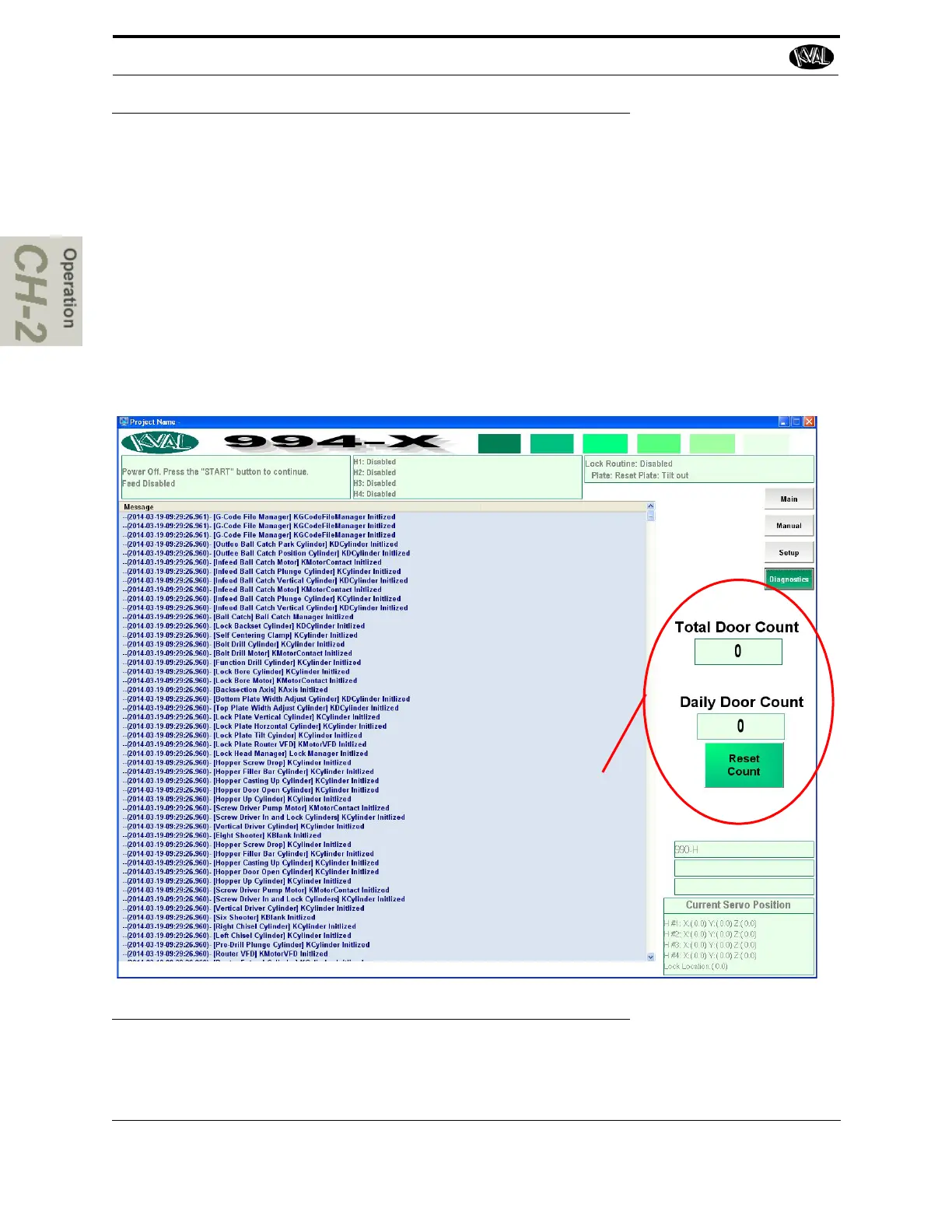
The Diagnostic screen displays all the tasks the 994-X performs. This screen can help with trouble
shooting by associating the error code to machine sections or functions. The top line will have the
most current routine that is running. If the machine issue can not be resolved, call KVAL Inc. (1-
800-553-5825). Have any error code that is displayed, ready to give the KVAL representative.
This will aid in troubleshooting and shorten down time.
The Diagnostic screen keeps track of the all the doors processed on the machine. The quantity is
displayed in the Total Door Count box.
To keep track of daily production, the quantity of doors produced in a day is displayed in the Daily
Door Count
box. This count can be reset with the Reset Count button.
Production Tracking Tools
FIGURE 2- 26. Diagnostic Screen



 To Next Page