Check Specifications of the Front Section
3-11
KVAL 994-X Operation/Service Manual
11. If slot is not centered, repeat the steps above until the slot is centered.
12. After centering is achieved, select Combine with Base to store the corrections.
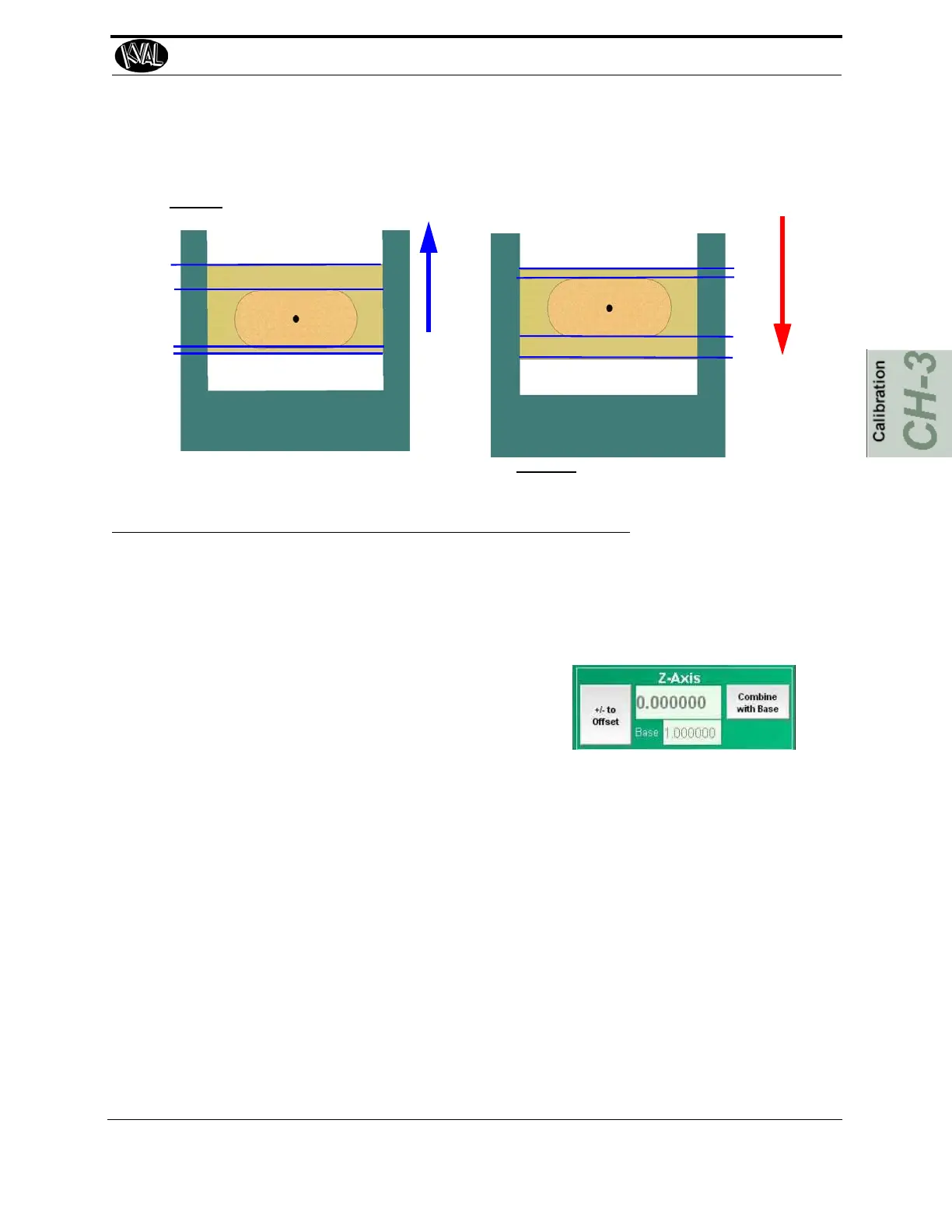
Enter a positive number to move the Carriage Up
Enter a negative number to move the Carriage Down
a
b
a
b
FIGURE 3- 7. Adjustments for the Y Axis
Adjusting the Z Axis
1. Run the Calibration Routine. See “Run the Calibration Routine” on page 3-6.
2. Measure the depths of the Router and Pre-Drill.
3. If depths are off, go to the Setup
screen and select the appropriate Z
menu
4. If the depth is too deep, enter a negative number of the difference of the measured
and the desired depth.
5. If the depth is too shallow, enter a positive number of the difference of the measured
and the desired depth.
6. Rerun tests until the correct depth is achieved.



 To Next Page