Group 8 Job Editor Page 101
JET3 Series Release 2.02
Figure
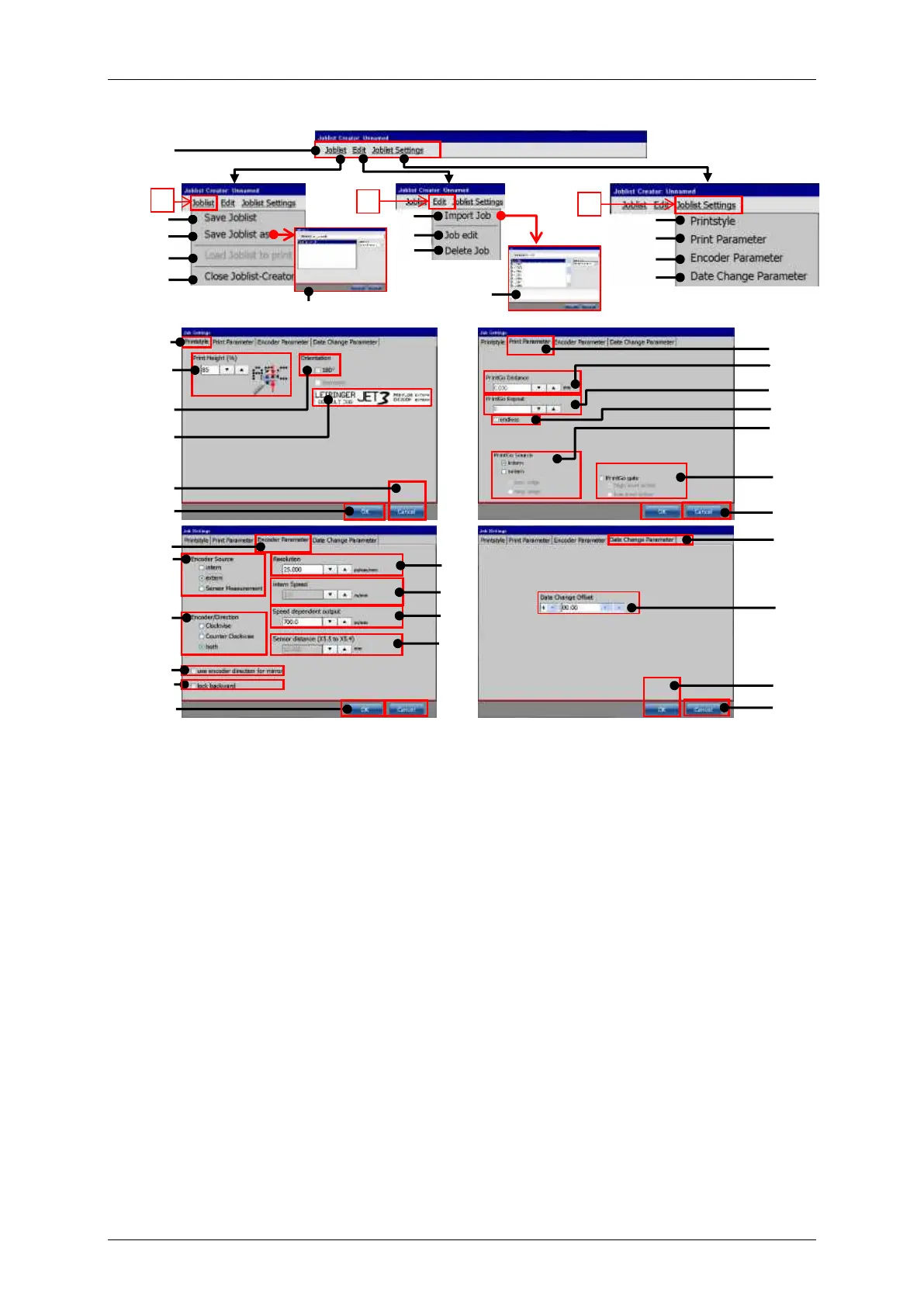
Menu bar Job list creator
1 – Menu bar <Joblist Creator>
18 – Check box <mirrored>
1a – Drop-down menu <Joblist>
1b – Drop-down menu <Edit>
1c – Drop-down menu <Joblist sett.>
21 – Tab <PrintGo Parameter>
2 – Option <Save Joblist>
22 – Display field <PrintGo Distance>
3 – Option <Save Joblist as>
23 – Display field <PrintGo Repeat>
4 – Option <Load Joblist to print>
5 – Option <Close Joblist Creator>
25 – Settings <PrintGo Source>
6 – Dialog box <Save file as>
26 – Settings <PrintGo gate>
27 – Tab <Encoder Parameter>
28 – Settings <Encoder Source>
29 – Settings <Encoder Resolution>
10 – Dialog box <Open file>
30 – Settings <intern Speed>
31 – Settings <Encoder Direction>
12 – Option <Print Parameter>
32 – Settings <Speed dependent out.>
13 – Option <Encoder Parameter>
33 – Settings <Sensor distance>
14 – Option <Date change Param.>
34 – Check box <direction for mirror>
35 – Check box <lock backward>
16 – Display field <Print height>
36 – Tab <Date Change Parameter>
17 – Display field <Orientation>
37 – Settings <Date Change Offset>



 To Next Page