Page 134 Job Editor Group 8
Release 2.02 JET3 Series
You will find further information about the numeric keypad in chapter 6.4.1
Numeric keypad
Please contact your system administrator in order to implement the
LEIBINGER Printer printer in a local network. LEIBINGER cannot be held
liable for any malfunctions caused by inappropriate network settings!
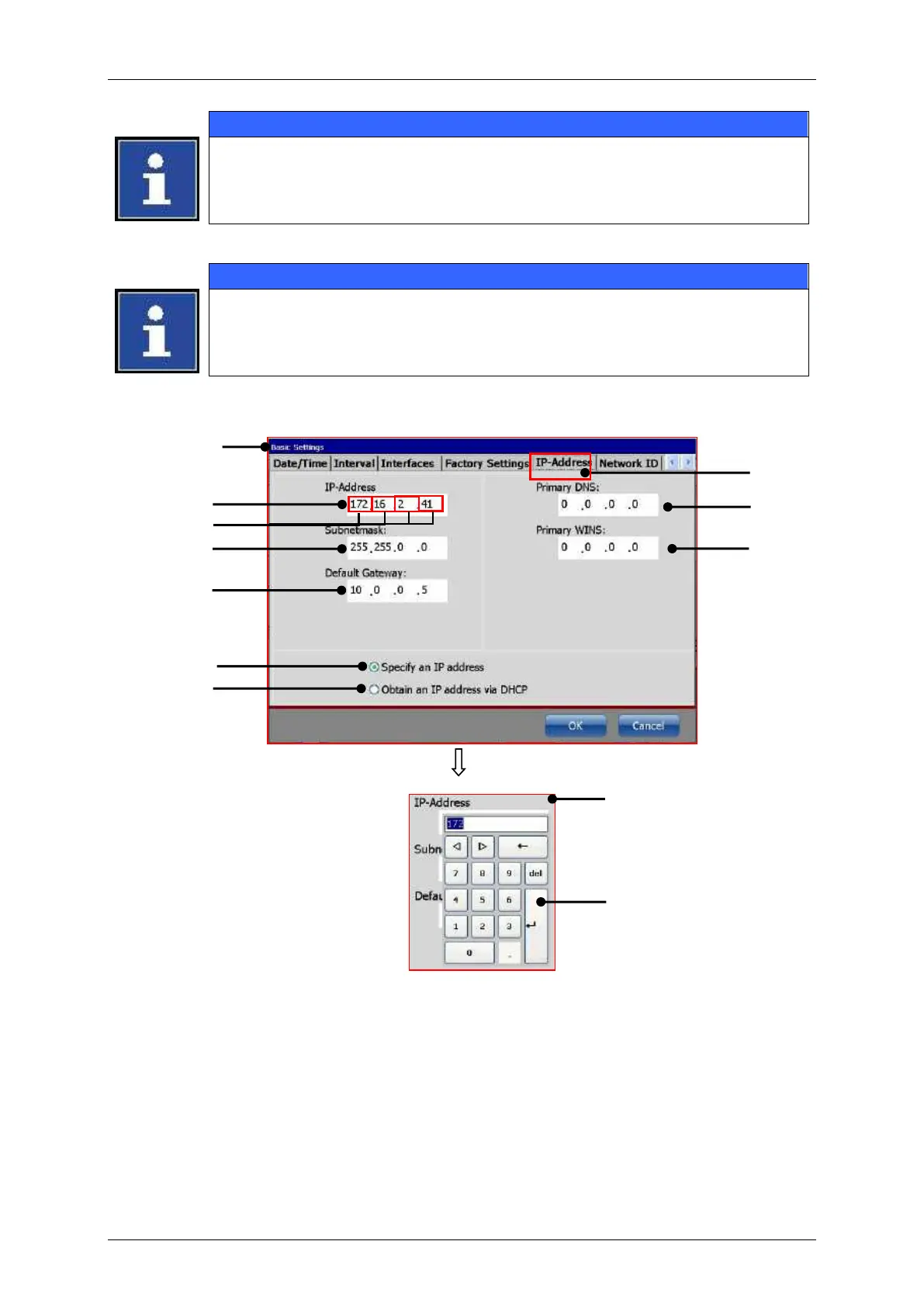
1 – Dialog box <Basic Settings>
7 – Radio button manual IP address
8 – Radio button IP address via DHCP
3 – Setting field <IP-Address>
4 – Address blocks of the IP address
5 – Setting field <Subnet mask>
11 – Numeric keypad; first address block of
the IP address selected
6 – Setting field <Default gateway>



 To Next Page