EasyManua.ls Logo

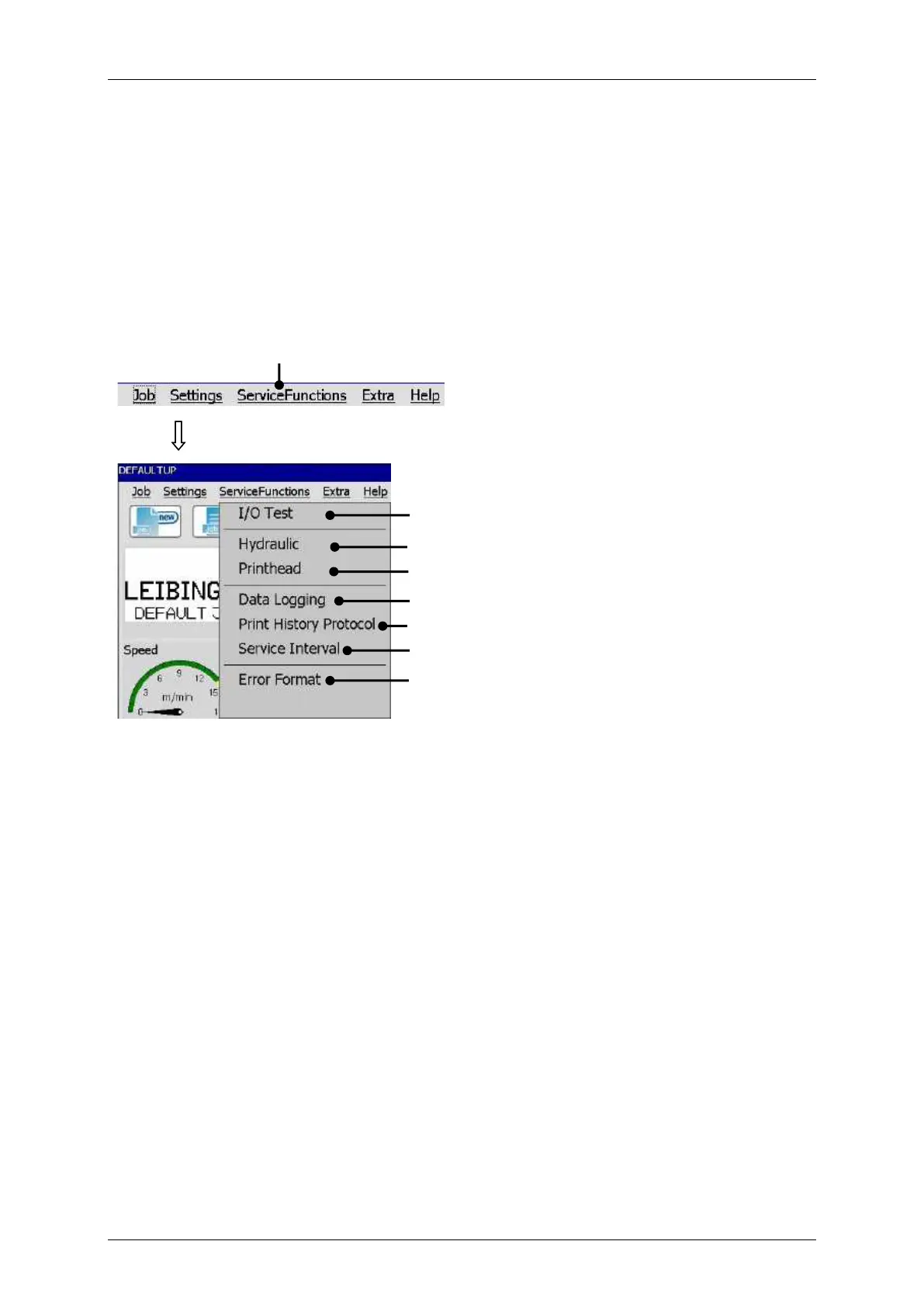
Leibinger JET3 Series - Service Functions; Figure 70 - Menu Service Functions

Leibinger JET3 Series
406 pages
Print Icon
To Next Page IconTo Next Page
To Previous Page IconTo Previous Page
Loading...
Page 160 Job Editor Group 8
Release 2.02 JET3 Series
7.4 Service functions
With the button <ServiceFunctions> in the main dialog box bar the submenu „Service
functions“ is displayed. The following options are available:
I/O-Test
Hydraulic
Printhead
Data Logging
Service Interval
Error Format
Remote Control
Figure
70
Service functions menu
1 – Button <ServiceFunctions>
5 – Option <Data Looging>)>
2 – Option <I/O Test>
6 – Option <Print History Protocol>
3 – Option <Hydraulic>
7 – Option <Service Interval>
4 – Option <Printhead>
8 – Option <Error Format>
1
2
3
4
5
6
7
8

Table of Contents