Group 8 Job Editor Page 181
JET3 Series Release 2.02
7.5.1 Test print
With the option <Test Print> a defined default job with set internal PrintGo-source is
loaded. This job can be used by the operator as basis to create a new job or to control
the print function of the Printer.
The default job is loaded as follows:
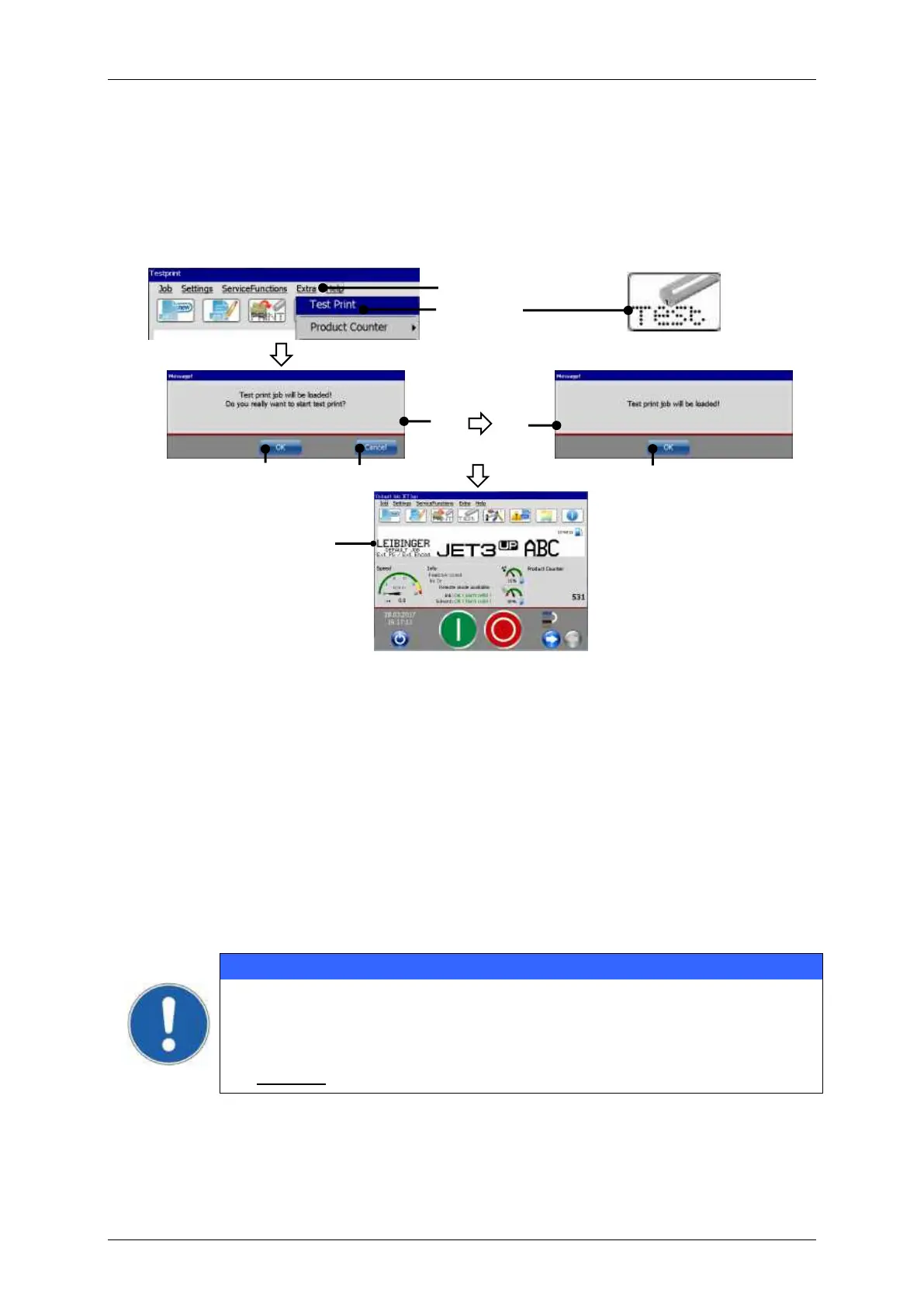
Test print (Load default job)
1 – Drop-down menu <Extra>
3 – Direct button (shortcut) <Testprint>
7 – <Job loaded> confirmation
Click on the menu item <Extra> (1) and select the option <Test Print> (2) or click on
the accordant direct buttons (shortcut) (3).
A confirmation prompt (4), pops up
Confirm by pressing the <OK> button (5) or cancel the process with the
<Cancel>button (6).
A message (7), that the test print-job is loaded pops up.
Confirm the message with the <OK> button (5). The job is now loaded and ready for
to be printed.
For the <Test Print> job all signals are generated internally and no
sensor or encoder is required. Therefore, if the test print is loaded while
<print start> is activated, the Printer starts immediately with the printing
process.
Caution! Ink escapes immediately from the print head



 To Next Page