Page 358 Job Editor Group 8
Release 2.02 JET3 Series
Figure
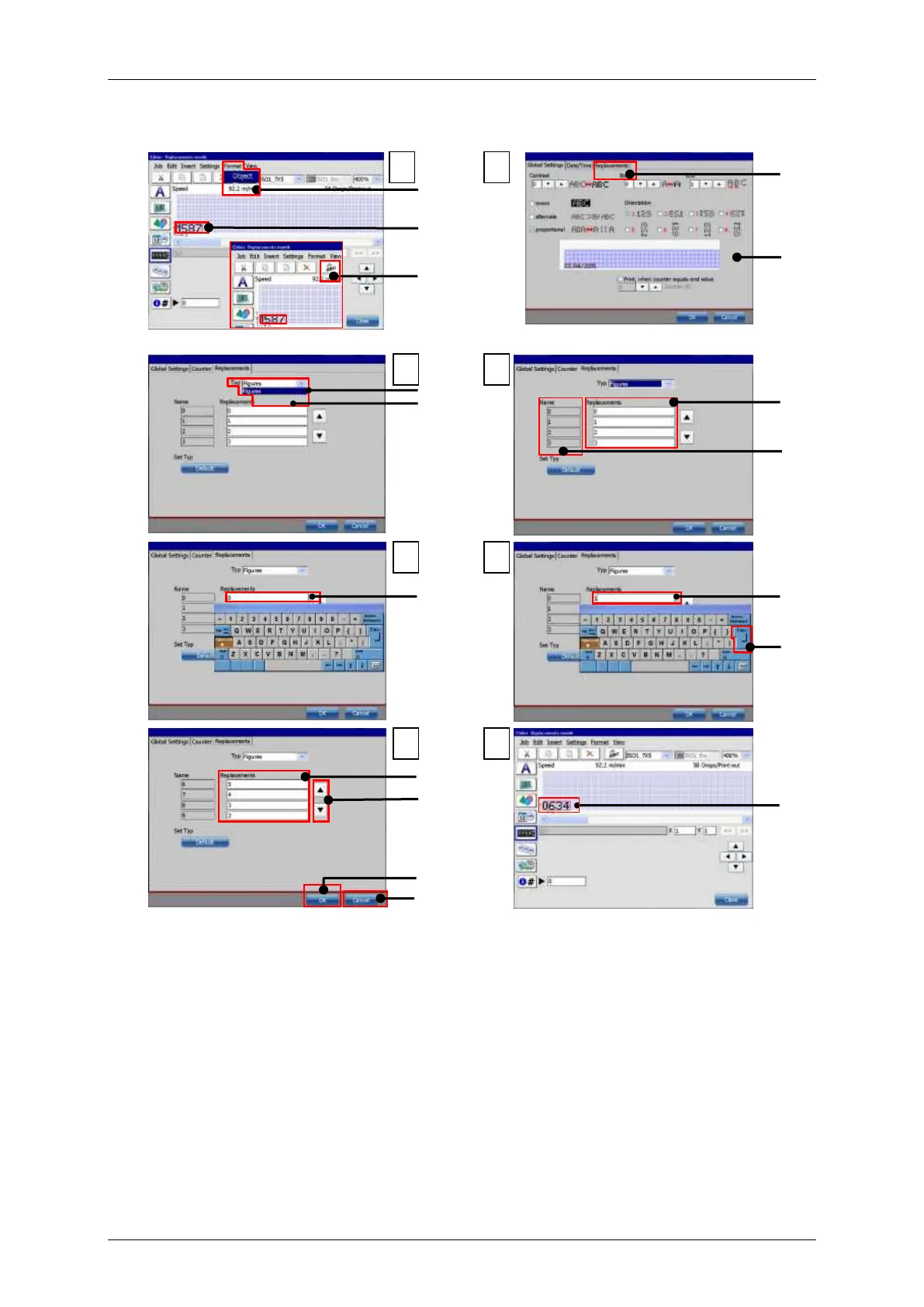
Job editor: Carry out replacements – Example 2
1 – Menu item <Format>-<Object>
2 – Original counter object
3 – Direct button <Object settings>
12 – Confirm settings with <Enter>
13 – Filled-in replacement fields
5 – Dialog box <Object settings>
6 – Drop down list <Type>
8 – Setting fields <Replacement>
17 – Changed counter object
9 – Original element designations



 To Next Page